







Question: I just need list_read.cpp and list_write.cpp to compare against my code that isn't passing all of the test cases. The rest of the info in
I just need list_read.cpp and list_write.cpp to compare against my code that isn't passing all of the test cases. The rest of the info in the documents I added for background information. I will upvote. Thank you.
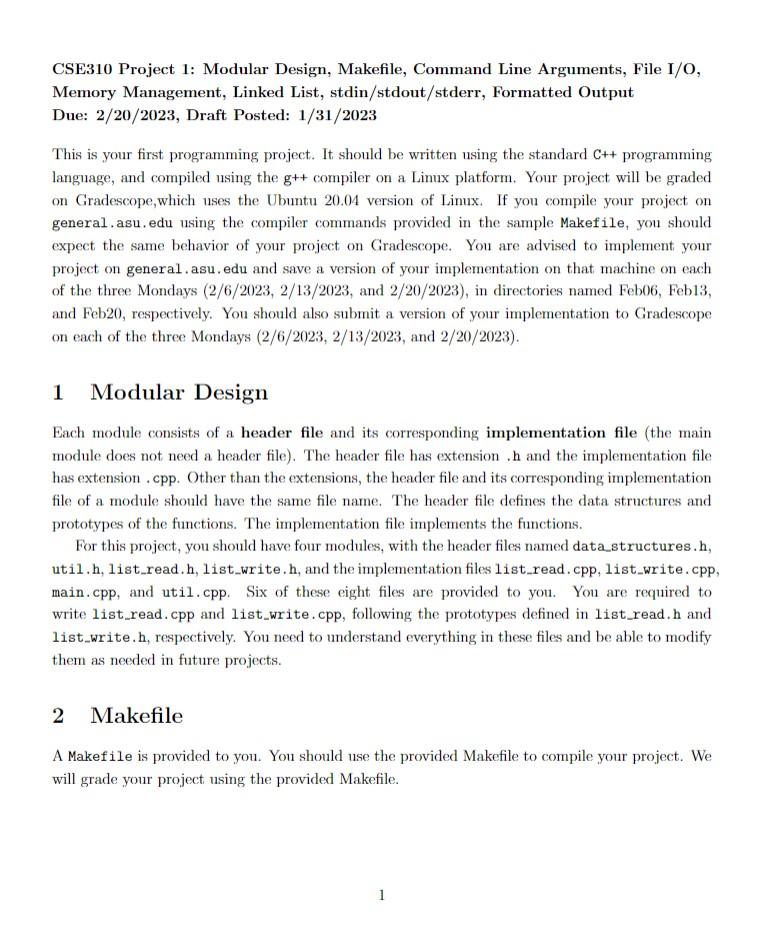
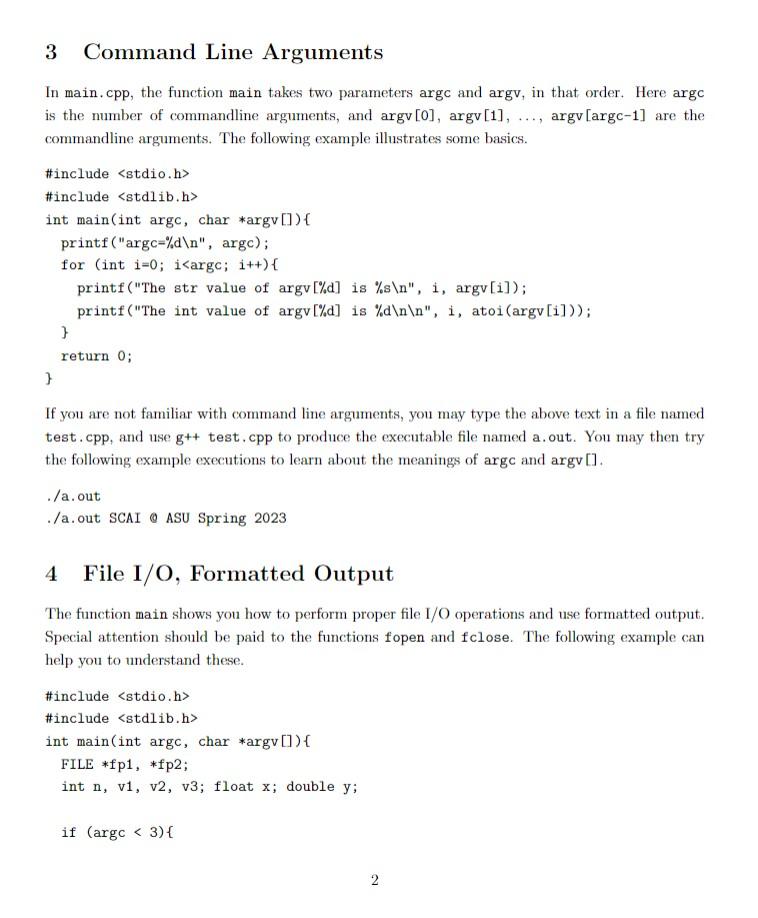
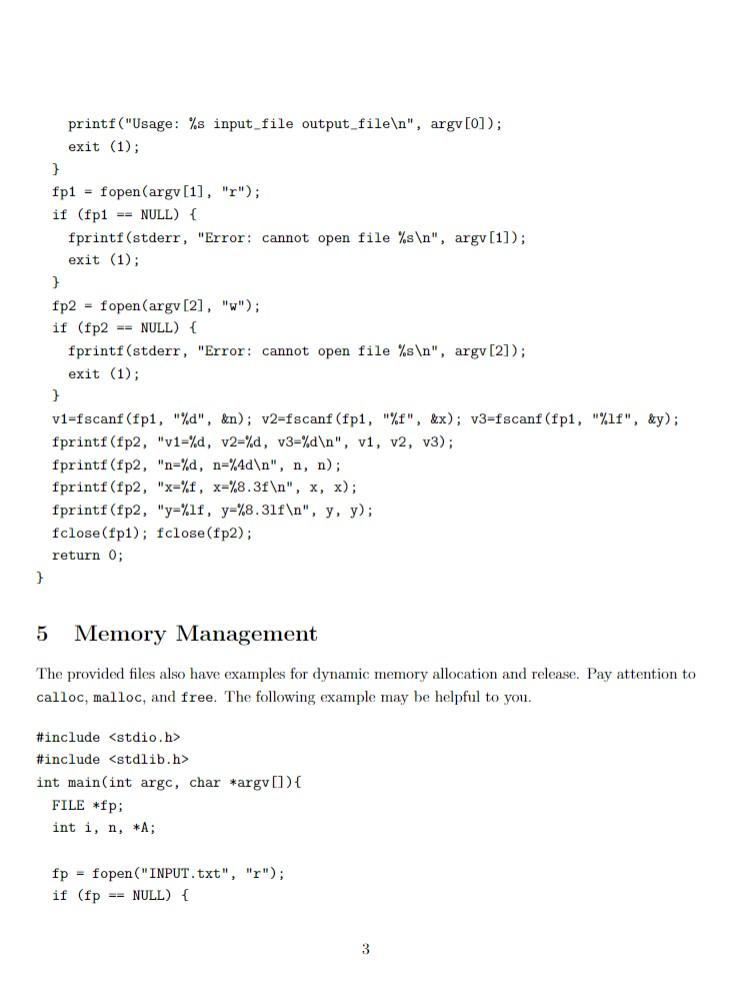
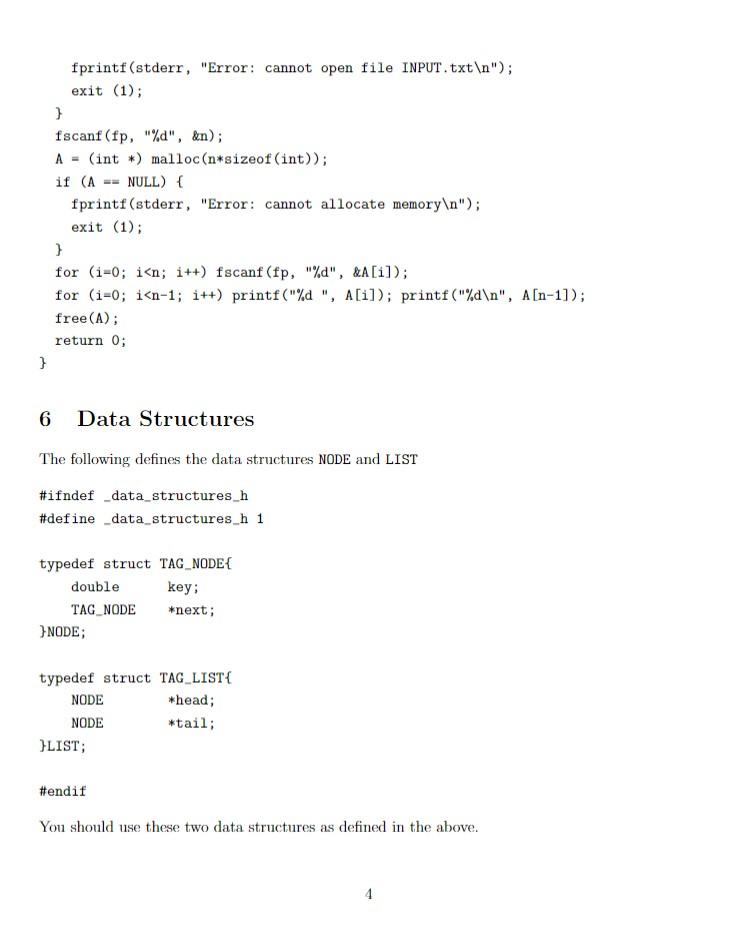
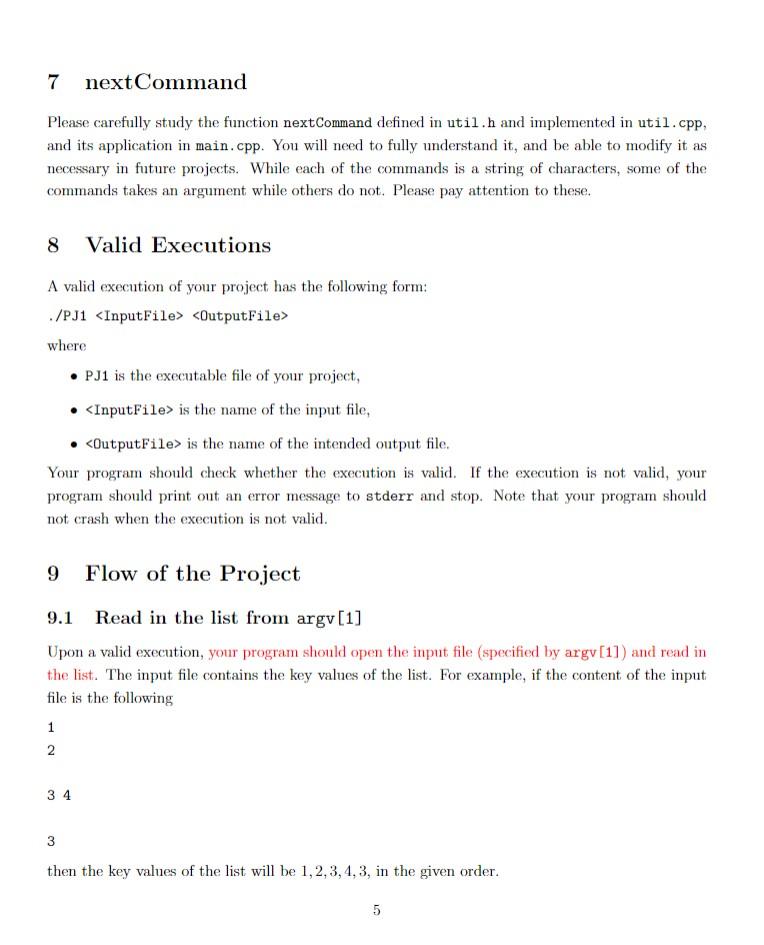
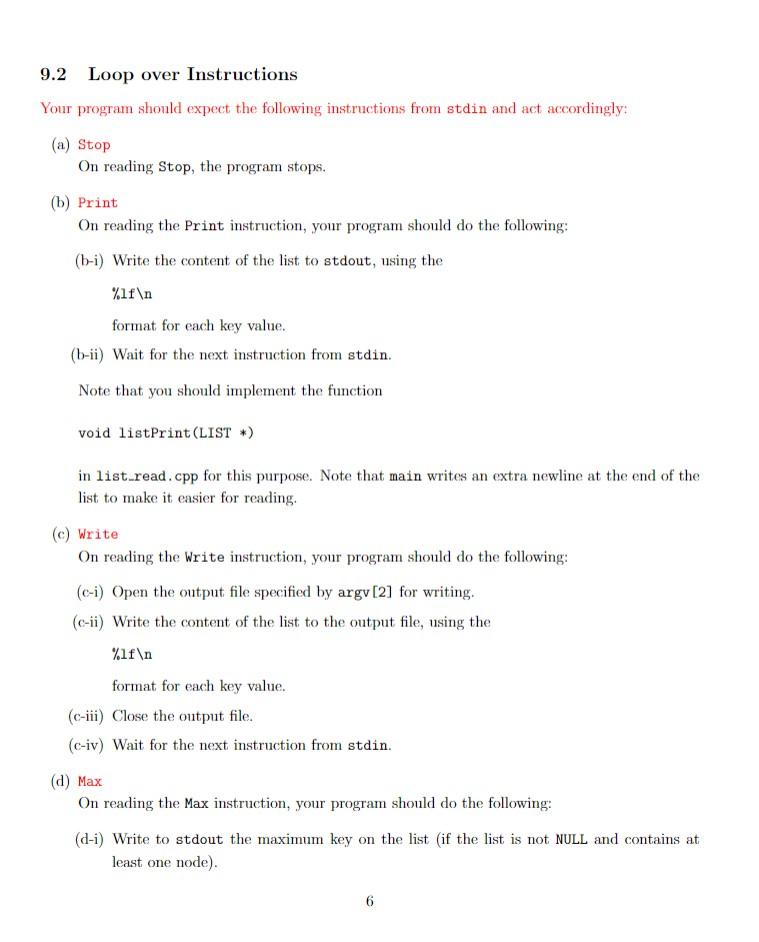
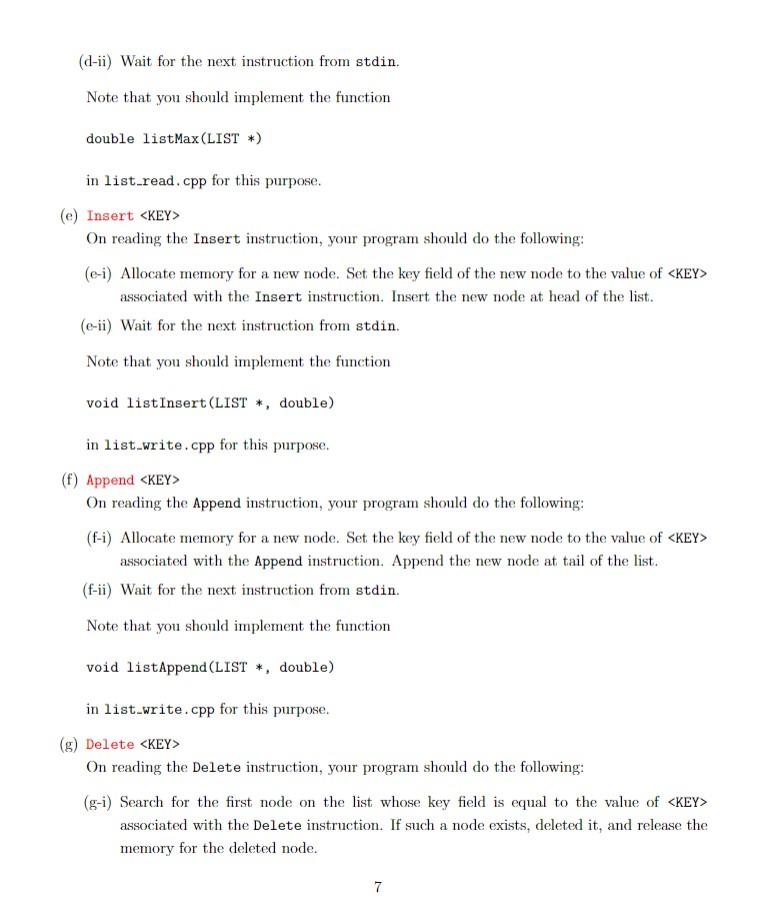
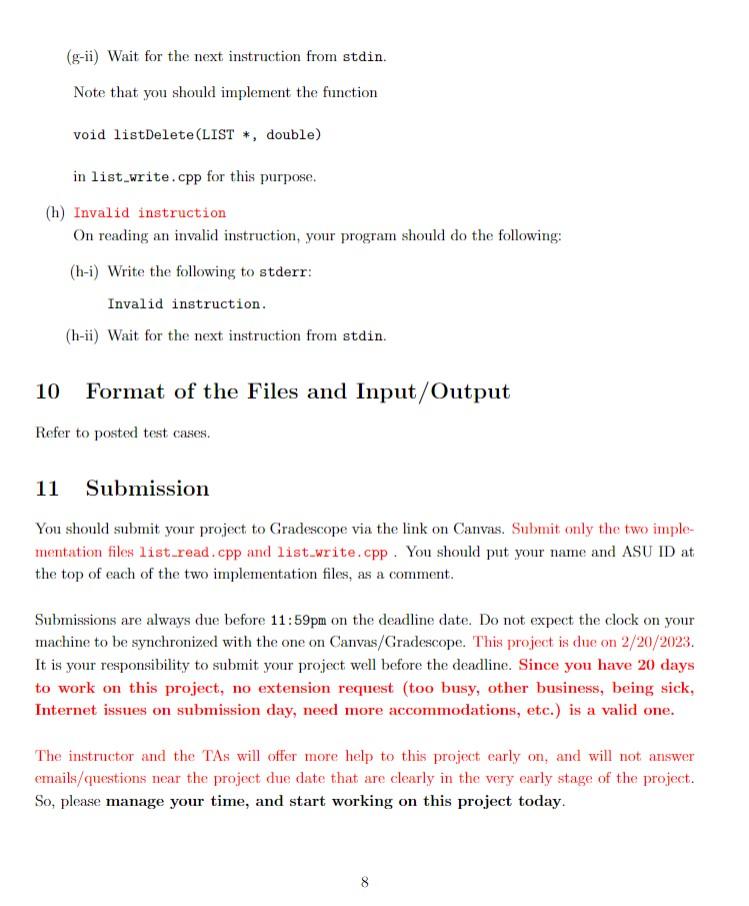
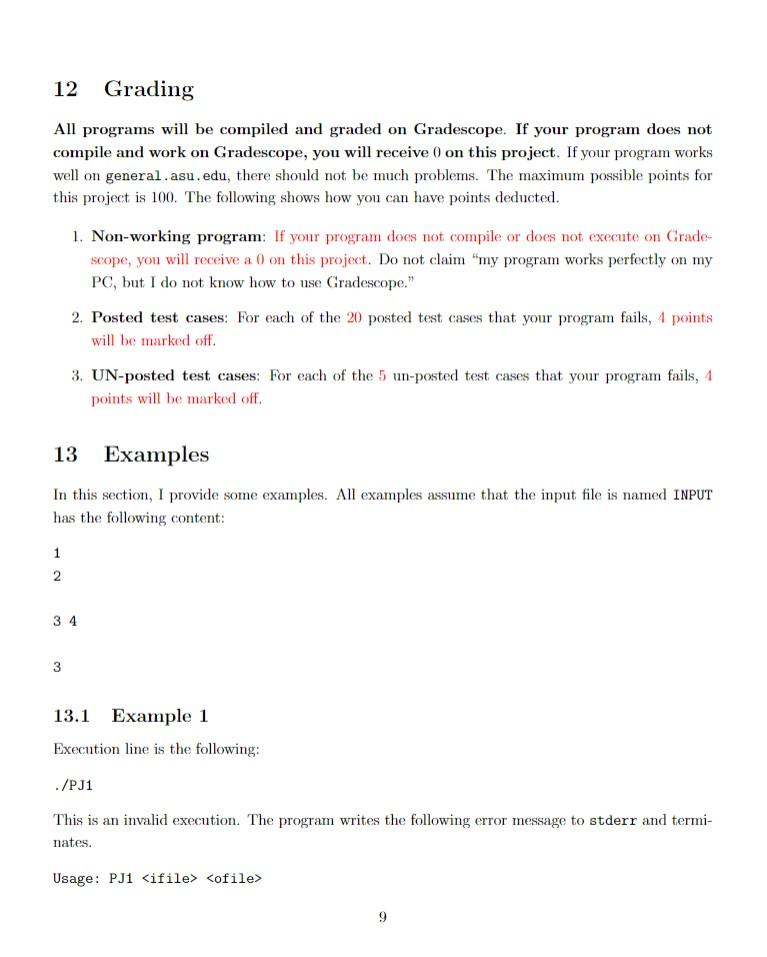
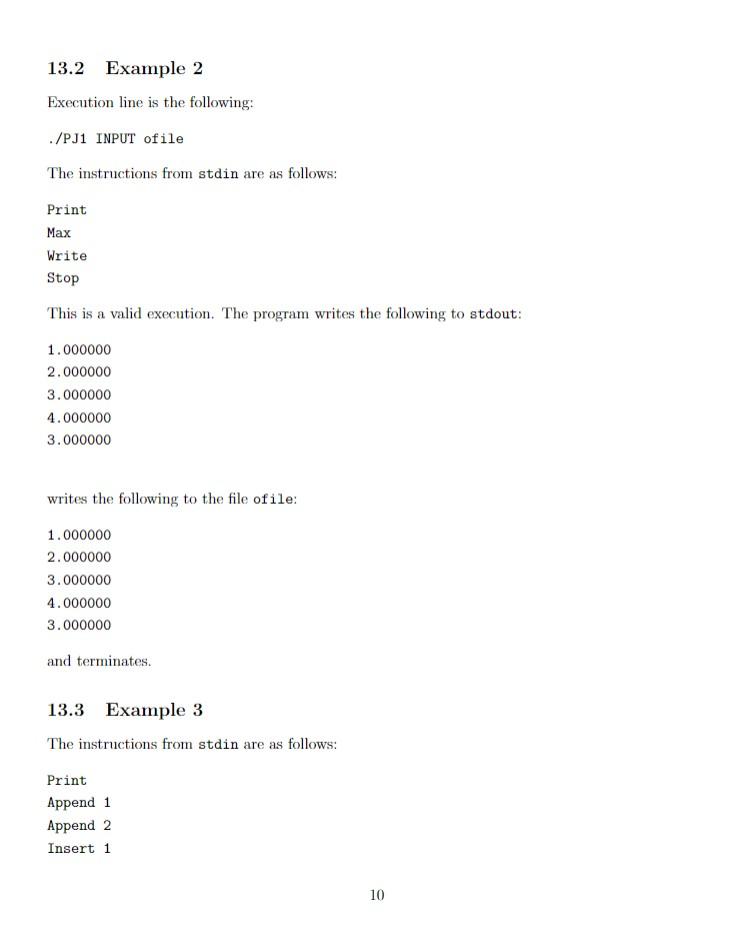
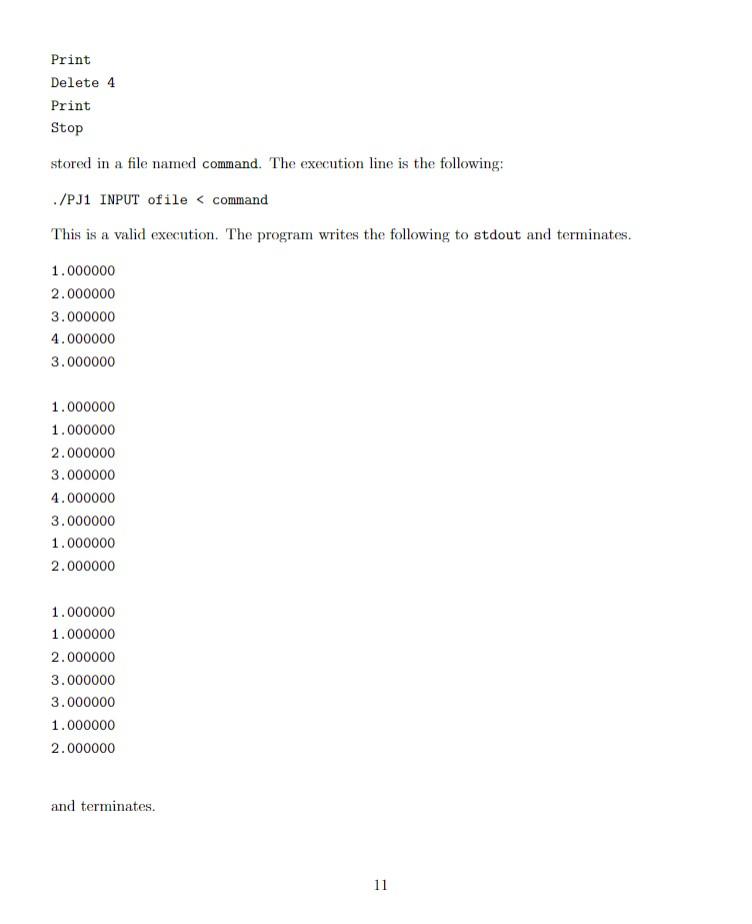
CSE310 Project 1: Modular Design, Makefile, Command Line Arguments, File I/O, Memory Management, Linked List, stdin/stdout/stderr, Formatted Output Due: 2/20/2023, Draft Posted: 1/31/2023 This is your first programming project. It should be written using the standard C++ programming language, and compiled using the g++ compiler on a Linux platform. Your project will be graded on Gradescope, which uses the Ubuntu 20.04 version of Linux. If you compile your project on general.asu.edu using the compiler commands provided in the sample Makefile, you should expect the same behavior of your project on Gradescope. You are advised to implement your project on general.asu. edu and save a version of your implementation on that machine on each of the three Mondays (2/6/2023,2/13/2023, and 2/20/2023), in directories named Feb06, Feb13, and Feb20, respectively. You should also submit a version of your implementation to Gradescope on each of the three Mondays (2/6/2023,2/13/2023, and 2/20/2023). 1 Modular Design Each module consists of a header file and its corresponding implementation file (the main module does not need a header file). The header file has extension . h and the implementation file has extension .cpp. Other than the extensions, the header file and its corresponding implementation file of a module should have the same file name. The header file defines the data structures and prototypes of the functions. The implementation file implements the functions. For this project, you should have four modules, with the header files named datastructures.h, util.h, list_read.h, list_write.h, and the implementation files list_read. cpp, list_write.cpp, main.cpp, and util.cpp. Six of these eight files are provided to you. You are required to write list_read.cpp and list_write.cpp, following the prototypes defined in list_read.h and list_write.h, respectively. You need to understand everything in these files and be able to modify them as needed in future projects. 2 Makefile A Makefile is provided to you. You should use the provided Makefile to compile your project. We will grade your project using the provided Makefile. 3 Command Line Arguments In main. cpp, the function main takes two parameters argc and argv, in that order. Here argc is the number of commandline arguments, and argv[0],argv[1],,argv[argc-1] are the commandline arguments. The following example illustrates some basics. If you are not familiar with command line arguments, you may type the above text in a file named test.cpp, and use g++ test. cpp to produce the executable file named a.out. You may then try the following example executions to learn about the meanings of argc and argv []. //a.out //a.out SCAI O ASU Spring 2023 4 File I/O, Formatted Output The function main shows you how to perform proper file I/O operations and use formatted output. Special attention should be paid to the functions fopen and fclose. The following example can help you to understand these. \#include \#include int main(int argc, char *argv[]) FILE *fp1, *fp2; int n,v1,v2,v3; float x; double y; if (argc \#include stdlib.h> int main(int argc, char argv[]){ FILE *fp; int i,n,A; fp= fopen("INPUT.txt", "r"); if (fp== NULL) \{ 3 6 Data Structures The following defines the data structures NODE and LIST \#ifndef_data_structures_h \#define_data_structures_h 1 typedef struct TAG_NODE\{ double key; TAG_NODE *next; \}NODE; typedef struct TAG_LIST \{ NODE *head; NODE *tail; HLIST; \#endif You should use these two data structures as defined in the above. 4 7 nextCommand Please carefully study the function nextCommand defined in util.h and implemented in util.cpp, and its application in main.cpp. You will need to fully understand it, and be able to modify it as necessary in future projects. While each of the commands is a string of characters, some of the commands takes an argument while others do not. Please pay attention to these. 8 Valid Executions A valid execution of your project has the following form: where - PJ1 is the executable file of your project, - is the name of the input file, - is the name of the intended output file. Your program should check whether the execution is valid. If the execution is not valid, your program should print out an error message to stderr and stop. Note that your program should not crash when the execution is not valid. 9 Flow of the Project 9.1 Read in the list from argv[1] Upon a valid execution, your program should open the imput file (specified by argv [1]) and read in the list. The input file contains the key values of the list. For example, if the content of the input file is the following 1 2 34 3 then the key values of the list will be 1,2,3,4,3, in the given order. 5 9.2 Loop over Instructions Your program should expect the following instructions from stdin and act accordingly: (a) Stop On reading Stop, the program stops. (b) Print On reading the Print instruction, your program should do the following: (b-i) Write the content of the list to stdout, using the %1f format for each key value. (b-ii) Wait for the next instruction from stdin. Note that you should implement the function void listPrint(LIST *) in list_read.cpp for this purpose. Note that main writes an extra newline at the end of the list to make it easier for reading. (c) Write On reading the Write instruction, your program should do the following: (c-i) Open the output file specified by argv[2] for writing. (c-ii) Write the content of the list to the output file, using the % If format for each key value. (c-iii) Close the output file. (c-iv) Wait for the next instruction from stdin. (d) Max On reading the Max instruction, your program should do the following: (d-i) Write to stdout the maximum key on the list (if the list is not NULL and contains at least one node). 6 (d-ii) Wait for the next instruction from stdin. Note that you should implement the function double listMax(LIST *) in list_read. cpp for this purpose. (e) Insert KEY On reading the Insert instruction, your program should do the following: associated with the Insert instruction. Insert the new node at head of the list. (e-ii) Wait for the next instruction from stdin. Note that you should implement the function void listInsert(LIST , double) in list_write. cpp for this purpose. (f) Append KEY On reading the Append instruction, your program should do the following: (f-i) Allocate memory for a new node. Set the key field of the new node to the value of KEY associated with the Append instruction. Append the new node at tail of the list. (f-ii) Wait for the next instruction from stdin. Note that you should implement the function void listappend(LIST , double) in list_write.cpp for this purpose. (g) Delete KEY On reading the Delete instruction, your program should do the following: ( g-i) Search for the first node on the list whose key field is equal to the value of KEY associated with the Delete instruction. If such a node exists, deleted it, and release the memory for the deleted node. 7 (g-ii) Wait for the next instruction from stdin. Note that you should implement the function void listDelete(LIST *, double) in list_write.cpp for this purpose. (h) Invalid instruction On reading an invalid instruction, your program should do the following: (h-i) Write the following to stderr: Invalid instruction. (h-ii) Wait for the next instruction from stdin. 10 Format of the Files and Input/Output Refer to posted test cases. 11 Submission You should submit your project to Gradescope via the link on Canvas. Submit only the two implementation files list_read.cpp and list_write.cpp. You should put your name and ASU ID at the top of each of the two implementation files, as a comment. Submissions are always due before 11:59pm on the deadline date. Do not expect the clock on your machine to be synchronized with the one on Canvas/Gradescope. This project is due on 2/20/2023. It is your responsibility to submit your project well before the deadline. Since you have 20 days to work on this project, no extension request (too busy, other business, being sick, Internet issues on submission day, need more accommodations, etc.) is a valid one. The instructor and the TAs will offer more help to this project early on, and will not answer emails/questions near the project due date that are clearly in the very early stage of the project. So, please manage your time, and start working on this project today. 12 Grading All programs will be compiled and graded on Gradescope. If your program does not compile and work on Gradescope, you will receive 0 on this project. If your program works well on general . asu. edu, there should not be much problems. The maximum possible points for this project is 100 . The following shows how you can have points deducted. 1. Non-working program: If your program does not compile or does not execute on Gradescope, you will receive a 0 on this project. Do not claim "my program works perfectly on my PC, but I do not know how to use Gradescope." 2. Posted test cases: For each of the 20 posted test cases that your program fails, 4 points will be marked off. 3. UN-posted test cases: For each of the 5 un-posted test cases that your program fails, 4 points will be marked off. 13 Examples In this section, I provide some examples. All examples assume that the input file is named INPUT has the following content: 1 2 34 3 13.1 Example 1 Execution line is the following: ./PJ1 This is an invalid execution. The program writes the following error message to stderr and terminates. Usage: PJ1 ofile 13.2 Example 2 Execution line is the following: ./PJ1 INPUT ofile The instructions from stdin are as follows: Print Max Write Stop This is a valid execution. The program writes the following to stdout: 1.0000002.0000003.0000004.0000003.000000 writes the following to the file ofile: 1.0000002.0000003.0000004.0000003.000000 and terminates. 13.3 Example 3 The instructions from stdin are as follows: Print Append 1 Append 2 Insert 1 Print Delete 4 Print Stop stored in a file named command. The execution line is the following: ./PJ1 INPUT ofile
Step by Step Solution
There are 3 Steps involved in it

Get step-by-step solutions from verified subject matter experts
 Study Help