







Question: I just need the code for the questions Use CSS to indent the first paragraph Use SS to double space the second paragraph (only the
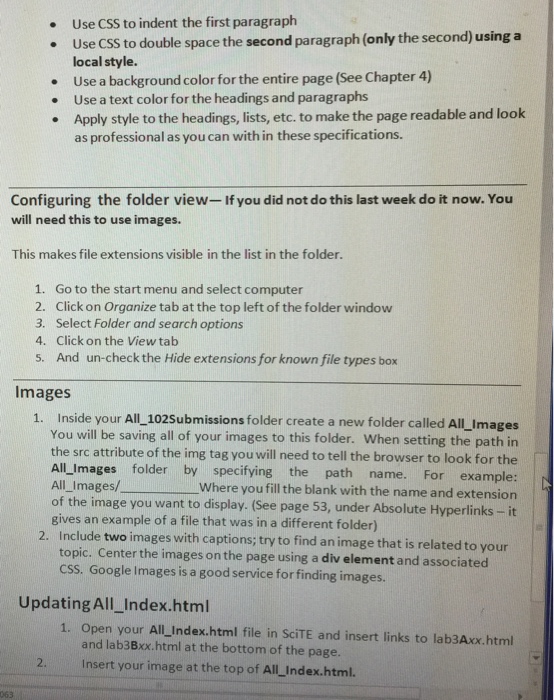
Use CSS to indent the first paragraph Use SS to double space the second paragraph (only the second) using a local style. Use a background color for the entire page (See Chapter 4) Use a text color for the headings and paragraphs Apply style to the headings, lists, etc. to make the page readable and look as professional as you can within these specifications. Configuring the folder view. If you did not do this last week do it now. You will need this to use images. This makes file extensions visible in the list in the folder. Go to the start menu and select computer Click on Organize tab at the top left of the folder window Select Folder and search options Click on the View tab And un-check the Hide extensions for known file types box Images 1. Inside your All 102submissions folder create a new folder called mages You will be saving all of your images to this folder. When setting the path in the src attribute of the img tag you will need to tell the browser to look for the All images folder by specifying the path example: name. For All Images/________ where you fill the blank with the name and extension of the image you want to display. (See page 53, under Absolute Hyperlinks it gives an example of a file that was in a different folder) Include with captions; try to find an image that is related to your topic. Center the images on the page using a div element and associated CSS. Google Images is a good service for finding images. Updating A Index.html Open your All Index.html file in SciTE and insert links to lab3Axx.html and lab3Bxx.html at the bottom of the page. Insert your image at the top of All Index.html
Step by Step Solution
There are 3 Steps involved in it

Get step-by-step solutions from verified subject matter experts
 Study Help