







Question: I keep getting the wrong answer for this question and I do not understand why For the T/F section in the table I use: =OR(YEAR(C4)
I keep getting the wrong answer for this question and I do not understand why
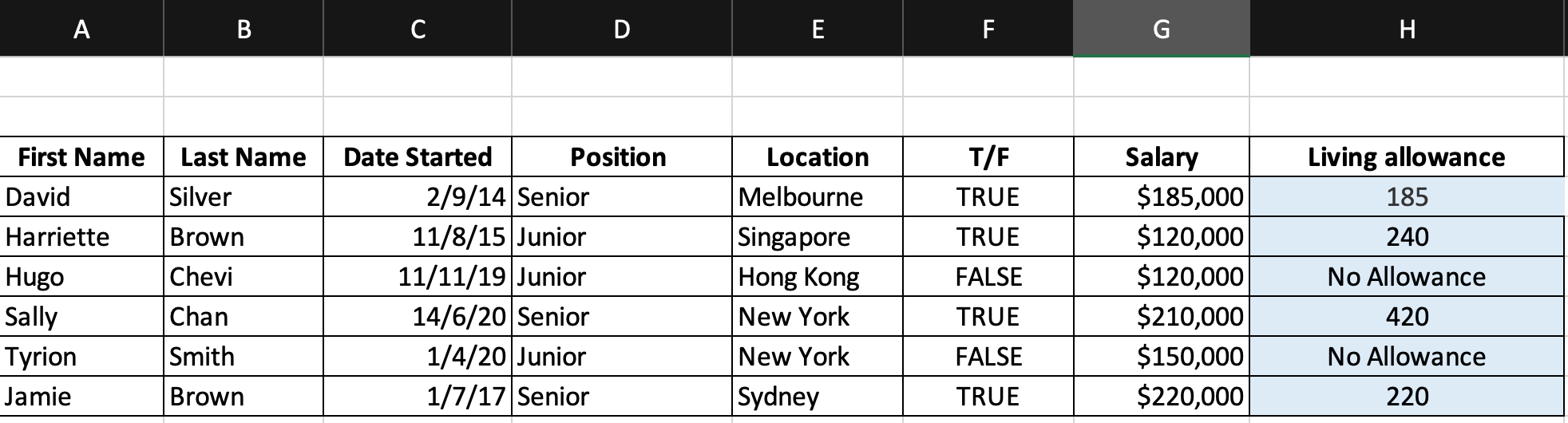
For the T/F section in the table I use: =OR(YEAR(C4)
For the Living Allowance I use: =IF(F4=TRUE,G4%*VLOOKUP(E4,City_allowance_table,2,FALSE),"No Allowance") - the value changes each time (C, D, E etc as the table moves down)
As you can tell however, these are not giving me the right answer and I would like to know why.
I would like to see the correct answer using all the information above, without using the same functions I have provided
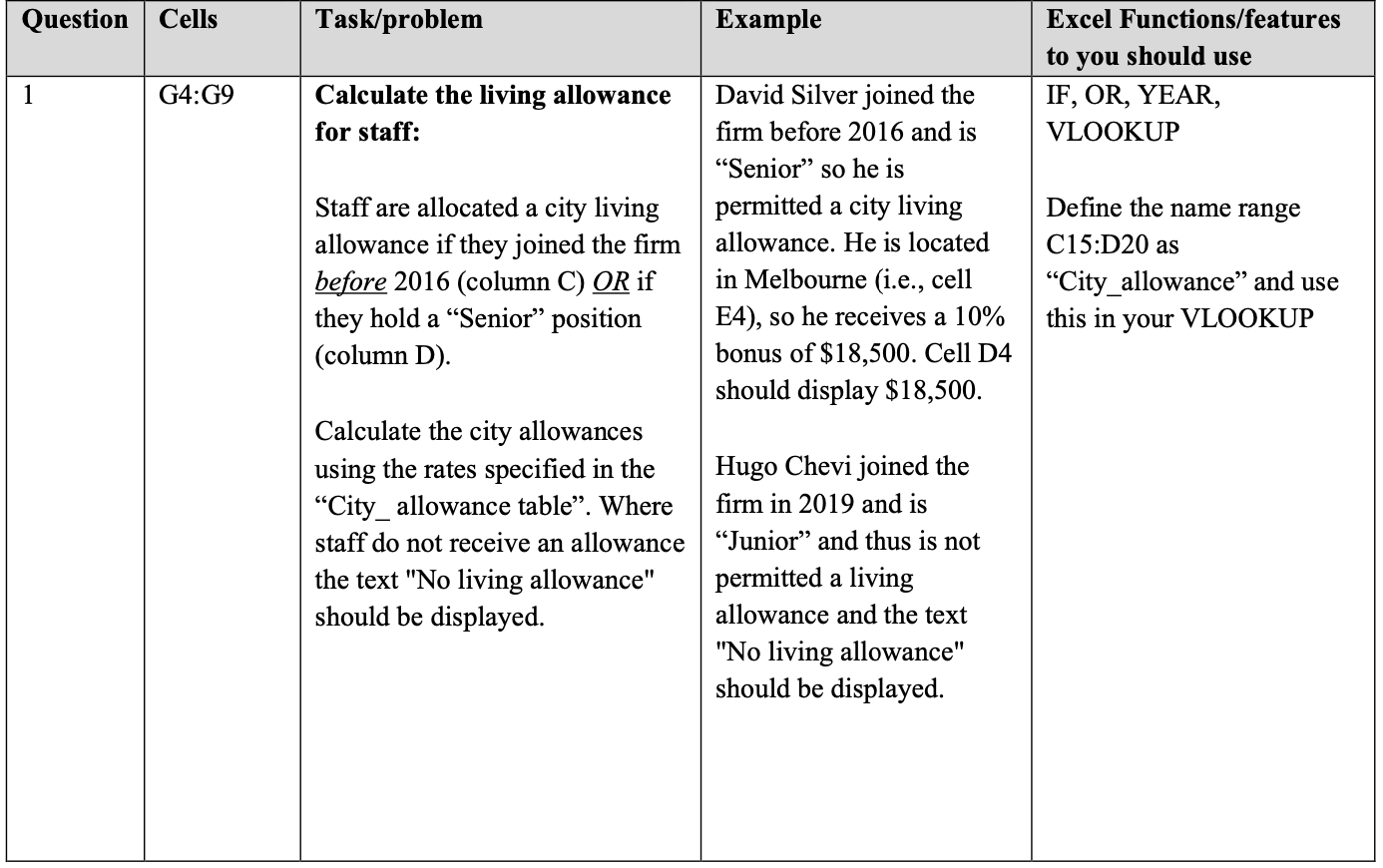
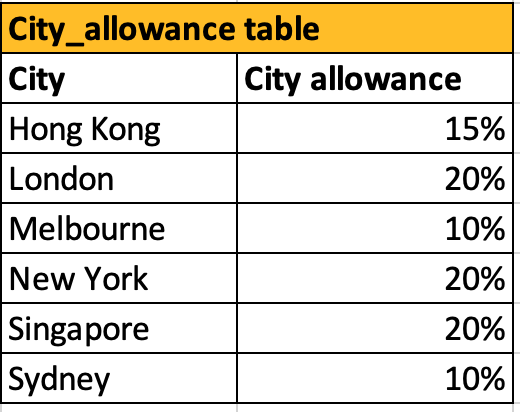
Question Cells Task/problem Example Excel Functions/features to you should use IF, OR, YEAR, VLOOKUP 1 G4:G9 Calculate the living allowance for staff: Staff are allocated a city living allowance if they joined the firm before 2016 (column C) OR if they hold a Senior position (column D). David Silver joined the firm before 2016 and is Senior so he is permitted a city living allowance. He is located in Melbourne (i.e., cell E4), so he receives a 10% bonus of $18,500. Cell D4 should display $18,500. Define the name range C15:D20 as City_allowance and use this in your VLOOKUP Calculate the city allowances using the rates specified in the City_allowance table. Where staff do not receive an allowance the text "No living allowance" should be displayed. Hugo Chevi joined the firm in 2019 and is Junior and thus is not permitted a living allowance and the text "No living allowance" should be displayed. City_allowance table City City allowance Hong Kong 15% London 20% Melbourne 10% New York 20% Singapore 20% Sydney 10%Step by Step Solution
There are 3 Steps involved in it
1 Expert Approved Answer
Step: 1 Unlock

Question Has Been Solved by an Expert!
Get step-by-step solutions from verified subject matter experts
Step: 2 Unlock
Step: 3 Unlock
 Study Help