Question: I kept getting a failure message in this Java coding activity. Please help me with the code. The requirement that I am failing with: My
I kept getting a failure message in this Java coding activity. Please help me with the code.
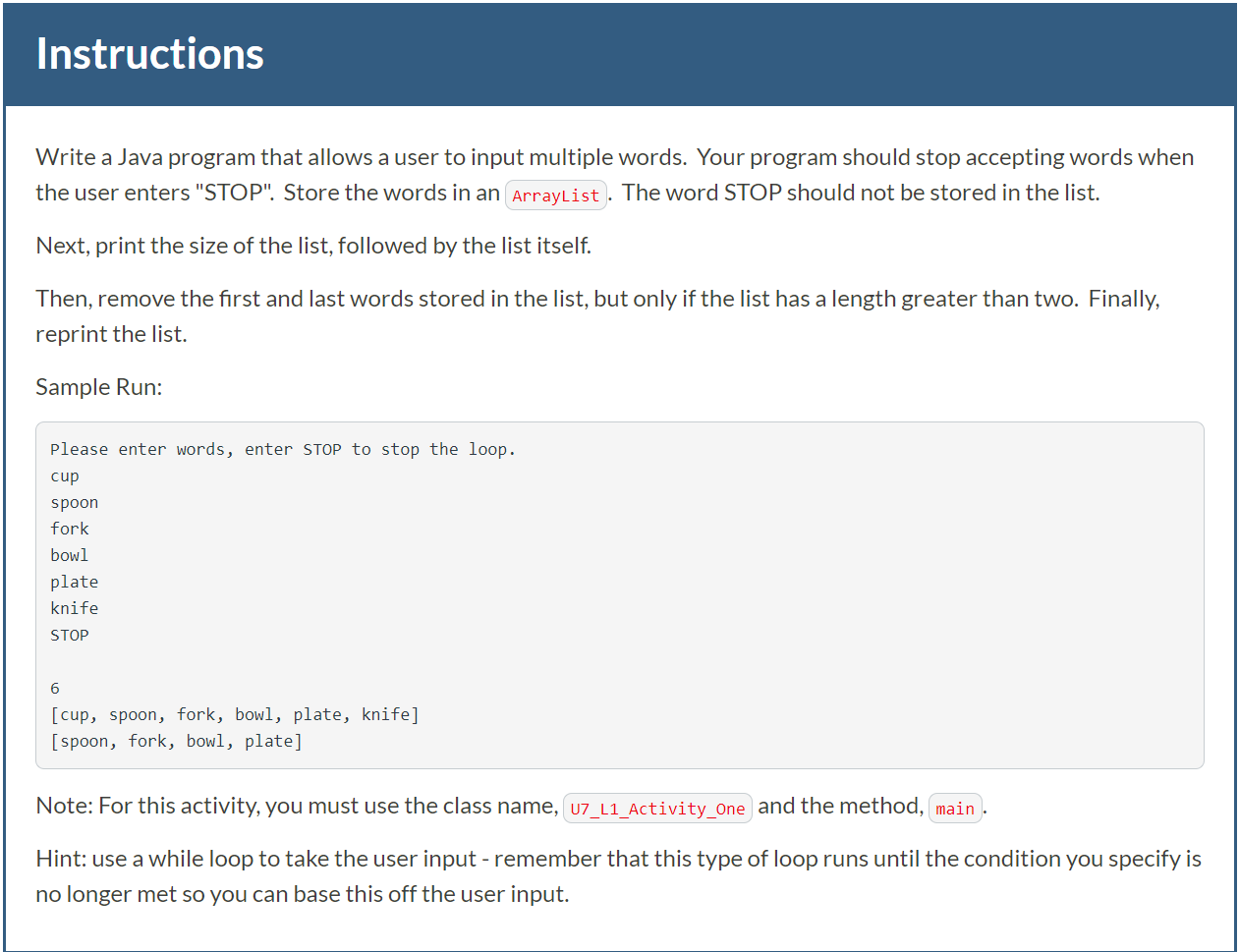 The requirement that I am failing with:
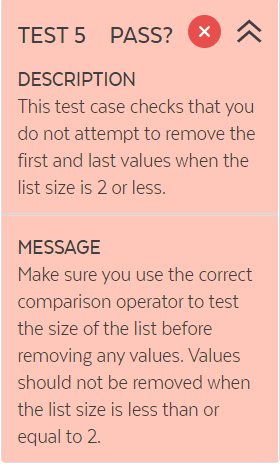
My current code======================================
import java.util.Scanner; import java.util.ArrayList;
public class U7_L1_Activity_One{
public static void main(String[] args){ Scanner scan = new Scanner(System.in); System.out.println("Please enter words, enter STOP to stop the loop: "); String s = ""; ArrayList list = new ArrayList(); s = scan.next(); while(!s.equalsIgnoreCase("STOP")){ list.add(s); s = scan.next(); } System.out.println(); System.out.println(list.size()); System.out.println(list); if ( list.size() }
Instructions Write a Java program that allows a user to input multiple words. Your program should stop accepting words when the user enters "STOP". Store the words in an arrayList . The word STOP should not be stored in the list. Next, print the size of the list, followed by the list itself. Then, remove the first and last words stored in the list, but only if the list has a length greater than two. Finally, reprint the list. Sample Run: Please enter words, enter STOP to stop the loop. cup spoon fork bowl plate knife STOP [cup, spoon, fork, bowl, plate, knife] [spoon, fork, bowl, plate] Note: For this activity, you must use the class name, u7_L1_Activity_one and the method, main. Hint: use a while loop take the user input - remember that this type of loop runs until the condition you specify is no longer met so you can base this off the user input. TEST 5 PASS? X DESCRIPTION This test case checks that you do not attempt to remove the first and last values when the list size is 2 or less. MESSAGE Make sure you use the correct comparison operator to test the size of the list before removing any values. Values should not be removed when the list size is less than or equal to 2









 Study Help