







Question: I need answer by using Matlab 1. This week you need to crop a picture by yourself. Now you can display the picture 1, then
I need answer by using Matlab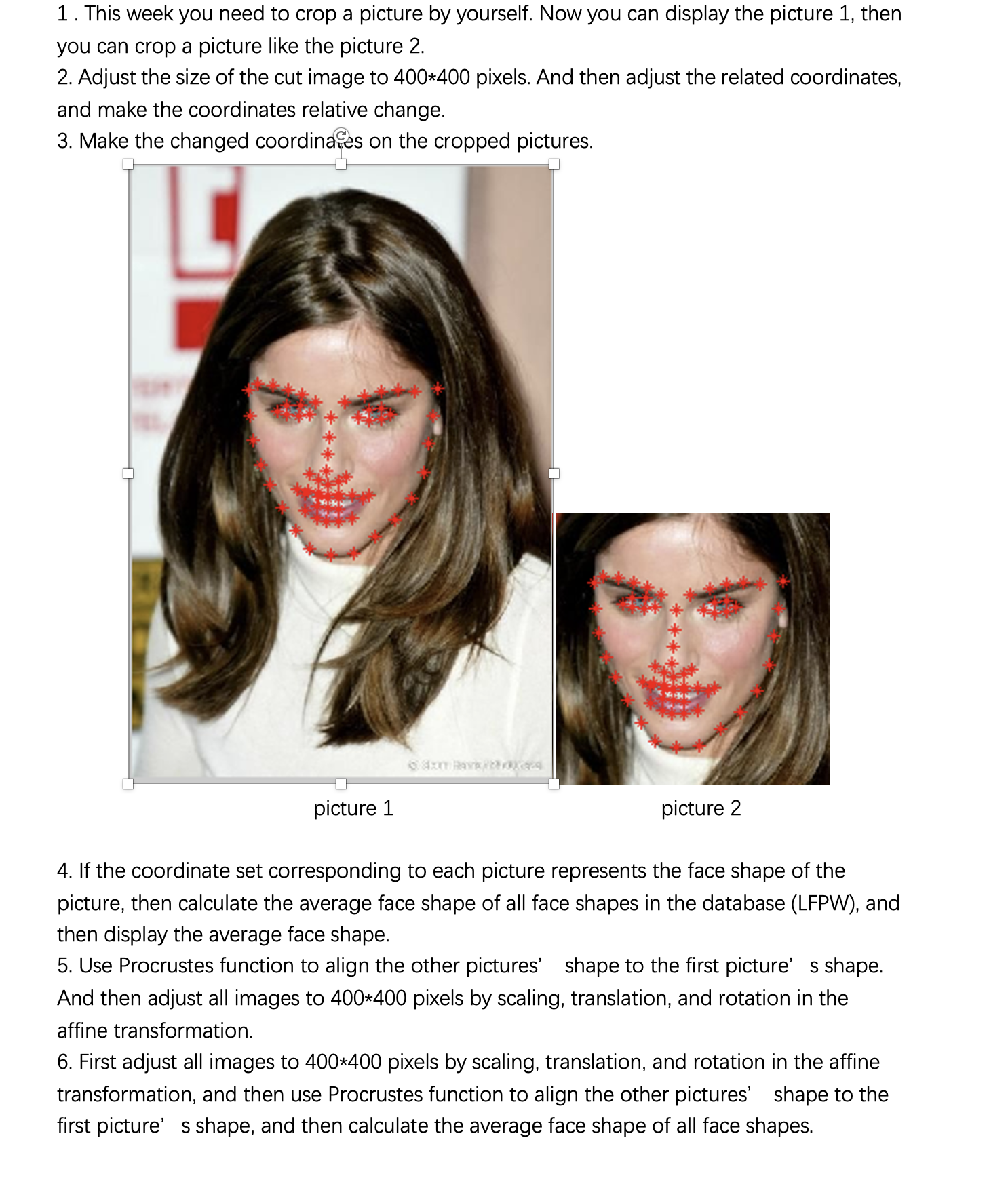
1. This week you need to crop a picture by yourself. Now you can display the picture 1, then you can crop a picture like the picture 2. 2. Adjust the size of the cut image to 400*400 pixels. And then adjust the related coordinates, and make the coordinates relative change. 3. Make the changed coordinaces on the cropped pictures. picture 1 picture 2 4. If the coordinate set corresponding to each picture represents the face shape of the picture, then calculate the average face shape of all face shapes in the database (LFPW), and then display the average face shape. 5. Use Procrustes function to align the other pictures' shape to the first picture's shape. And then adjust all images to 400*400 pixels by scaling, translation, and rotation in the affine transformation. 6. First adjust all images to 400*400 pixels by scaling, translation, and rotation in the affine transformation, and then use Procrustes function to align the other pictures' shape to the first picture's shape, and then calculate the average face shape of all face shapes
Step by Step Solution
There are 3 Steps involved in it

Get step-by-step solutions from verified subject matter experts
 Study Help