







Question: I need help creating this website What do i need to add to create the figure with color in it? KSC 135-Lab Assignment In this
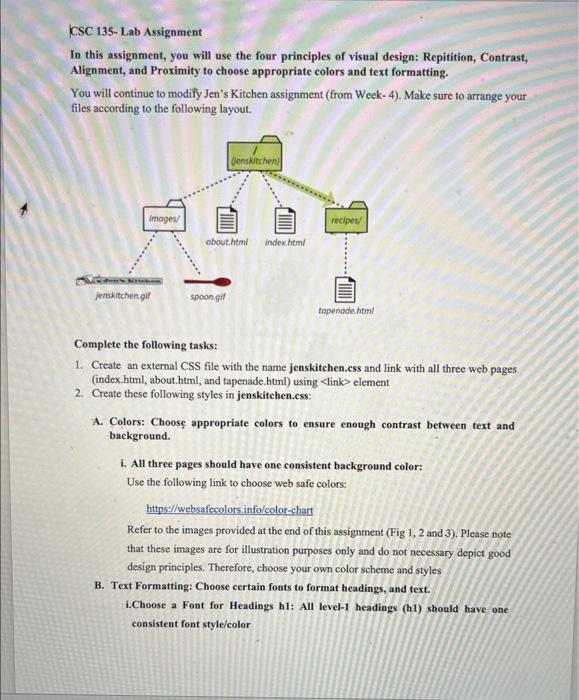
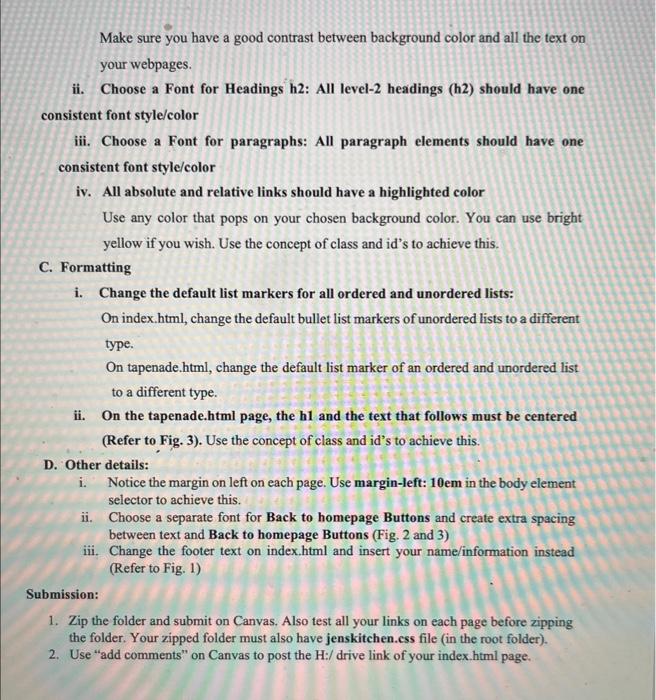
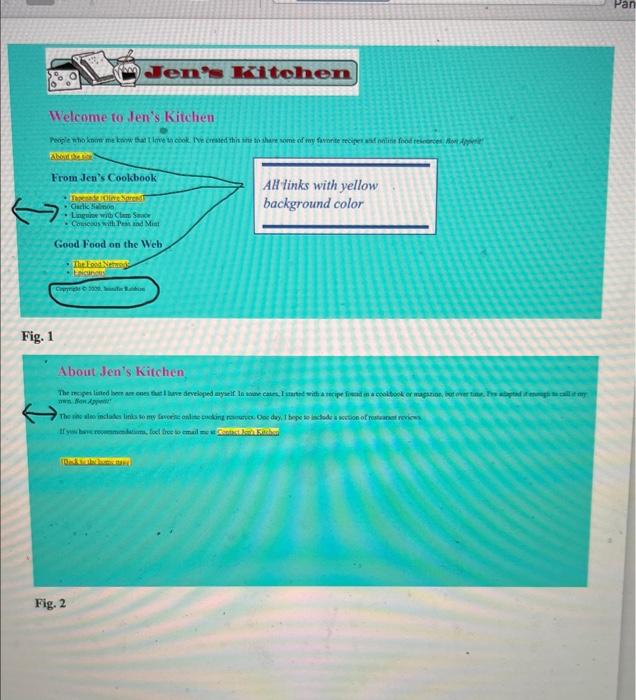
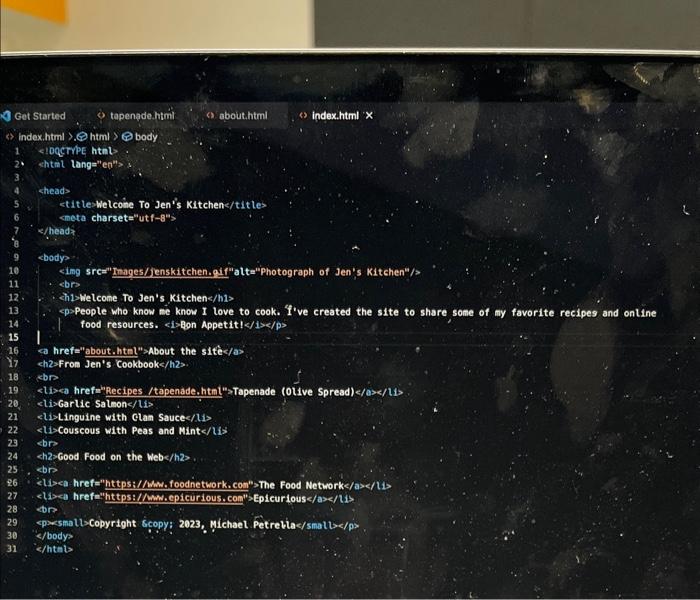
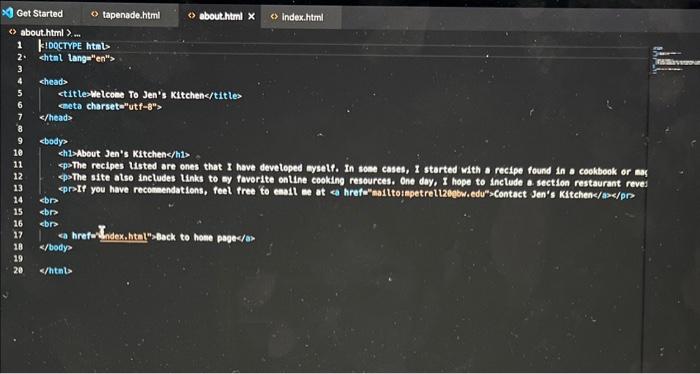
KSC 135-Lab Assignment In this assignment, you will use the four principles of visual design: Repitition, Contrast, Alignment, and Proximity to choose appropriate colors and text formatting. You will continue to modify Jen's Kitchen assignment (from Week- 4). Make sure to arrange your files according to the following layout. Complete the following tasks: 1. Create an external CSS file with the name jenskitchen.css and link with all three web pages (index.html, about.html, and tapenade.html) using element 2. Create these following styles in jenskitchen.css: A. Colors: Choose appropriate colors to ensure enough contrast between text and background. i. All three pages should have one consistent background color: Use the following link to choose web safe colors: hitps://websafecolors info/color-chart Refer to the images provided at the end of this assignment (Fig 1, 2 and 3). Please note that these images are for illustration purposes only and do not necessary depict good design principles. Therefore, choose your own color scheme and styles B. Text Formatting: Choose certain fonts to format headings, and text. i.Choose a Font for Headings h1: All level-1 headings (h1) should have one consistent font style/color Make sure you have a good contrast between background color and all the text on your webpages. ii. Choose a Font for Headings h2: All level-2 headings (h2) should have one consistent font style/color iii. Choose a Font for paragraphs: All paragraph elements should have one consistent font style/color iv. All absolute and relative links should have a highlighted color Use any color that pops on your chosen background color. You can use bright yellow if you wish. Use the concept of class and id's to achieve this. C. Formatting i. Change the default list markers for all ordered and unordered lists: On index.html, change the default bullet list markers of unordered lists to a different type. On tapenade.html, change the default list marker of an ordered and unordered list to a different type. ii. On the tapenade.html page, the h1 and the text that follows must be centered (Refer to Fig. 3). Use the concept of class and id's to achieve this. D. Other details: i. Notice the margin on left on each page. Use margin-left: 10em in the body element selector to achieve this. ii. Choose a separate font for Back to homepage Buttons and create extra spacing between text and Back to homepage Buttons (Fig. 2 and 3) iii. Change the footer text on index.html and insert your name/information instead (Refer to Fig. 1) Welcome to Jen's Kitchen 1 About Jen's Kitchen Get Started tapende.htmin! (2) abouthtiml () index.html x A) Get Started (s ebouthtinl x \& Index.html ) abouthtml \$ m 1 KIDQCTYPE htib 2. chtal lange"en"> 4 cheads ctitlesmelcoee To Jen's Kitchencfittes eneta charsetan utf8n> c/heads ebody? chloAbout Jen's Kttchenc/hio. epsThe recipes Usted are ones that I hove develeped ayself. In sose cases, I started with a recipe found in a ceokbook or as epsThe site also ineludes Links to ay foverite online cooking resources. One doy, I hope to inctude a. section restaurant reves cbr ebre s/body? shtals
Step by Step Solution
There are 3 Steps involved in it

Get step-by-step solutions from verified subject matter experts
 Study Help