







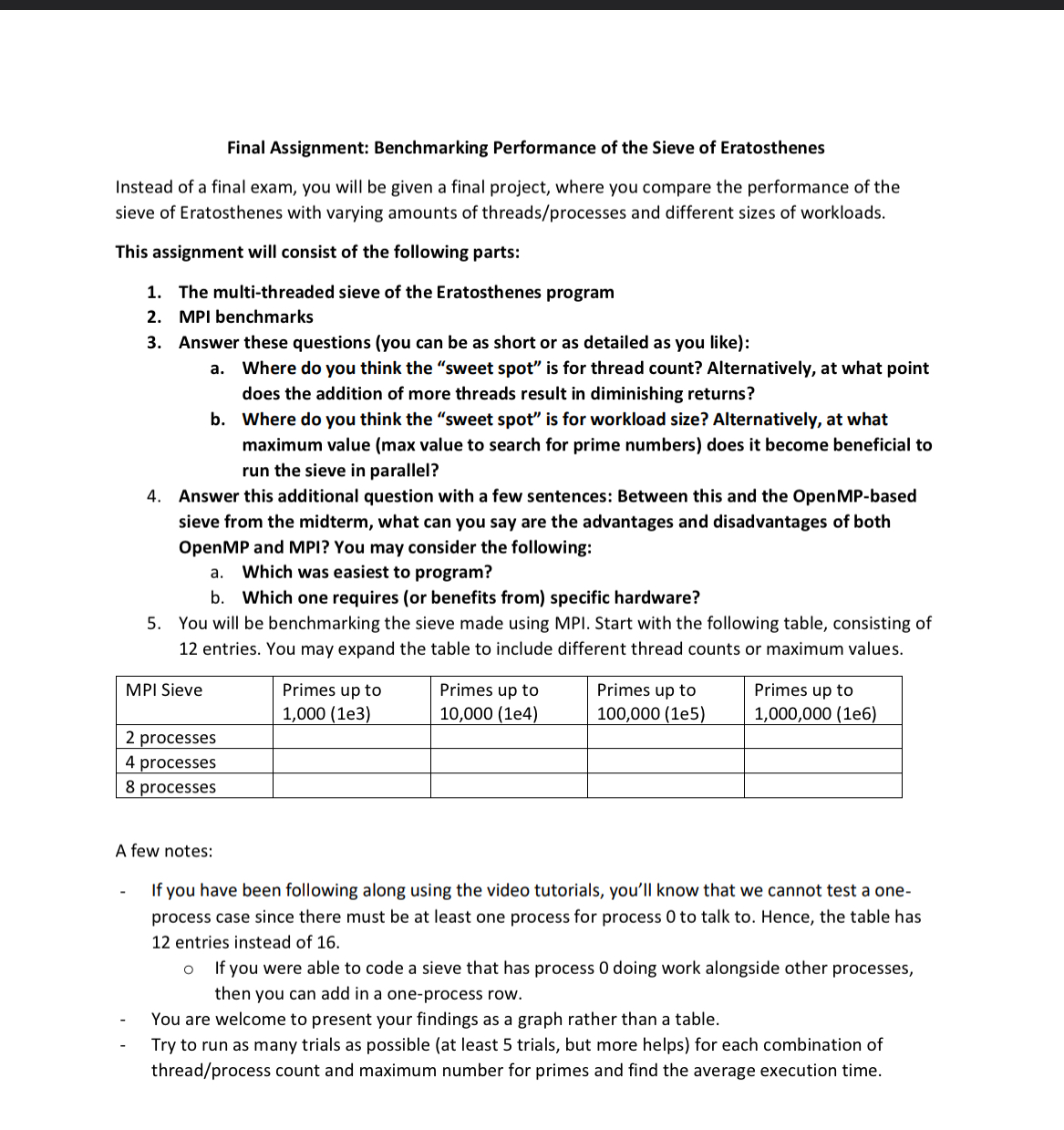
Question: I need help. I ' m trying to run my project in terminal by using mpicc so give me the exact code to do this.
I need help. Im trying to run my project in terminal by using mpicc so give me the exact code to do this.
the source code is the following
Benchmarking Performance of the Sieve of Eratosthenes Prgram.cpp : This file contains the 'main' function. Program execution begins and ends there.
#include
#include
#include
#include
#include
#include
#include Include MPI header file
static void mpiSieveOfEratosthenesint n int rank, int size
int root sqrtn;
std::vector primeroot true;
prime prime false;
for int i ; i root; i
if primei
for int j i i; j root; j i
primej false;
int start rank n rank : ;
int end rank n : rank n ;
std::vector segmentend start true;
for int p ; p root; p
if primep
int startIndex std::maxp pstart p p p;
for int j startIndex; j end; j p
segmentstaticcast::sizetypej start false;
if rank
for int p ; p root; p
if primep
std::cout p ;
MPIBarrierMPICOMMWORLD;
for int index start; index end; index
if segmentstaticcast::sizetypeindex start
std::cout index ;
int mainint argc, char argv
int pnum;
std::cout "Enter the upper limit for finding prime numbers: ;
std::cin pnum;
int rank, size;
Initialize MPI environment
MPIInit&argc, &argv;
Get the rank of the process
MPICommrankMPICOMMWORLD, &rank;
Get the total number of processes
MPICommsizeMPICOMMWORLD, &size;
if rank If this is the master process
auto start std::chrono::highresolutionclock::now;
mpiSieveOfEratosthenespnum rank, size; Call mpiSieve function
auto end std::chrono::highresolutionclock::now;
std::chrono::duration duration end start;
std::cout
Max Prime: pnum Processes: size
Time: duration.count seconds using MPI
;
else
mpiSieveOfEratosthenespnum rank, size; Call mpiSieve function for worker processes
Wait for Esc key press before exiting
std::cout
Press Esc to exit...";
while true
if kbhit
char ch getch;
if ch is the ASCII code for Esc
break;
Finalize MPI environment
MPIFinalize;
return ;
Step by Step Solution
There are 3 Steps involved in it
1 Expert Approved Answer
Step: 1 Unlock

Question Has Been Solved by an Expert!
Get step-by-step solutions from verified subject matter experts
Step: 2 Unlock
Step: 3 Unlock
 Study Help