







Question: I need help in doing these commands: For this assignment, you will: Unpack a tar archive. Change the unpacked files. Repack the files Into a
I need help in doing these commands:
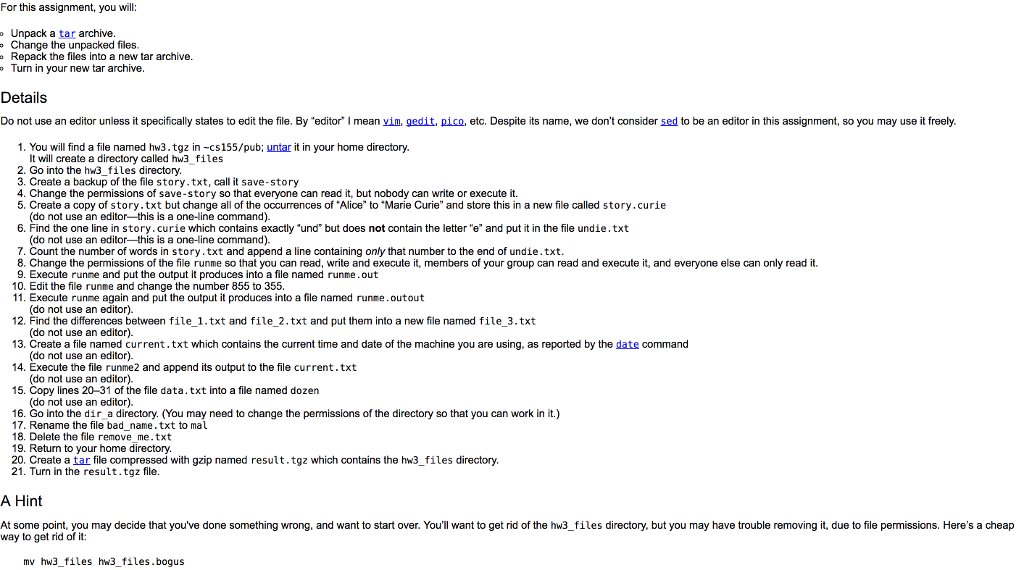
For this assignment, you will: Unpack a tar archive. Change the unpacked files. Repack the files Into a new tar archive. Turn in your new tar archive. Do not use an editor unless it specifically states to edit the file. By "editor" I mean vim.gedit, pico, etc. Despite its name, we don't consider sed to be an editor in this assignment, so you may use it freely. 1. You will find a file named hw3.tgz in -csl55/pub: untar it in your home directory. It will create a directory called hw3_files 2. Go into the hw3_files directory. 3. Create a backup of the file story.txt, call it save-story 4. Change the permissions of save-story so that everyone can read it, but nobody can write or execute it. 5. Create a copy of story.txt but change all of the occurrences of "Alice" to "Marie Curie" and store this in a new file called story.curie (do not use an editor-this is a one-line command). 6. Find the one line in story, curie which contains exactly "und" but does not contain the letter "e" and put it in the file undie.txt (do not use an editor-this is a one-line command). 7. Count the number of words in story.txt and append a line containing only that number to the end of undie.txt. 8. Change the permissions of the file runme so that you can read, write and execute it, members of your group can read and execute it, and everyone else can only read it. 8. Execute runme and put the output it produces into a file named runme. out 9. Edit the file runme and change the number 855 to 355. 11. Execute runme again and put the output it produces into a file named runme.outout (do not use an editor). 12. Find the differences between file_1.txt and file_2.txt and put them into a new file named file_3.txt (do not use an editor). 13. Create a file named current.txt which contains the current time and date of the machine you are using, as reported by the date command (do not use an editor). 14. Execute the file runme2 and append its output to the file current.txt (do not use an editor). 15. Copy lines 20-31 of the file data.txt into a file named dozen (do not use an editor). 16. Go into the dir_a directory. (You may need to change the permissions of the directory so that you can work in it.) 17. Rename the file bad_name.txt to 18. Delete the file remove_me.txt 19. Return to your home directory. 20. Create a tar file compressed with gzip named result.tgz which contains the hw3_files directory. 21. Turn in the result.tgz file. At some point, you may decide that you've done something wrong, and want to start over. You'll want to get rid of the hw3_files directory, but you may have trouble removing it, due to file permissions. Here's a cheap way to get rid of it: mv hw3_files hw3_files.bogus
Step by Step Solution
There are 3 Steps involved in it

Get step-by-step solutions from verified subject matter experts
 Study Help