







Question: I need help in excel sheet and please make 4 worksheets for jan, Feb, March and first quarter..please follow all formatting instructions and show me
I need help in excel sheet and please make 4 worksheets for jan, Feb, March and first quarter..please follow all formatting instructions and show me screenshots of formulas.
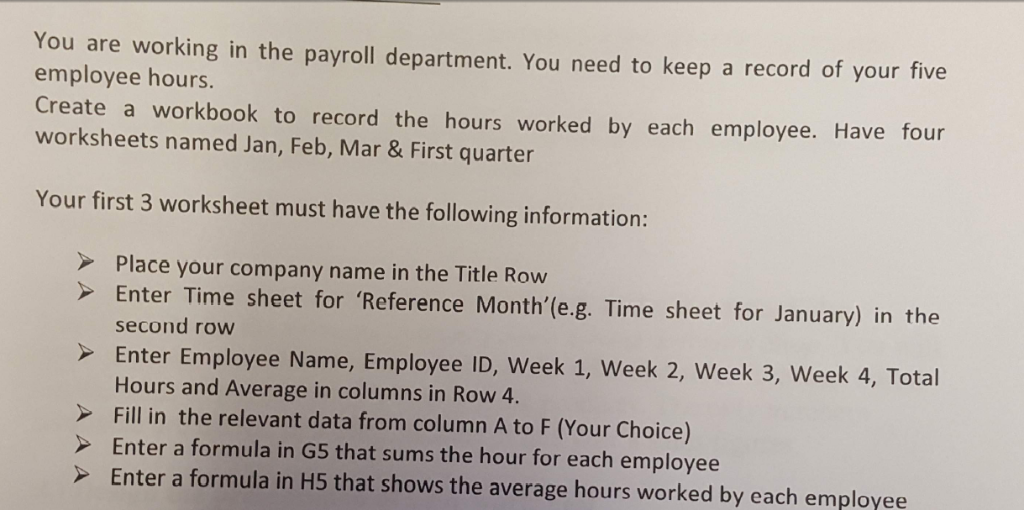
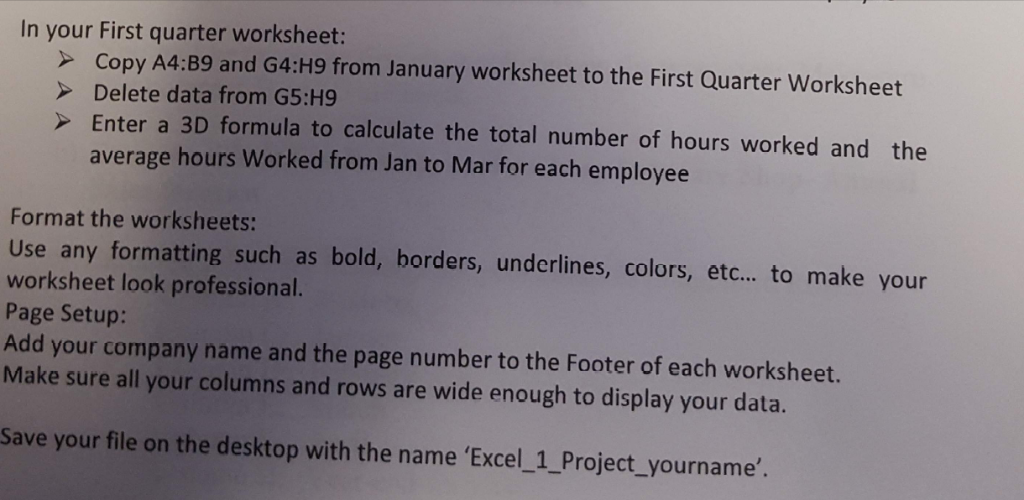
com re ernoin ithe payol eatiment You ur te employee hours Create a workbook to record the hours worked by each employee. Have four worksheets named Jan, Feb, Mar & First quarter Your first 3 worksheet must have the following information: Place your company name in the Title Row Enter Time sheet for 'Reference Month'(e.g. Time sheet for January) in the second row Enter Employee Name, Employee ID, Week 1, Week 2, Week 3, Week 4, Total Hours and Average in columns in Row 4. Fill in the relevant data from column A to F (Your Choice) Enter a formula in G5 that sums the hour for each employee >Enter a formula in H5 that shows the average hours worked by each employee In your First quarter worksheet: Copy A4:B9 and G4:H9 from January worksheet to the First Quarter Worksheet Delete data from G5:H9 Enter a 3D formula to calculate the total number of hours worked and the average hours Worked from Jan to Mar for each employee Format the worksheets: Use any formatting such as bold, borders, underlines, colors, etc... to make your worksheet look professional Page Setup: Add your company name and the page number to the Footer of each worksheet. Make sure all your columns and rows are wide enough to display your data. Save your file on the desktop with the name 'Excel_1_Project_yourname'. com re ernoin ithe payol eatiment You ur te employee hours Create a workbook to record the hours worked by each employee. Have four worksheets named Jan, Feb, Mar & First quarter Your first 3 worksheet must have the following information: Place your company name in the Title Row Enter Time sheet for 'Reference Month'(e.g. Time sheet for January) in the second row Enter Employee Name, Employee ID, Week 1, Week 2, Week 3, Week 4, Total Hours and Average in columns in Row 4. Fill in the relevant data from column A to F (Your Choice) Enter a formula in G5 that sums the hour for each employee >Enter a formula in H5 that shows the average hours worked by each employee In your First quarter worksheet: Copy A4:B9 and G4:H9 from January worksheet to the First Quarter Worksheet Delete data from G5:H9 Enter a 3D formula to calculate the total number of hours worked and the average hours Worked from Jan to Mar for each employee Format the worksheets: Use any formatting such as bold, borders, underlines, colors, etc... to make your worksheet look professional Page Setup: Add your company name and the page number to the Footer of each worksheet. Make sure all your columns and rows are wide enough to display your data. Save your file on the desktop with the name 'Excel_1_Project_yourname
Step by Step Solution
There are 3 Steps involved in it

Get step-by-step solutions from verified subject matter experts
 Study Help