Question: I need help in this to view a cube. when I run the code the application is black. Can someone help me to view the
I need help in this to view a cube. when I run the code the application is black. Can someone help me to view the cube?
CODE
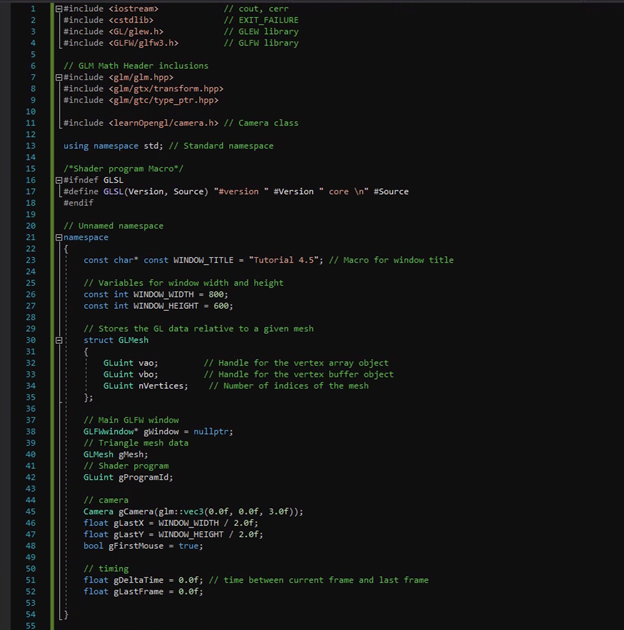
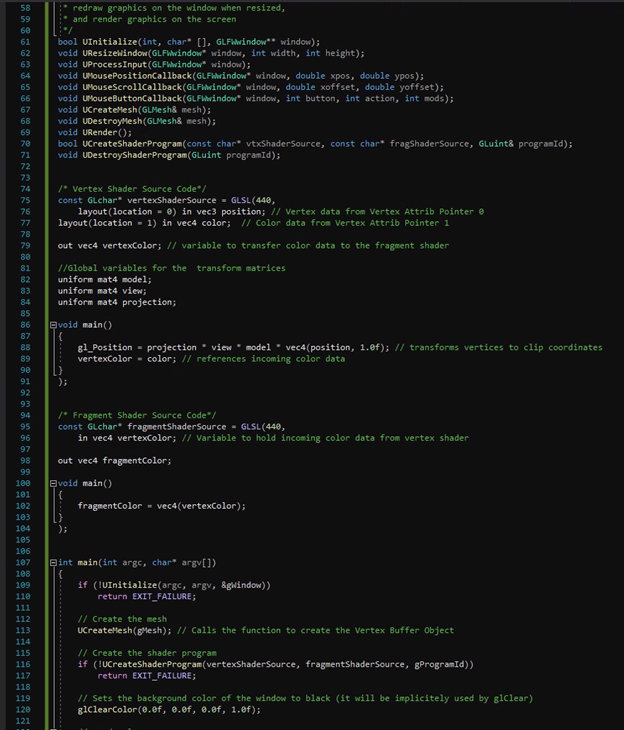
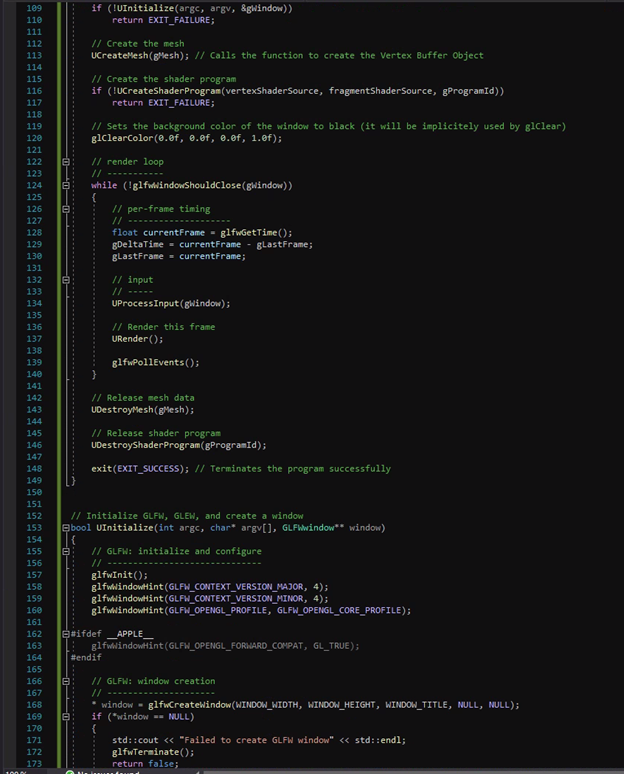
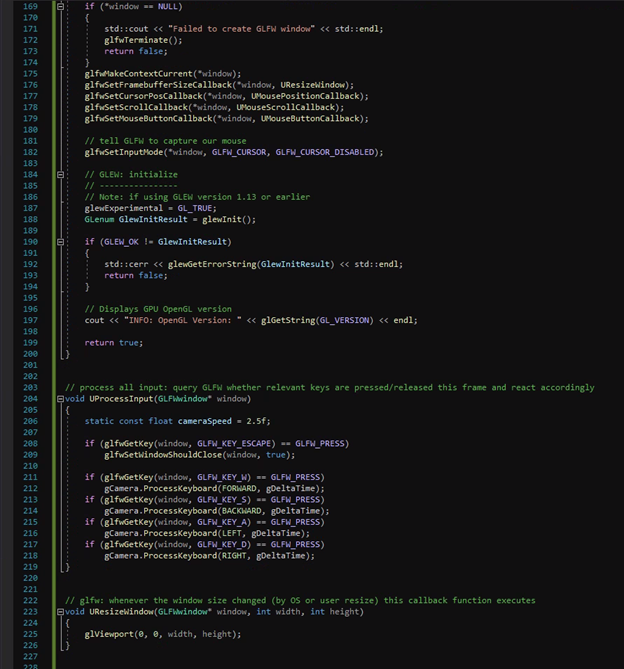
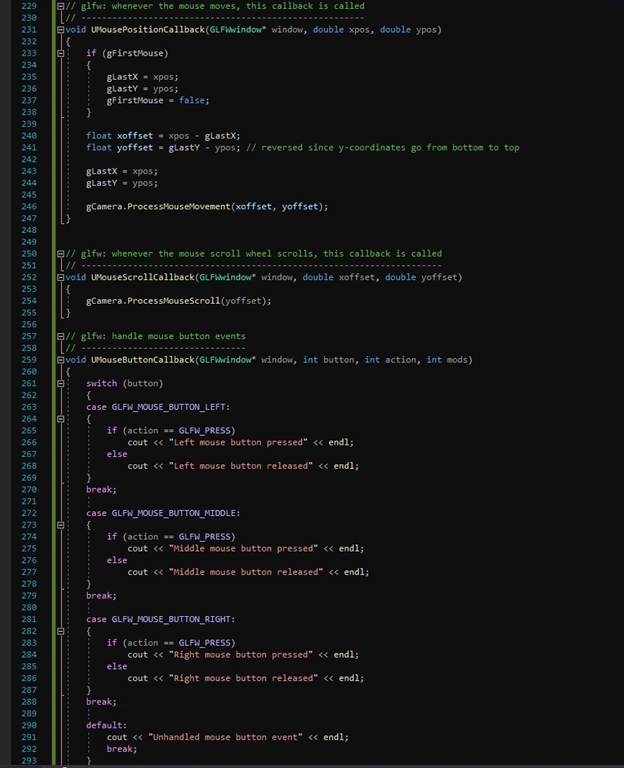
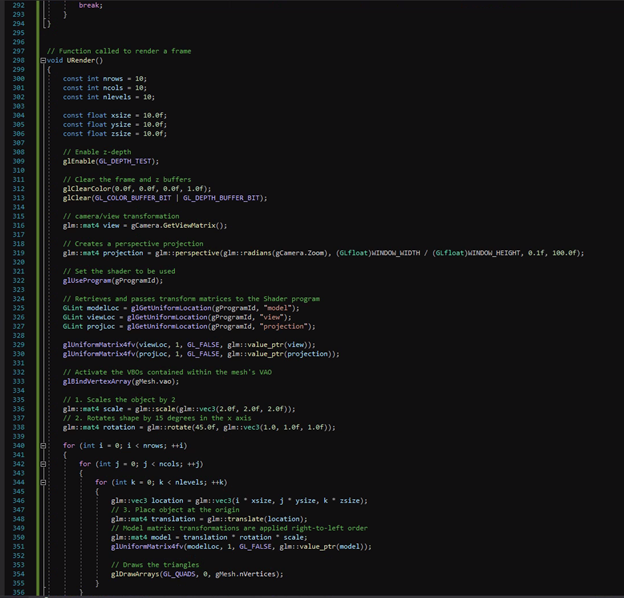
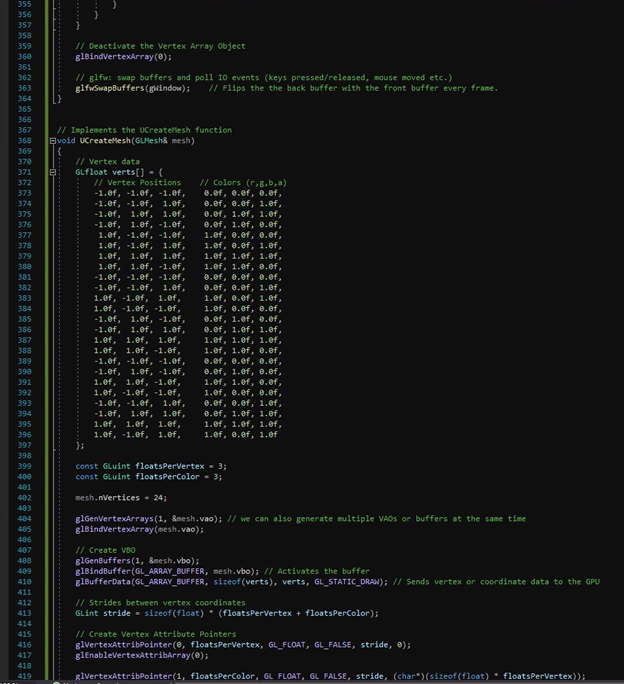
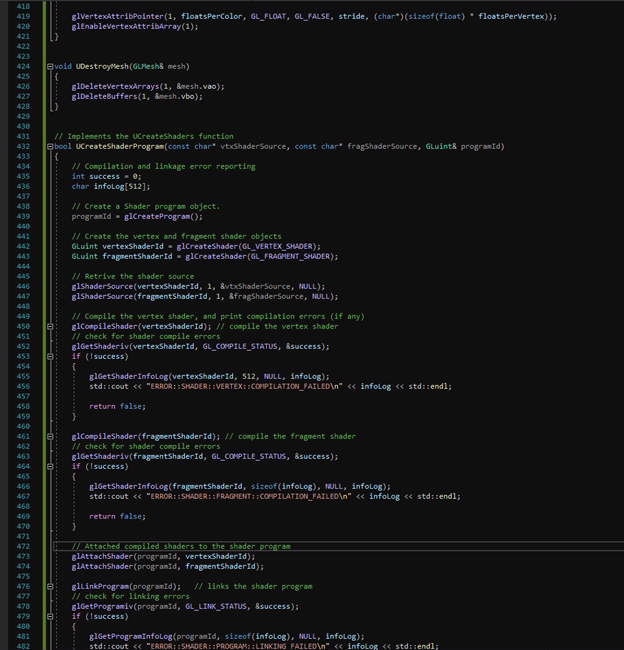
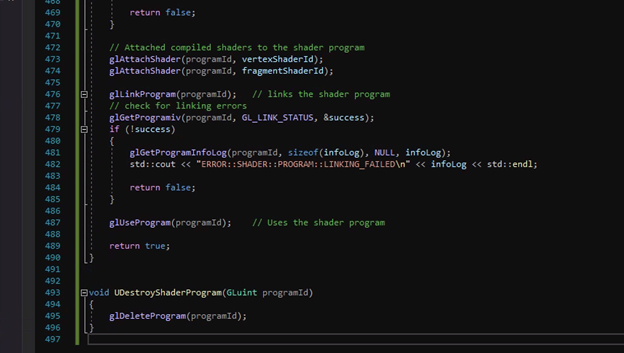
#include #include #include #include // cout, cerr // EXIT_FAILURE // GLEW library // GLFW library // GLM Math Header inclusions #include #include #include #include // Camera class 1 2 3 4 S 6 7 8 9 10 11 12 13 14 15 16 17 18 19 20 21 22 23 24 using namespace std; // Standard namespace /*Shader program Macro"/ #ifndef GLSL [#define GLSL(Version, Source) "#version " #Version" core " #Source tendif // Unnamed namespace namespace { const char* const WINDOW_TITLE - "Tutorial 4.5"; // Macro for window title // Variables for window width and height const int WINDOW_WIDTH = 880; const int WINDOW_HEIGHT - 600; 27 28 29 30 31 // Stores the GL data relative to a given mesh struct GLMesh { Guint V // Handle for the vertex array object Gluint vbo; // Handle for the vertex buffer object Gluint nVertices; // Number of indices of the mesh }; // Main GLFW window GL FWindow* gWindow = nullptr; // Triangle mesh data GLMesh Mesh; // Shader program Gluint gProgramid; 34 35 36 37 38 39 40 41 42 43 44 45 46 47 48 49 58 51 52 53 54 55 // camera Camera gCamera(glm::vec3(e.ef, 8.ef, 3.0f)); float glastX - WINDOW_WIDTH / 2.ef; float glasty = WINDOW_HEIGHT / 2.0f; bool gFirst Mouse - true; // timing float gDeltaTime - 0.f; // time between current frame and last frame float glastFrame - 0.0f; redraw graphics on the window when resized, and render graphics on the screen */ bool UInitialize(int, char* (), GL Fulwindow** window); void UResizeWindow (GLFwwindow* window, int width, int height); void UProcessInput (GLFwwindow window); void UMousePositionCallback(GL. Fwwindow" window, double xpos, double ypos); void UMouseScrollcallback(GLFwwindow* window, double xoffset, double yoffset); void UMouseButtonCallback (GLFWindow* window, int button, int action, int mods); void UCreateMesh(GLMesh mesh); void UDestroyMesh(GLMesh& mesh); void URender(); bool UCreateShader Program(const char* vtxShaderSource, const char* fragShader Source, Gluint& programId); void UDestroyShader Program(Gluint programid); /* Vertex Shader Source Code*/ const GLchar* vertexShader Source - GLSL (440, layout(location - @) in vec3 position; // Vertex data from Vertex Attrib Pointer layout(location - 1) in vec4 color; // color data from Vertex Attrib Pointer 1 out vec4 vertexColor; // variable to transfer color data to the fragment shader transform matrices //Global variables for the uniform mat4 model; uniform mat4 view; uniform mat4 projection; 58 59 60 61 62 63 64 65 66 67 68 69 70 71 72 73 74 75 76 77 78 79 80 81 82 83 84 85 86 87 88 89 98 91 92 93 94 95 96 97 98 99 100 101 102 103 104 105 106 107 108 109 110 111 112 113 114 115 116 117 118 119 120 121 void main() { 81_Position - projection - view *model * vec4(position, 1.0f); // transforms vertices to clip coordinates vertexColor - color; // references incoming color data 1) /* Fragment Shader Source Code*/ const GLchar* fragment Shader Source - GLSL(440, in vec4 vertexColor; // Variable to hold incoming color data from vertex shader out vec4 fragmentColor; void main() { fragmentcolor - vec4(vertexColor); [ } .); int main(int arge, char* argv[]) { if (TUInitialize(arge, argv, &gwindow)) return EXIT_FAILURE; // Create the mesh UCreateMesh (Mesh); // Calls the function to create the Vertex Buffer Object // Create the shader program if (IUCreateShader Program(vertexShader Source, fragment Shader Source, gProgramid)) return EXIT_FAILURE; // Sets the background color of the window to black (it will be implicitely used by giclear) giclearColor(e.ef, e.ef, 8.ef, 1.0f); 209 if (!UInitialize(args, argv, &gwindow)) return EXIT_FAILURE; // Create the mesh UCreateMesh (Mesh); // Calls the function to create the Vertex Buffer Object // Create the shader program if (!UCreateShader Program(vertexShader Source, fragmentShader Source, gProgramId)) return EXIT_FAILURE; // Sets the background color of the window to black (it will be implicitely used by glclear) glClearColor(@.ef, e.ef, e.ef, 1.0f); E // render loop B while (!glfwwindowShouldclose(window)) { 5 // per-frame timing float currentFrame - glfwgetTime(); gDeltaTime = currentFrame - glastFrame; gLastFrame = currentFrame; E // input UProcess Input (Window); // Render this frame URender(); glfwPollEvents(); 110 111 112 113 114 115 116 117 118 119 120 121 122 123 124 125 126 127 128 129 130 131 132 133 134 135 136 137 138 139 140 141 142 143 144 145 146 147 148 149 150 151 152 153 154 155 156 157 158 159 160 161 162 163 164 165 166 167 168 169 170 171 172 173 // Release mesh data UDestroyMesh (Mesh); // Release shader program UDestroyshader Program (gProgramid); exit(EXIT_SUCCESS); // Terminates the program successfully // Initialize GLFW, GLEW, and create a window bool UInitialize(int args, char* argv[], GLFwwindow** window) B // GLFW: initialize and configure // glfwinit(); glfwwindowHint(GLFW_CONTEXT_VERSION_MAJOR, 4); glfwwindowHint(GLFW_CONTEXT_VERSION_MINOR, 4); glfwindowHint(GLFW_OPENGL_PROFILE, GLFW_OPENGL_CORE_PROFILE); #ifdef _APPLE__ glfwlindowHint(GLFH_OPENGL_FORWARD_COMPAT, GL_TRUE); Pendif B B // GLFW: window creation // * window - glfwCreateWindow(WINDOW_WIDTH, WINDOW_HEIGHT, WINDOW_TITLE, NULL, NULL); if (*window == NULL) { std::cout









 Study Help