







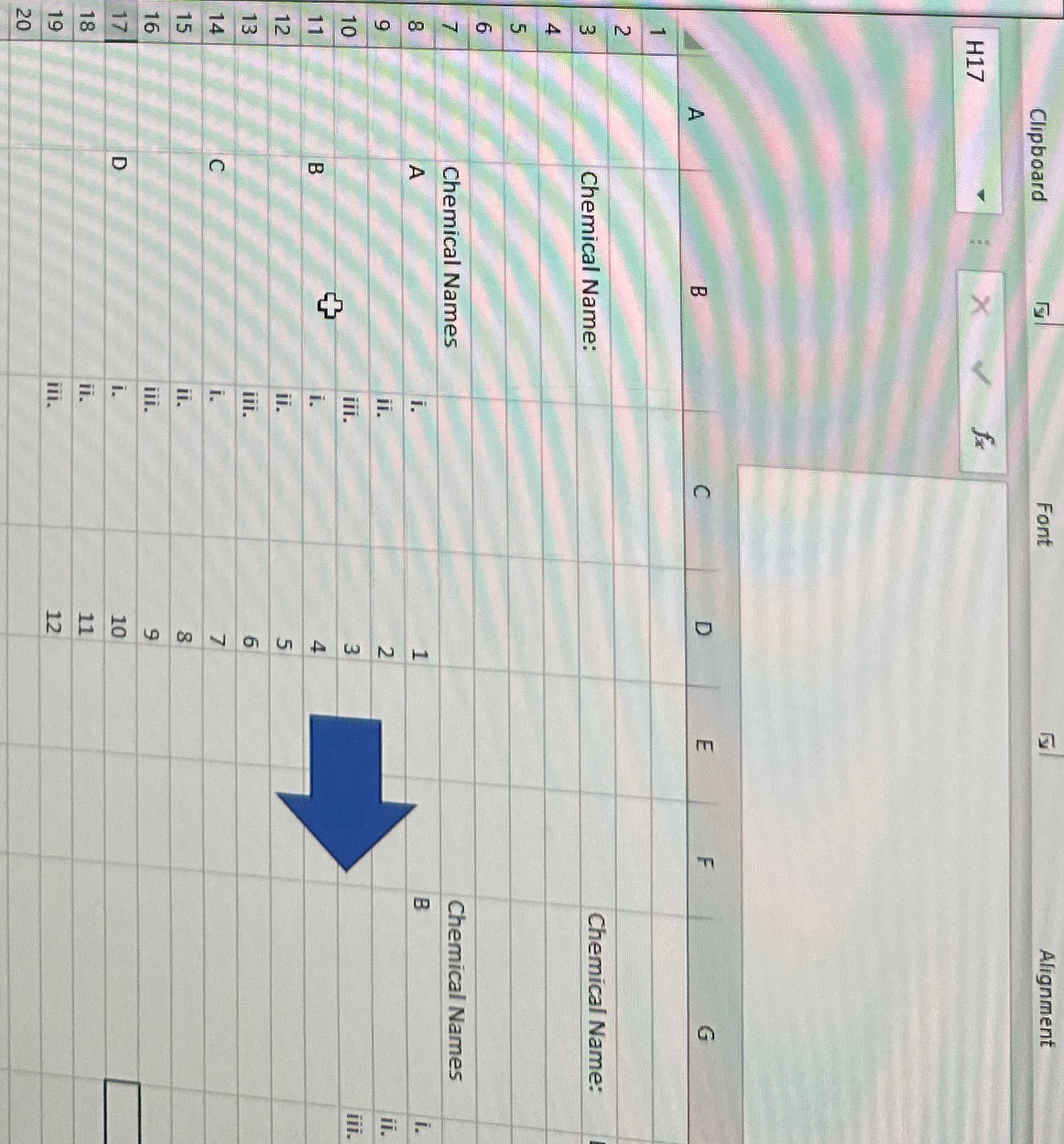
Question: I need help w Excel VBA. Im trying to write a code that hides rows based on a dropdown selection. For example as shown in
I need help w Excel VBA. Im trying to write a code that hides rows based on a dropdown selection. For example as shown in the picture, Chemical name B is selected from a dropdown on C What i want the code to do is unhide everything as a reset, then hide rows below then loop through each row looking for the chemical name in this case B Then unhide the row where the selected chemical is at and ALSO unhide the consecutive rows below it Pleaseeee plssss check that it works and it does what im saying i need rows to be unhidden. This is my fifth time asking chegg because it doesnt work. Thanks! will upvote if correct
Step by Step Solution
There are 3 Steps involved in it
1 Expert Approved Answer
Step: 1 Unlock

Question Has Been Solved by an Expert!
Get step-by-step solutions from verified subject matter experts
Step: 2 Unlock
Step: 3 Unlock
 Study Help