







Question: I need help with 10. Html5 with CSS3 and indent the heading 30 pixels. rest the HTML page in Chrome to make sure that the
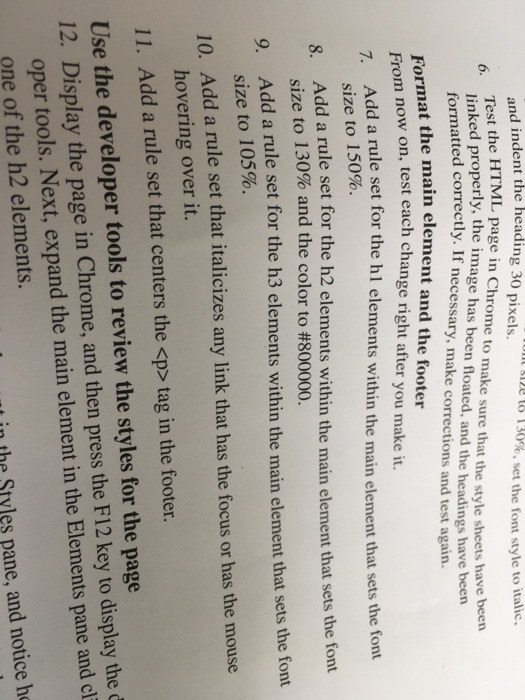
and indent the heading 30 pixels. rest the HTML page in Chrome to make sure that the style sheets have been linked properly, the image has been floated, and the headings have been ont size to 130%, set the font style to italic. 6. atted correctly. If necessary, make corrections and test again. d corr he main element and the footer on, test each change right after you make it. 7. Add a rule set for the hl elements within the main element that sets the font size to 150%. Add a rule set for the h2 elements within the main element that sets the font 8. size to 130% and the color to #800000. 9. Add a rule set for the h3 elements within the main element that sets the font size to 105%. 10. Add a rule set that italicizes any link that has the focus or has the mouse hovering over it. 11. Add a rule set that centers the
tag in the footer Use the developer tools to review the styles for the page 12. Display the page in Chrome, and then press the F12 key to display the d oper tools. Next, expand the main element in the Elements pane and cl one of the h2 elements. t in the Styles pane, and notice he
Step by Step Solution
There are 3 Steps involved in it

Get step-by-step solutions from verified subject matter experts
 Study Help