





Question: I need help with #5 1. Set up Work You will make some changes to the existing workbook to include the new columns for days

I need help with #5
I need help with #5 1. Set up Work You will make
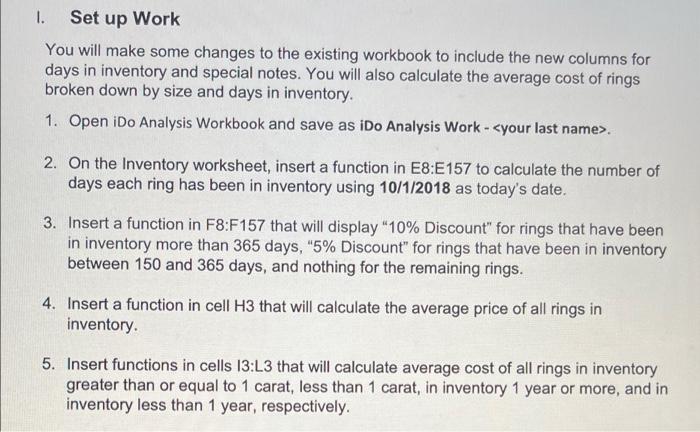
1. Set up Work You will make some changes to the existing workbook to include the new columns for days in inventory and special notes. You will also calculate the average cost of rings broken down by size and days in inventory. 1. Open iDo Analysis Workbook and save as iDo Analysis Work - 2. On the Inventory worksheet, insert a function in E8:E157 to calculate the number of days each ring has been in inventory using 10/1/2018 as today's date. 3. Insert a function in F8:F157 that will display "10% Discount" for rings that have been in inventory more than 365 days, "5% Discount" for rings that have been in inventory between 150 and 365 days, and nothing for the remaining rings. 4. Insert a function in cell H3 that will calculate the average price of all rings in inventory. 5. Insert functions in cells 13:L3 that will calculate average cost of all rings in inventory greater than or equal to 1 carat, less than 1 carat, in inventory 1 year or more, and in inventory less than 1 year, respectively

Step by Step Solution

There are 3 Steps involved in it

1 Expert Approved Answer
Step: 1 Unlock blur-text-image

Question Has Been Solved by an Expert!

Get step-by-step solutions from verified subject matter experts

Step: 2 Unlock
Step: 3 Unlock

Students Have Also Explored These Related General Management Questions!