







Question: I need help with function movetoTop with the Booklist::find() function below void Booklist::moveToTop( const Book & book ) III TO-DO (15) W /// If the

I need help with function movetoTop with the Booklist::find() function below
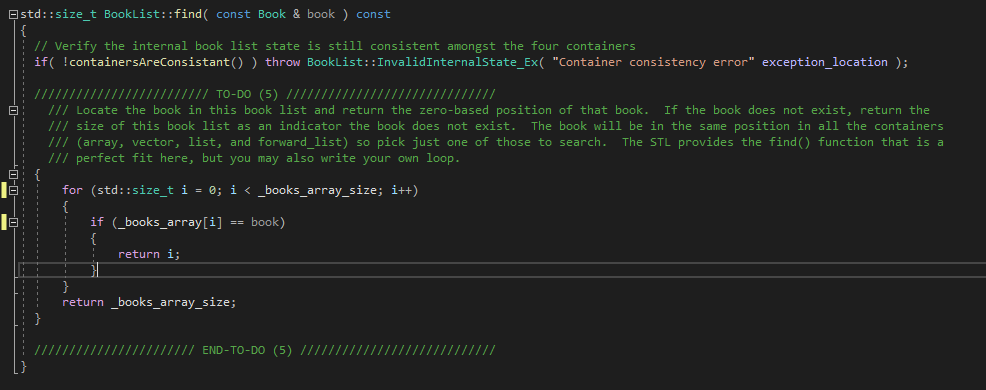
void Booklist::moveToTop( const Book & book ) III TO-DO (15) W /// If the book exists, then remove and reinsert it. Else do nothing. Use Booklist::find to determine if the book exists in /// this book list. WI/ END-TO-DO (15) VW std::size_t Booklist::find( const Book & book ) const // Verify the internal book list state is still consistent amongst the four containers if( !containersAreConsistant()) throw Booklist:: Invalid Internalstate_Ex( "Container consistency error" exception_location ); W TO-DO (5) Www /// Locate the book in this book list and return the zero-based position of that book. If the book does not exist, return the /// size of this book list as an indicator the book does not exist. The book will be in the same position in all the containers 111 (array, vector, list, and forward_list) so pick just one of those to search. The STL provides the find() function that is a /// perfect fit here, but you may also write your own loop. { for (std::size_t i = 0; i
Step by Step Solution
There are 3 Steps involved in it

Get step-by-step solutions from verified subject matter experts
 Study Help