







Question: I need help with reating flowgorithm, to show the loop continue. I created Flowgorithm, the loop does not continue. Flowgorithm, not flowchart. Thank you. I
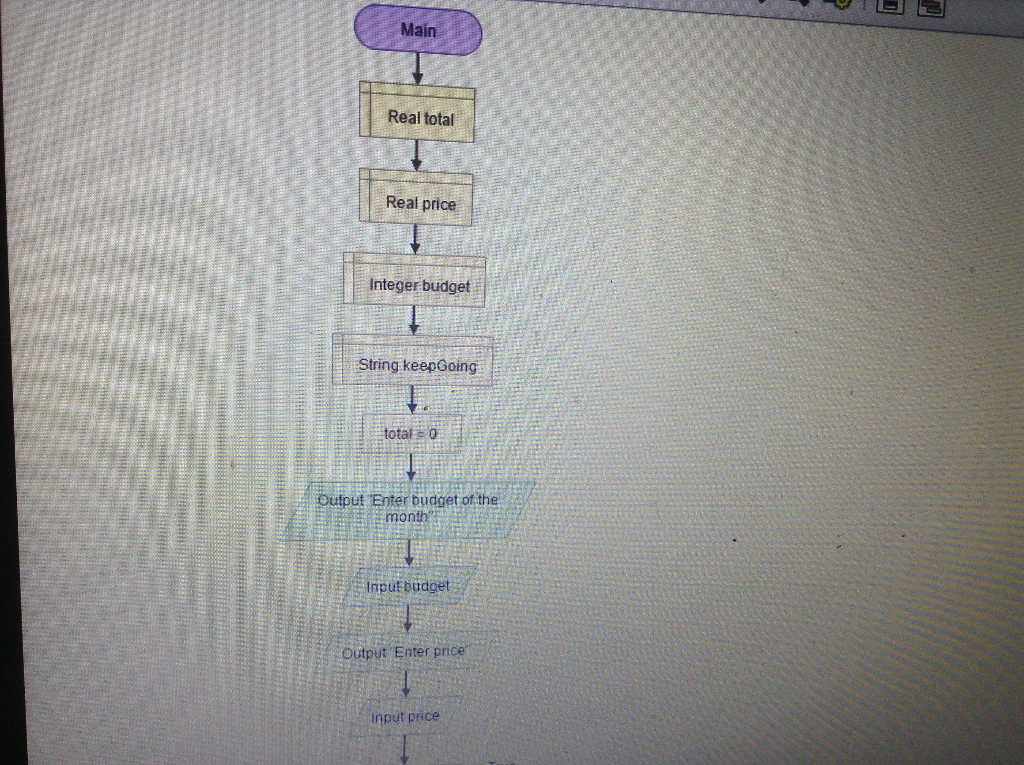
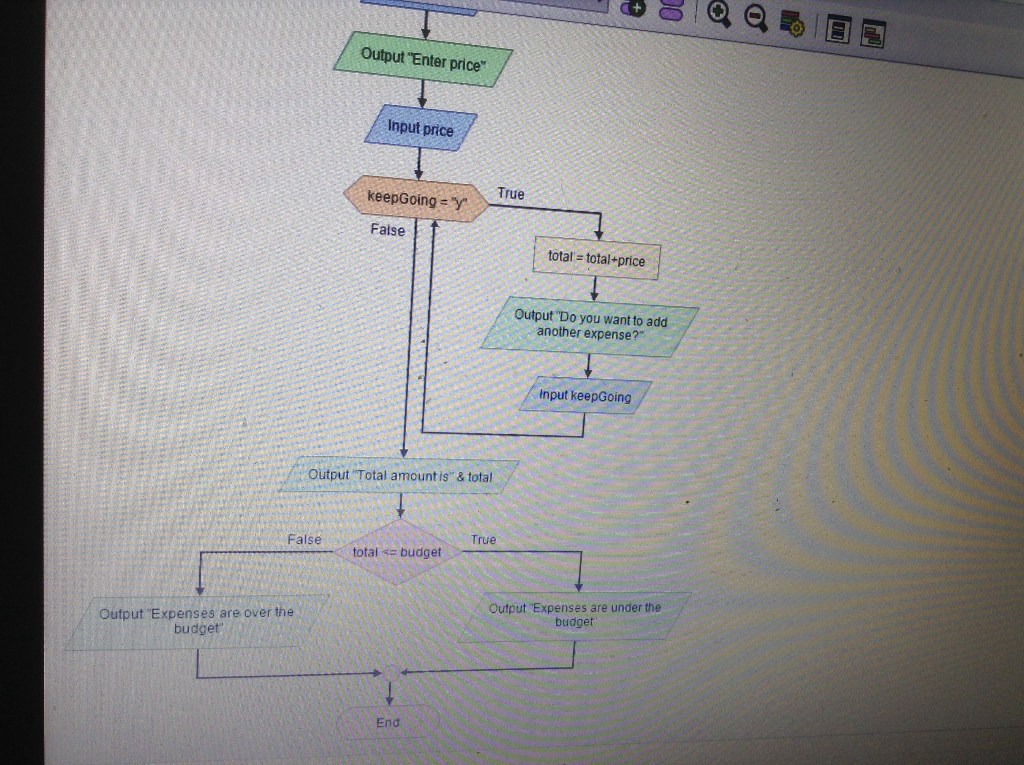
I need help with reating flowgorithm, to show the loop continue. I created Flowgorithm, the loop does not continue. Flowgorithm, not flowchart. Thank you.
I have pseudocode as well.
"Design a program that asks the user to enter the amount that he or she has budgeted for amonth.A loop should then prompt the user to enter each of his or her expenses for the month,and keep a running total.When the loop Fnishes, the program should display the amount thatthe user is over or under budget."
Ch5, Program 3
// Variables
Declare Real total=0
Declare Real price
Declare Integer budget
Declare String keepGoing
Read budget of the month
//Asks user to enter budget of the month
Display Enter budget of the mont.
Input budget
Inside Do-While loop, read price of every expense of the month and calculates he total expenditure of month This loop executes until keepgoing has value other than y.
//Calculates the expenses of the month
Do
//Asks user to expenses of the month
Display Enter price
Input price
// Calculates the total expense
Set total = total+ price
// Do it gain?
Display Do you want to add another expense?
Input keepGoing
While keepGoing = y
//Display the total amount
Display Total amount is, total
If checks whether expenditure is under the budget or over the budget with the help of total and budget value.
//Checks whether expenses in under the budget or not
If total
Display Expense are under the budget.
Else
Display Expenses are over the budget.
End If
Main Real total Real price nteger budget String keepGoing total 0 Output Bnter budget of the mon nputbudget output Enter price nput price
Step by Step Solution
There are 3 Steps involved in it

Get step-by-step solutions from verified subject matter experts
 Study Help