







Question: I need help with starting this. I know how files work but not reading a text file and writing the contents to a csv file.
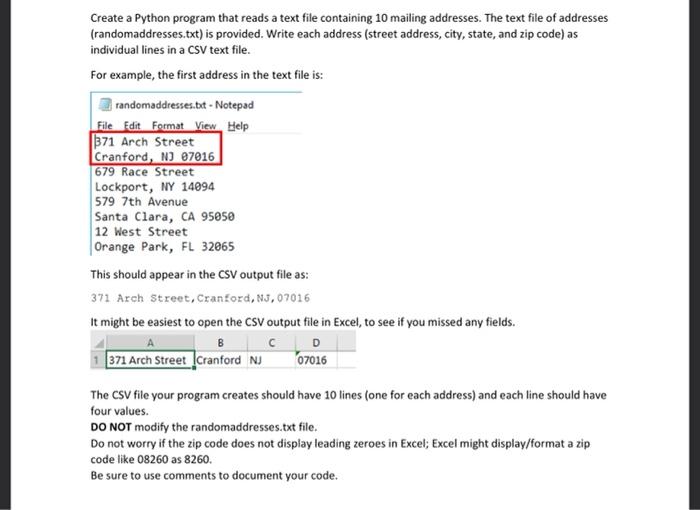
Create a Python program that reads a text file containing 10 mailing addresses. The text file of addresses (randomaddresses.txt) is provided. Write each address (street address, city, state, and zip code) as individual lines in a CSV text file. For example, the first address in the text file is: randomaddresses.bit - Notepad File Edit Format View Help 371 Arch Street Cranford, NJ 07016 679 Race Street Lockport, NY 14094 579 7th Avenue Santa Clara, CA 95050 12 West Street Orange Park, FL 32065 This should appear in the CSV output file as: 371 Arch Street, Cranford, NJ, 07016 It might be easiest to open the CSV output file in Excel, to see if you missed any fields. D 371 Arch Street Cranford NJ 07016 The CSV file your program creates should have 10 lines (one for each address) and each line should have four values. DO NOT modify the randomaddresses.txt file. Do not worry if the zip code does not display leading zeroes in Excel; Excel might display/format a zip code like 08260 as 8260. Be sure to use comments to document your code
Step by Step Solution
There are 3 Steps involved in it

Get step-by-step solutions from verified subject matter experts
 Study Help