







Question: I need help with the coding in Matlab for number 5 and 6. I have copied the code i tried to use for number 5
I need help with the coding in Matlab for number 5 and 6. I have copied the code i tried to use for number 5 but I'm not getting values between 0 and 1. The vectors being used are dzip.mat and azip.mat:. The first is a vector that holds the digits (the number) and the second is an array of dimension 256 x 1707 that holds the training images. The images are vectors of dimension 256, that have been constructed from 16 x 16 images and dtest.mat and testzip.mat hold the test data.
>> for i=1:10 subplot(2,5,i) imagesc(reshape(aveImg(:,i),16,16)') end >> for i=1:10 d(i)=norm(aveImg(:,i)-azip(:,1)); end
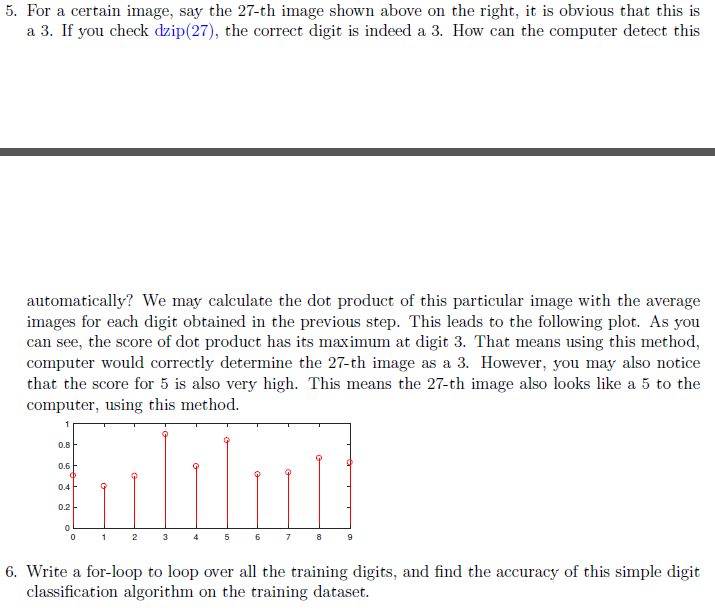
5. For a certain image, say the 27-th image shown above on the right, it is obvious that this is a 3. If you check dzip(27), the correct digit is indeed a 3. How can the computer detect this automatically? We may calculate the dot product of this particular image with the average images for each digit obtained in the previous step. This leads to the following plot. As you can see, the score of dot product has its maximum at digit 3. That means using this method computer would correctly determine the 27-th image as a 3. However, you may also notice that the score for 5 is also very high. This means the 27-th image also looks like a 5 to the computer, using this method. 0.8 0.6 0.4 0.2 6. Write a for-loop to loop over all the training digits, and find the accuracy of this simple digit classification algorithm on the training dataset. 5. For a certain image, say the 27-th image shown above on the right, it is obvious that this is a 3. If you check dzip(27), the correct digit is indeed a 3. How can the computer detect this automatically? We may calculate the dot product of this particular image with the average images for each digit obtained in the previous step. This leads to the following plot. As you can see, the score of dot product has its maximum at digit 3. That means using this method computer would correctly determine the 27-th image as a 3. However, you may also notice that the score for 5 is also very high. This means the 27-th image also looks like a 5 to the computer, using this method. 0.8 0.6 0.4 0.2 6. Write a for-loop to loop over all the training digits, and find the accuracy of this simple digit classification algorithm on the training dataset
Step by Step Solution
There are 3 Steps involved in it

Get step-by-step solutions from verified subject matter experts
 Study Help