







Question: I need help with this assignment: CGS 2 8 2 0 : JavaScript Programming Assignment 4 : Roll Dice. Watch my jQuery videos, especially the
I need help with this assignment:
CGS :
JavaScript Programming Assignment : Roll Dice.
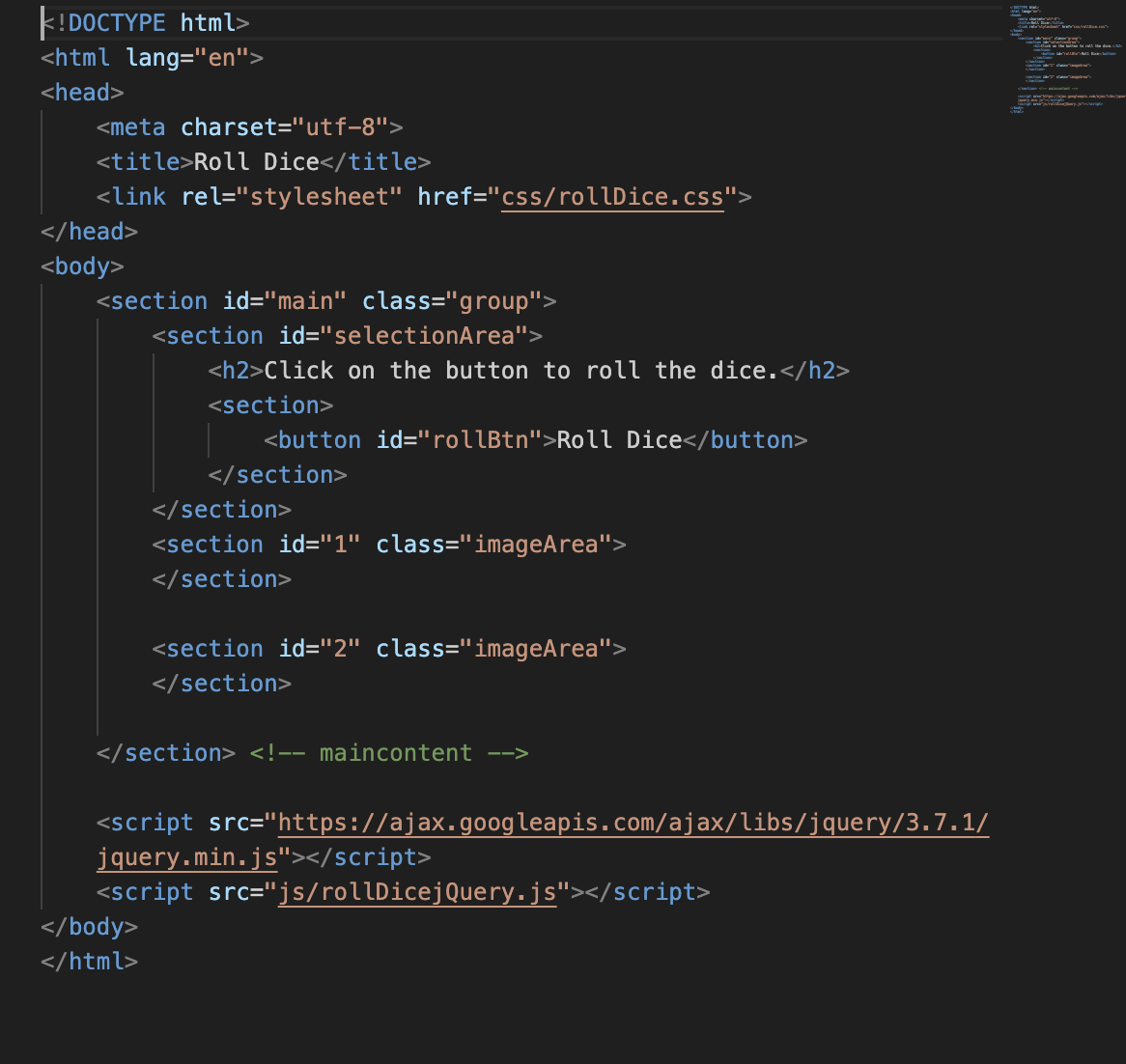
Watch my jQuery videos, especially the ones on manipulating the DOM and STUDY the accompanying files. Refer to uCertify, the Murach text, or wschools.com to find more on the syntax and semantics of the various statements in the videos and files. Part File to download: Download the zip file, rollDice.zip, and extract it into your cgs folder. Once you extract the contents of the zip file, you should see a folder named rollDice. RENAME the rollDice folder as rollDiceYourInitials. Part Program description: File: rollDicejQuery.html The document links to a JavaScriptjQuery file called rollDicejQuery.js described below. Study this HTML file and open it in your browser to see how it looks originally. DO NOT CHANGE THE CONTENTS OF THIS HTML FILE! File: rollDicejQuery.js located in the js folder
Add jQuery statements to the file so that every time the user clicks the Roll Dice button in the browser, random images of dice show up inside the square box regions in the HTML page. Things to note: You should look at my dealCardsjQueryjs file for ideas on how to do this exercise. The images are in the diceImages subfolder of the rollDice folder. The names of the images start at facepng NOT jpg and end at facepng in numerical order. You will need to keep track of two arrays, one for die and one for die You will need to create separate image elements for each array. Assigning one image to both arrays will not work. You can use the randInt function from my dealCardsjQueryjs file to help you generate random integers from up to not including
Keep your code modular by placing frequently replicated statements in functions and calling the functions multiple times.
this is a screenshot of html code
kDOCTYPE html
Roll Dice
Step by Step Solution
There are 3 Steps involved in it
1 Expert Approved Answer
Step: 1 Unlock

Question Has Been Solved by an Expert!
Get step-by-step solutions from verified subject matter experts
Step: 2 Unlock
Step: 3 Unlock
 Study Help