







Question: I need help with this chapter 7 excel project. I am having issues with all the photoed questions but especially the third step with the
I need help with this chapter 7 excel project. I am having issues with all the photoed questions but especially the third step with the weekday function
You work for a company that sells cell phone accessories. The company has distribution centers in three states. You want to analyze shipping data for one week in April to determine if shipping times are too long. You will perform other analysis and insert a map. Finally, you will prepare a partial loan amortization table for a new delivery van.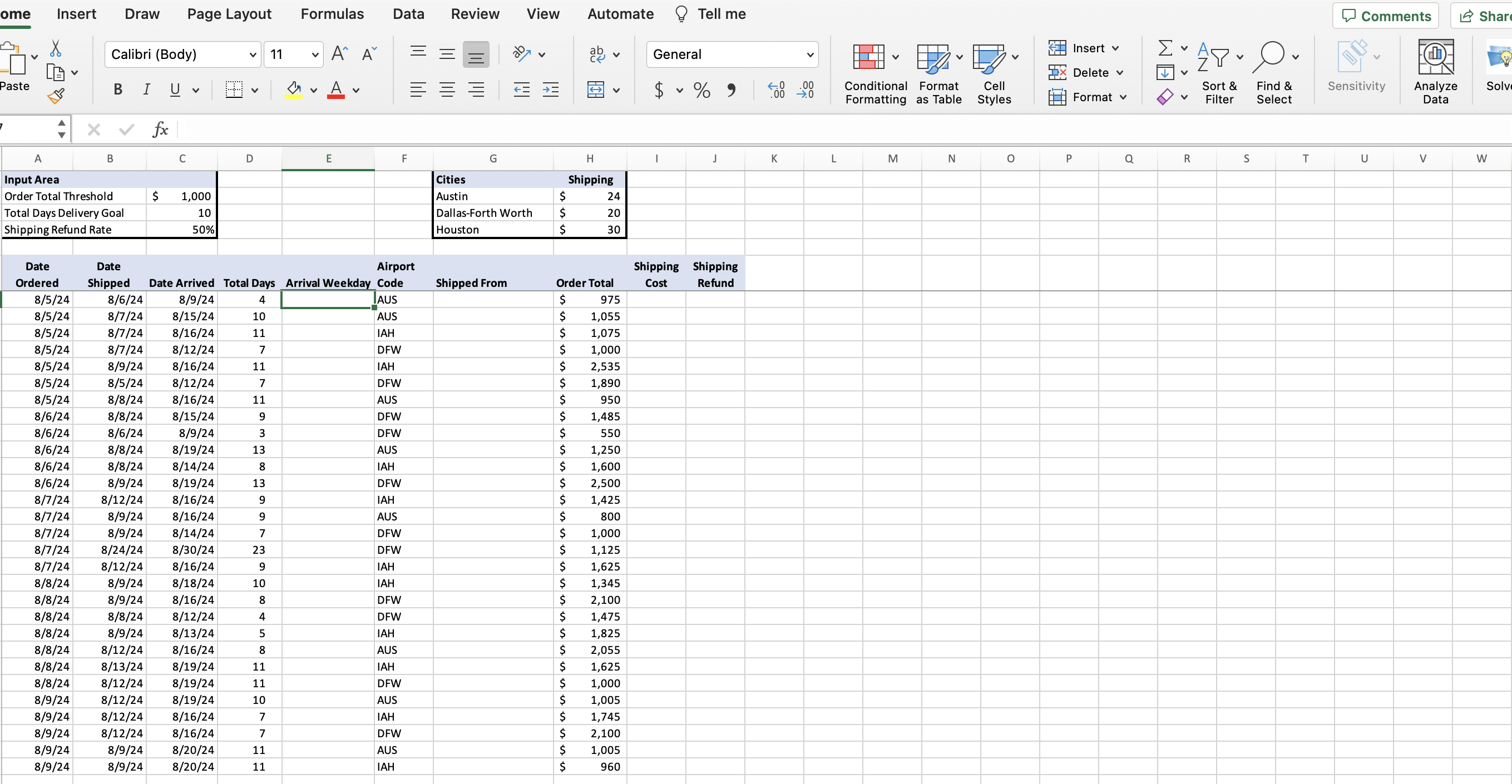
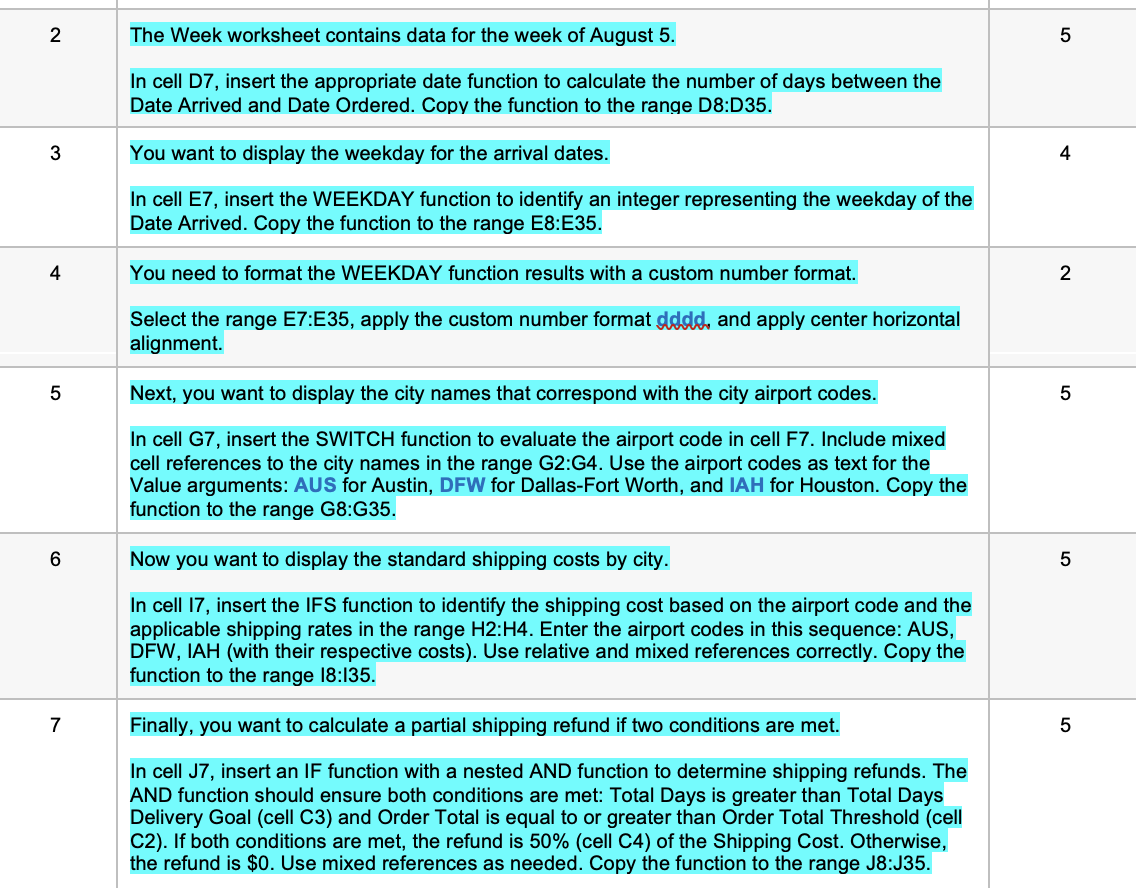
\begin{tabular}{|c|c|c|} \hline 2 & \begin{tabular}{l} The Week worksheet contains data for the week of August 5 . \\ In cell D7, insert the appropriate date function to calculate the number of days between the \\ Date Arrived and Date Ordered. Copy the function to the range D8:D35. \end{tabular} & 5 \\ \hline 3 & \begin{tabular}{l} You want to display the weekday for the arrival dates. \\ In cell E7, insert the WEEKDAY function to identify an integer representing the weekday of the \\ Date Arrived. Copy the function to the range E8:E35. \end{tabular} & 4 \\ \hline 4 & \begin{tabular}{l} You need to format the WEEKDAY function results with a custom number format. \\ Select the range E7:E35, apply the custom number format dddd, and apply center horizontal \\ alignment. \end{tabular} & 2 \\ \hline 5 & \begin{tabular}{l} Next, you want to display the city names that correspond with the city airport codes. \\ In cell G7, insert the SWITCH function to evaluate the airport code in cell F7. Include mixed \\ cell references to the city names in the range G2:G4. Use the airport codes as text for the \\ Value arguments: AUS for Austin, DFW for Dallas-Fort Worth, and IAH for Houston. Copy the \\ function to the range G8:G35. \end{tabular} & 5 \\ \hline 6 & \begin{tabular}{l} Now you want to display the standard shipping costs by city. \\ In cell I7, insert the IFS function to identify the shipping cost based on the airport code and the \\ applicable shipping rates in the range H2H4. Enter the airport codes in this sequence: AUS, \\ DFW, IAH (with their respective costs). Use relative and mixed references correctly. Copy the \\ function to the range I8:I35. \end{tabular} & 5 \\ \hline 7 & \begin{tabular}{l} Finally, you want to calculate a partial shipping refund if two conditions are met. \\ In cell J7, insert an IF function with a nested AND function to determine shipping refunds. The \\ AND function should ensure both conditions are met: Total Days is greater than Total Days \\ Delivery Goal (cell C3) and Order Total is equal to or greater than Order Total Threshold (cell \\ C2). If both conditions are met, the refund is 50% (cell C4) of the Shipping Cost. Otherwise, \\ the refund is $0. Use mixed references as needed. Copy the function to the range J8:J35. \end{tabular} & 5 \\ \hline \end{tabular}
Step by Step Solution
There are 3 Steps involved in it

Get step-by-step solutions from verified subject matter experts
 Study Help