







Question: I need Help with this Error in PYTHON! I need one solution to run the code ! The file sunspots is my documents file of
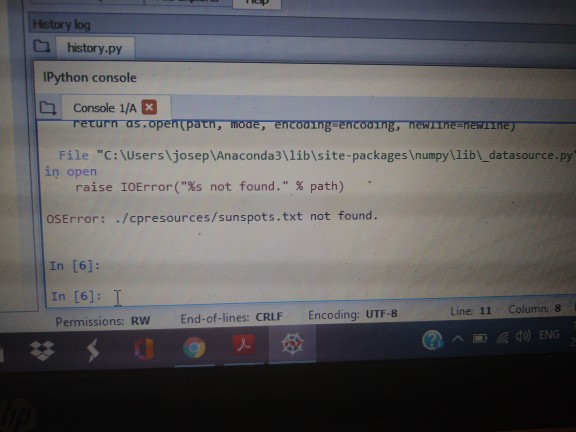
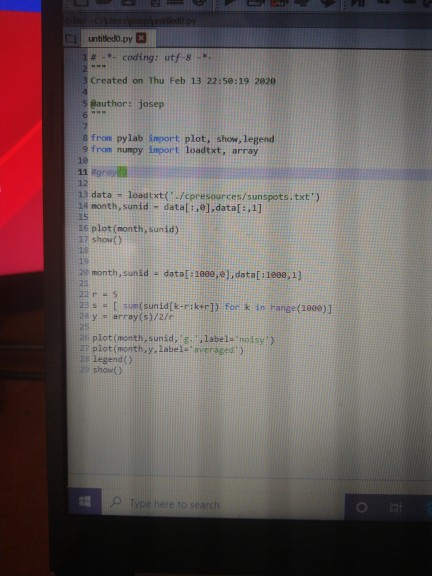
I need Help with this Error in PYTHON! I need one solution to run the code ! The file sunspots is my documents file of My PC.
History log history.py IPython console Console 1/A X return as.opent path, mode, encoding encoamng, new meewithe File "C:\Users\josep Anaconda3\lib\site-packages umpy\lib\_datasource.py in open raise IOError("%s not found." % path) OSError: ./cpresources/sunspots.txt not found. In [6]: In [6]: 1 Permissions: RW End-of-lines: CRL Encoding: UTF-8 Line 11 Column: 8 ^(10) ENG, Q S . untitledo.py # - coding: utf-8 - 3 Created on Thu Feb 13 22:50:19 2020 5 author: josep 8 from pylab import plot, show, legend 9 from numpy import loadtxt, array 11 gr 13 data - loadtxt( cpresources/sunspots.txt') 14 month, sunid - data[: ], data[1,1] 16 plot(month, sunid) 17 Show 20 month, sunid = data[=1899,0), data[:1998,1) 235 - um (sunid[k-rikerl) fork in range(1000)] array(s)/27 plot(month, sunid, 'label-thoisy) 2 plot(month, y, label verages 28 Legend show Type here to search
Step by Step Solution
There are 3 Steps involved in it

Get step-by-step solutions from verified subject matter experts
 Study Help