







Question: I need help with this excel problem. I have never used excel and I need as specific help as I can get. including where i
I need help with this excel problem. I have never used excel and I need as specific help as I can get. including where i should put calculations and where to find specific functions. "Scenario
You are working for a medical clinic. Your supervisor reached out to see if you can create a spreadsheet to help track information relating to wellchild checkups. The management team wants to know the number of patients who completed their wellchild visits and the total amounts for the billed and paid checkups. Using the Rounding function, you will need round various services offered by the clinics. Also, you will need to rank the services.
Requirements
Sheet
Rename Sheet as "Data".
Replace the patient named "Donovan Kelling" with your name.
Create three named ranges for the "Billed", "Amount Paid", and "WellChild Visit Completed" columns. The ranges should include rows to These named ranges will make the following calculations much easier.
Apply the filter feature to the whole range of data and use it to sort the patients alphabetically by their first name, A to Z Leave the filter feature ON meaning you will still see little arrows on the first row of each column
Use a Count function like COUNTA or COUNTBLANK and named range to calculate the number of wellchild visits completed. Label the cell with a heading.
Use the SUM function and named range to calculate the total amount billed. Label the cell with a heading.
Use the SUM function and named range to calculate the total amount paid. Label the cell with a heading.
Sheet
Rename Sheet as "Services".
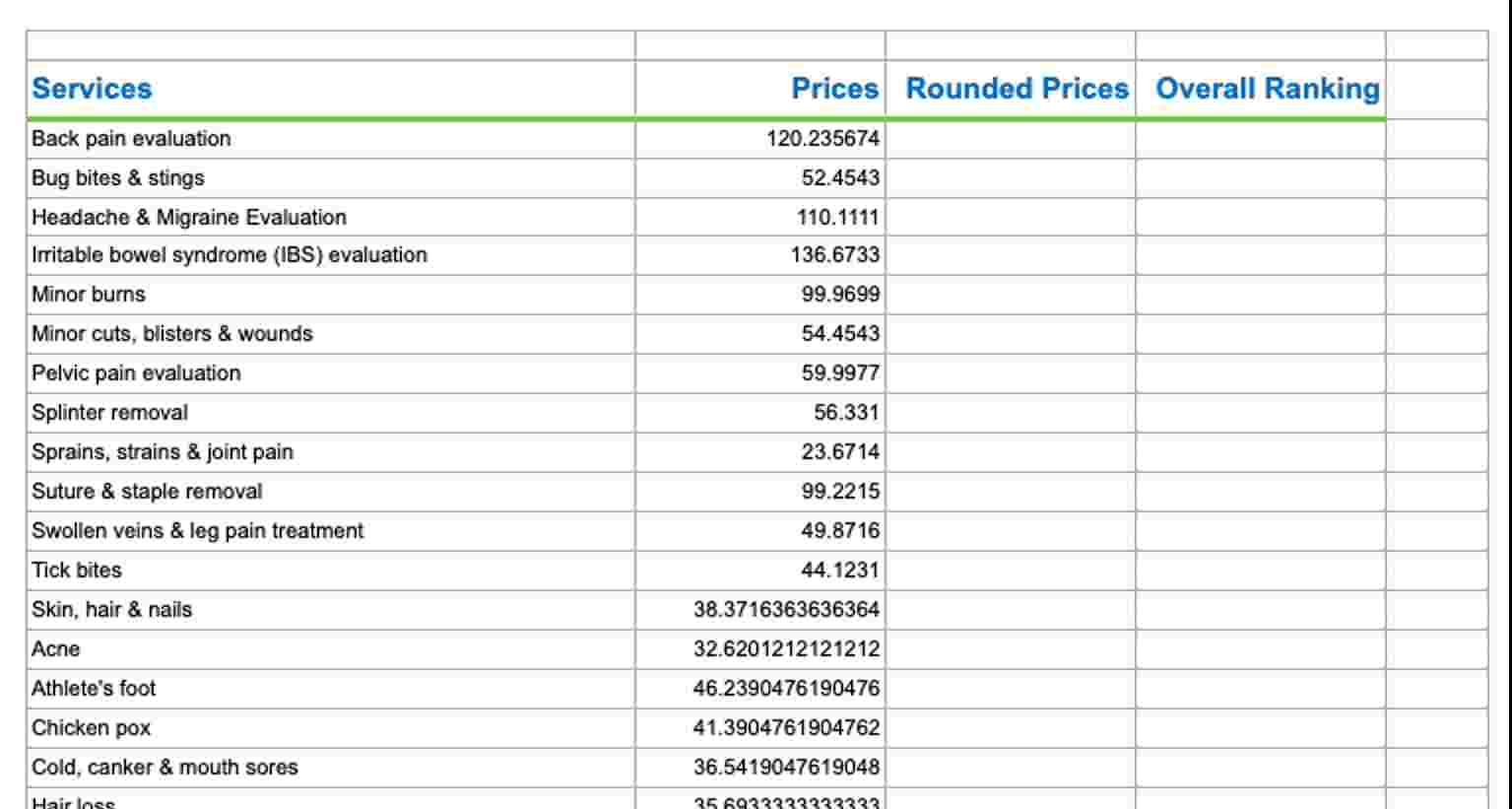
In the column labeled "Rounded Prices" use the ROUND function to round the "Price" to the nearest hundredth, meaning $ would become $ and $ would become $ While a number format makes a price appear to be rounded, using the round function actually changes the value to be the rounded amount.
In the "Overall Ranking" column, use the RANK.EQ function to rank the services in descending order, meaning will have spent the most money.
The workbook must look professional, meaning that you should take time to clean up each worksheet. Focus on the following areas:
Color each tab.
Format any currency cells with a dollar sign $ eg billed and paid and columns
Make the headings stand out ie bold OR color OR underline, etc.
Services Prices Rounded Prices Overall Ranking Back pain evaluation Bug bites & stings Headache & Migraine Evaluation Irritable bowel syndrome IBS evaluation Minor burns Minor cuts, blisters & wounds Pelvic pain evaluation Splinter removal Sprains, strains & joint pain Suture & staple removal Swollen veins & leg pain treatment Tick bites Skin, hair & nails Acne Athlete's foot Chicken pox Cold, canker & mouth sores Hairloce
Patient Name Patient ID # Birthdate City WellChild Visit Completed Billed Amount Paid Donovan Kelling Rigby, Idaho Yes $ $ Genevie Hipple Rexburg, Idaho $ $ Claude Darbonne Rigby, Idaho $ $ Jeanna Landrum Idaho Falls, Idaho $ $ Kristeen Silsby Idaho Falls, Idaho Yes $ $ Theresa Nixon Idaho Falls, Idaho Yes $ $ Pamela Rohman Rigby, Idaho $ $ Mattie Nave Idaho Falls, Idaho $ $ Chrystal Deppe Idaho Falls, Idaho $ $ Concha Mccleskey Idaho Falls, Idaho $ $ Lavonne Jacko Idaho Falls, Idaho Yes $ $ I also included a pic of the rubric. New Project: Healthcare
Step by Step Solution
There are 3 Steps involved in it
1 Expert Approved Answer
Step: 1 Unlock

Question Has Been Solved by an Expert!
Get step-by-step solutions from verified subject matter experts
Step: 2 Unlock
Step: 3 Unlock
 Study Help