







Question: I need help with this exercise from Excel please. Start in column D. then move across, and multiply the ereceding value by its growth rate
I need help with this exercise from Excel please.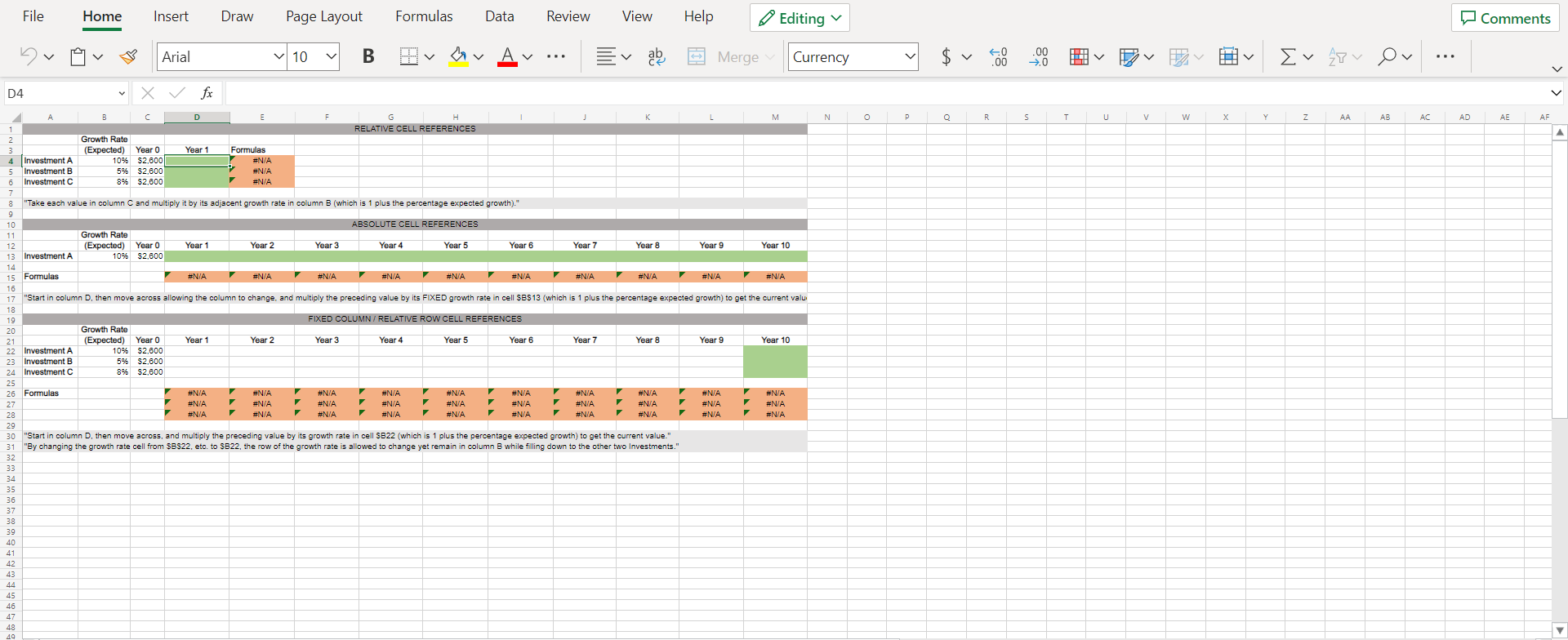
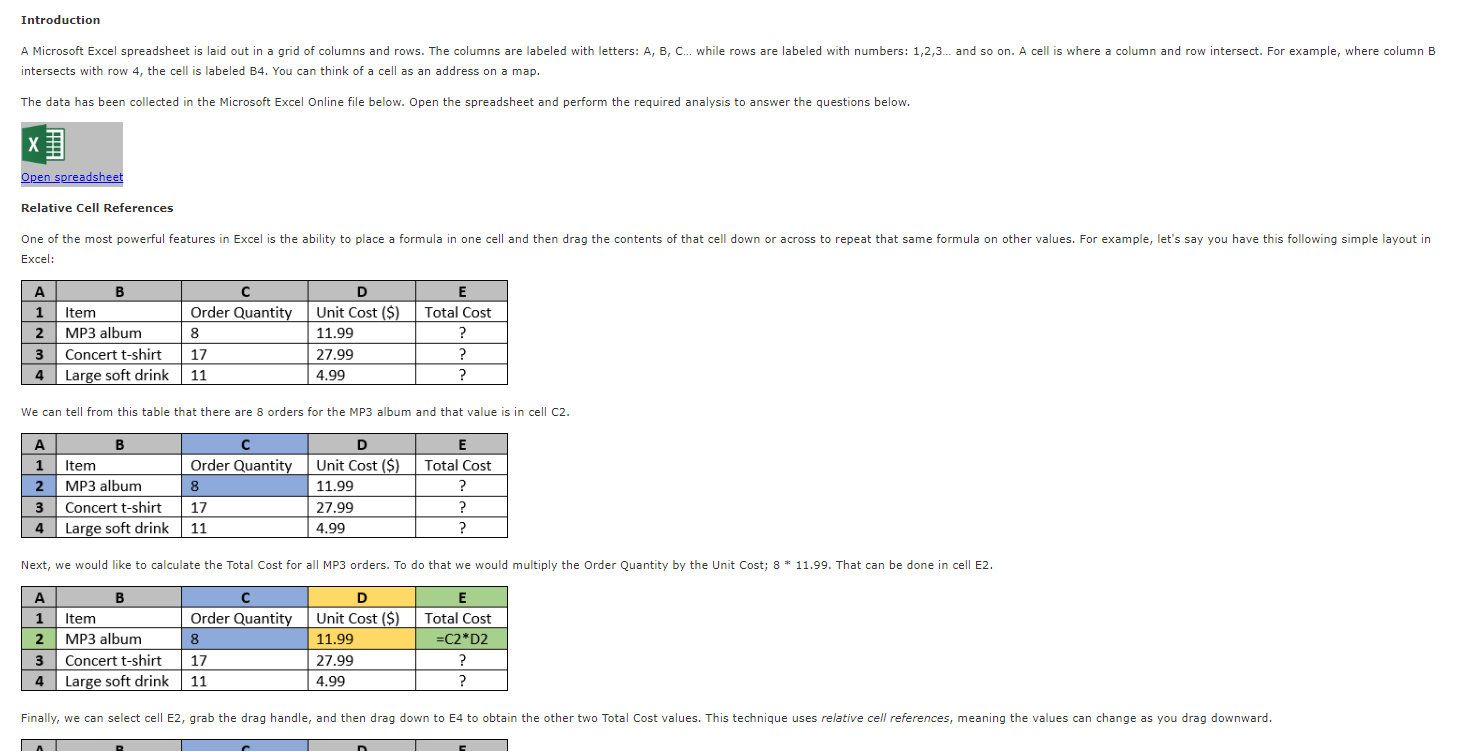
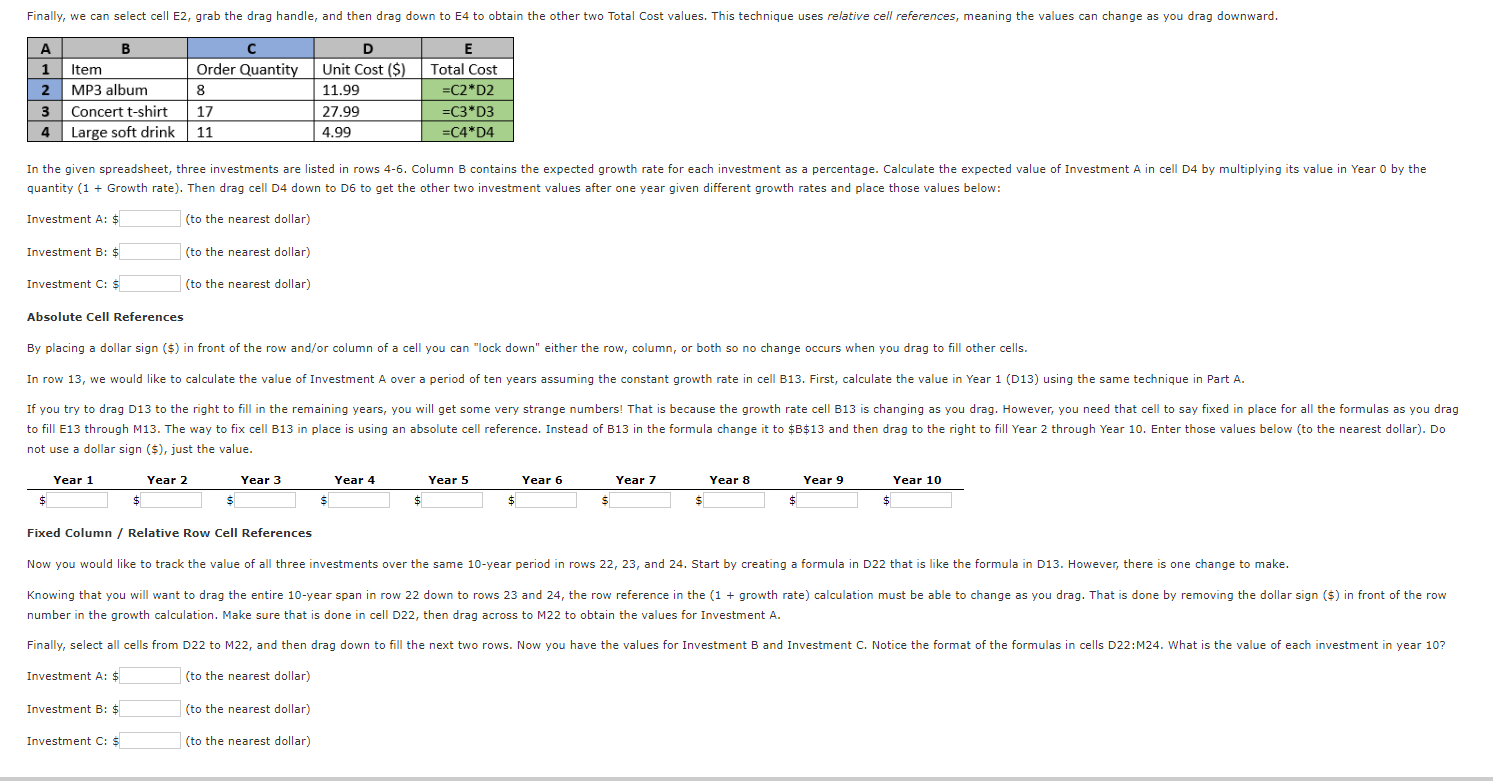
"Start in column D. then move across, and multiply the ereceding value by its growth rate in cell SB22 (which is 1 plus the percentage expected growth) to get the current value." intersects with row 4, the cell is labeled B4. You can think of a cell as an address on a map. The data has been collected in the Microsoft Excel Online file below. Open the spreadsheet and perform the required analysis to answer the questions below. Relative Cell References Excel: We can tell from this table that there are 8 orders for the MP3 album and that value is in cell C2. Investment A: $ (to the nearest dollar) Investment B: (to the nearest dollar) Investment C: (to the nearest dollar) Absolute Cell References not use a dollar sign (\$), just the value. Fixed Column / Relative Row Cell References number in the growth calculation. Make sure that is done in cell D22, then drag across to M22 to obtain the values for Investment A. Investment A: (to the nearest dollar) Investment B: (to the nearest dollar) Investment C: (to the nearest dollar) "Start in column D. then move across, and multiply the ereceding value by its growth rate in cell SB22 (which is 1 plus the percentage expected growth) to get the current value." intersects with row 4, the cell is labeled B4. You can think of a cell as an address on a map. The data has been collected in the Microsoft Excel Online file below. Open the spreadsheet and perform the required analysis to answer the questions below. Relative Cell References Excel: We can tell from this table that there are 8 orders for the MP3 album and that value is in cell C2. Investment A: $ (to the nearest dollar) Investment B: (to the nearest dollar) Investment C: (to the nearest dollar) Absolute Cell References not use a dollar sign (\$), just the value. Fixed Column / Relative Row Cell References number in the growth calculation. Make sure that is done in cell D22, then drag across to M22 to obtain the values for Investment A. Investment A: (to the nearest dollar) Investment B: (to the nearest dollar) Investment C: (to the nearest dollar)
Step by Step Solution
There are 3 Steps involved in it

Get step-by-step solutions from verified subject matter experts
 Study Help