Question: I need help with this project, I have part 1/html done for the most part, I am just having issues with the .css file. There
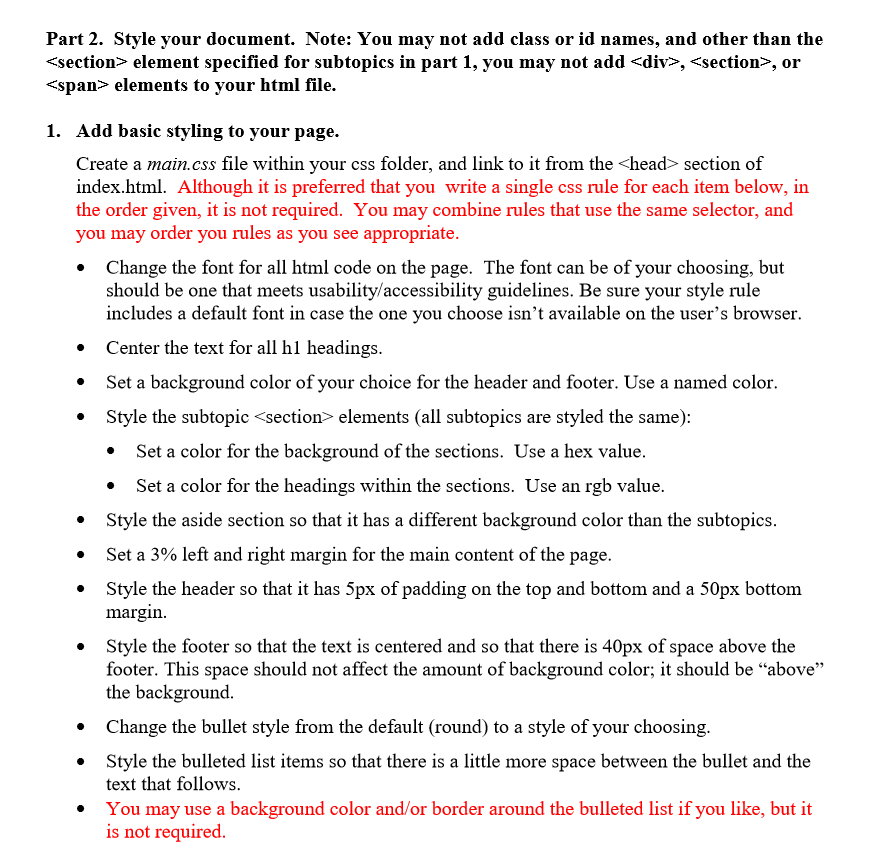
I need help with this project, I have part 1/html done for the most part, I am just having issues with the .css file. There is an example below of what the styling should look like.
Please just organize your answer, Thank you.
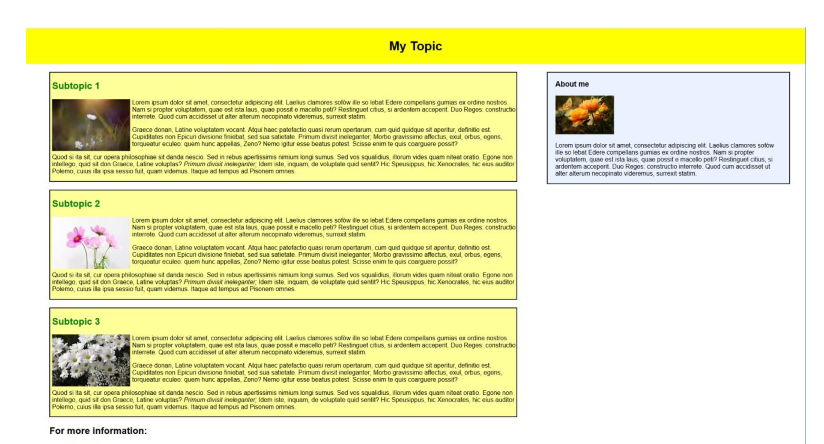
Example of what it should look like:
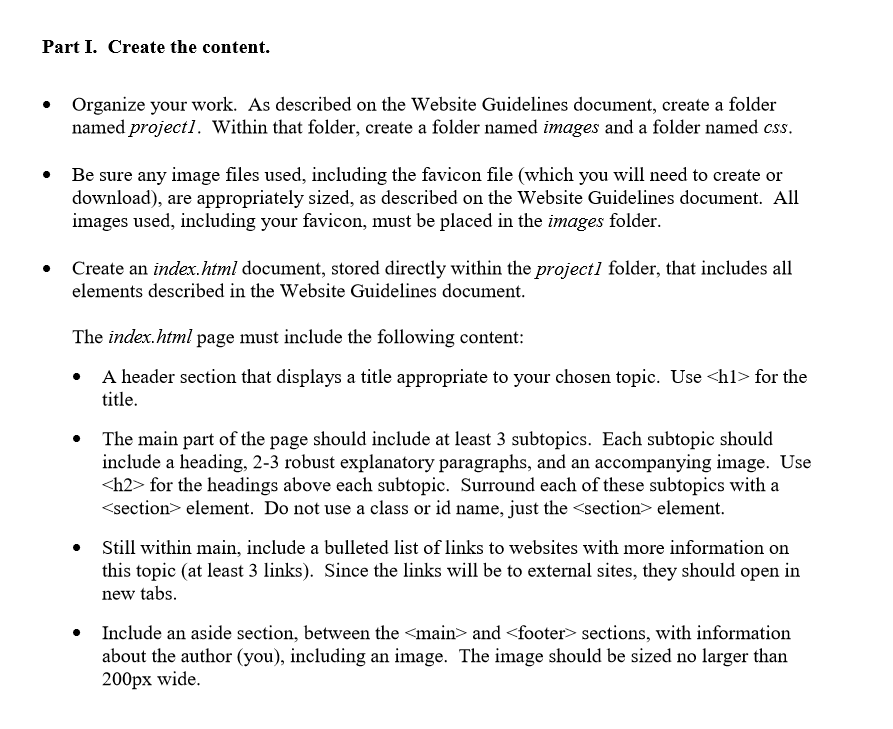
Part I. Create the content. Organize your work. As described on the Website Guidelines document, create a folder named projectl. Within that folder, create a folder named images and a folder named css. . Be sure any image files used, including the favicon file (which you will need to create or download), are appropriately sized, as described on the Website Guidelines document. All images used, including your favicon, must be placed in the images folder. . Create an index.html document, stored directly within the projectl folder, that includes all elements described in the Website Guidelines document The index.html page must include the following content: .A header section that displays a title appropriate to your chosen topic. Use for the title The main part of the page should include at least 3 subtopics. Each subtopic should include a heading, 2-3 robust explanatory paragraphs, and an accompanying image. Use h2> for the headings above each subtopic. Surround each of these subtopics with a section element. Do not use a class or id name, just the and
Step by Step Solution
There are 3 Steps involved in it
1 Expert Approved Answer
Step: 1 Unlock
Question Has Been Solved by an Expert!
Get step-by-step solutions from verified subject matter experts
Step: 2 Unlock
Step: 3 Unlock
Students Have Also Explored These Related Databases Questions!









 Study Help