







Question: I need help with this! The code in this that can be used is the last images attached. Please help! Using a Stack ADT, write
I need help with this! The code in this that can be used is the last images attached. Please help!
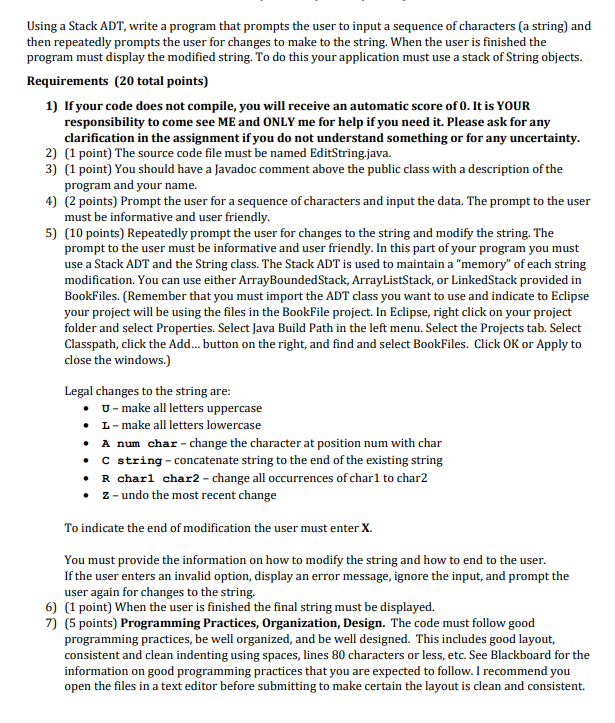
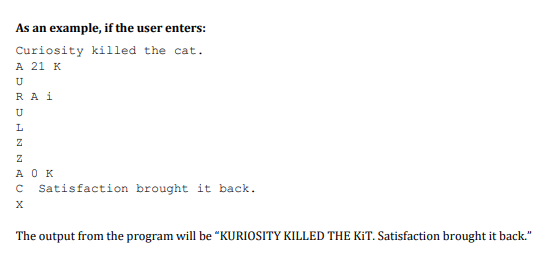
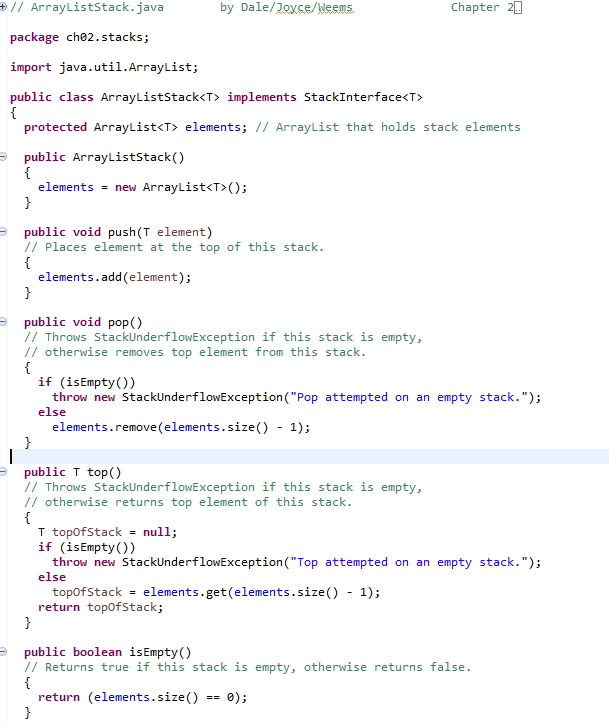
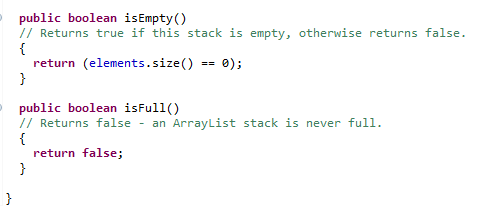
Using a Stack ADT, write a program that prompts the user to input a sequence of characters (a string) and then repeatedly prompts the user for changes to make to the string. When the user is finished the program must display the modified string. To do this your application must use a stack of String objects. Requirements (20 total points) 1) If your code does not compile, you will receive an automatic score of 0. It is YOUR responsibility to come see ME and ONLY me for help if you need it. Please ask for any clarification in the assignment if you do not understand something or for any uncertainty. 2) (1 point) The source code file must be named EditString.java. 3) (1 point) You should have a Javadoc comment above the public class with a description of the program and your name. 4) (2 points) Prompt the user for a sequence of characters and input the data. The prompt to the user must be informative and user friendly. 5) (10 points) Repeatedly prompt the user for changes to the string and modify the string. The prompt to the user must be informative and user friendly. In this part of your program you must use a Stack ADT and the String class. The Stack ADT is used to maintain a "memory" of each string modification. You can use either ArrayBoundedStack, ArrayListStack, or LinkedStack provided in BookFiles. (Remember that you must import the ADT class you want to use and indicate to Eclipse your project will be using the files in the BookFile project. In Eclipse, right click on your project folder and select Properties. Select Java Build Path in the left menu. Select the Projects tab. Select Classpath, click the Add... button on the right, and find and select BookFiles. Click OK or Apply to close the windows.) Legal changes to the string are: U-make all letters uppercase L- make all letters lowercase A num char - change the character at position num with char . C string - concatenate string to the end of the existing string R charl char2 - change all occurrences of char1 to char2 2 - undo the most recent change To indicate the end of modification the user must enter X. You must provide the information on how to modify the string and how to end to the user. If the user enters an invalid option, display an error message, ignore the input, and prompt the user again for changes to the string. 6) (1 point) When the user is finished the final string must be displayed. 7) (5 points) Programming Practices, Organization, Design. The code must follow good programming practices, be well organized, and be well designed. This includes good layout, consistent and clean indenting using spaces, lines 80 characters or less, etc. See Blackboard for the information on good programming practices that you are expected to follow. I recommend you open the files in a text editor before submitting to make certain the layout is clean and consistent As an example, if the user enters: Curiosity killed the cat. A 21 K U RAi U HNNO AOK C Satisfaction brought it back. The output from the program will be "KURIOSITY KILLED THE KIT. Satisfaction brought it back." by Dale/Joy.se/Weems Chapter 20 + // ArrayListStack.java package cho2.stacks; import java.util.ArrayList; public class ArrayListStack
Step by Step Solution
There are 3 Steps involved in it

Get step-by-step solutions from verified subject matter experts
 Study Help