







Question: I need help writing these Java classes. Thanks RunTime Class - You will be expanding the functionality of the RunTime class to implement the expanded
I need help writing these Java classes. Thanks
RunTime Class - You will be expanding the functionality of the RunTime class to implement the expanded RunTime Interface.
Array Based Queue Class - You will write the ArrayBasedQueue.java class which will implement the Queue Interface. Please note that Queue Interface extends the Iterable Interface.
Linked Queue Class - You will write the LinkedQueue.java class which will implement the Queue Interface. Please note that Queue Interface extends the Iterable Interface. Also note that the Linked Queue Class should be a Doubly Linked Queue
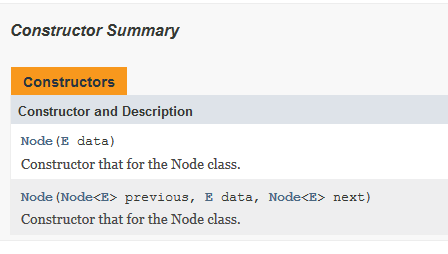
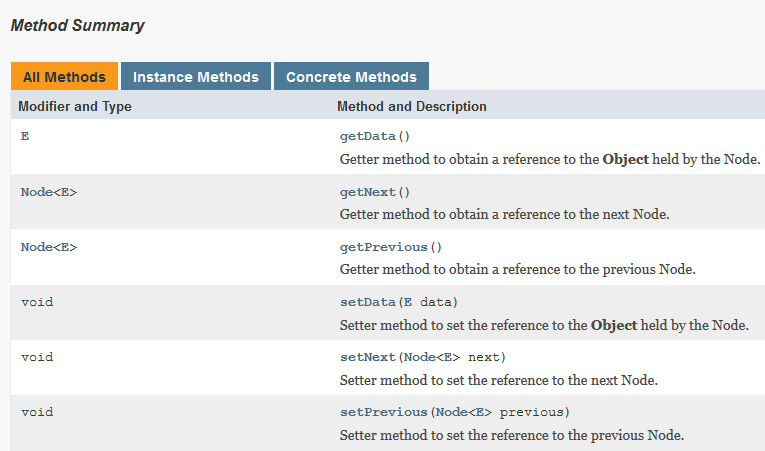
Node Class - You will write the Node.java. Please note that the Node Class is a node for a Doubly Linked Queue.
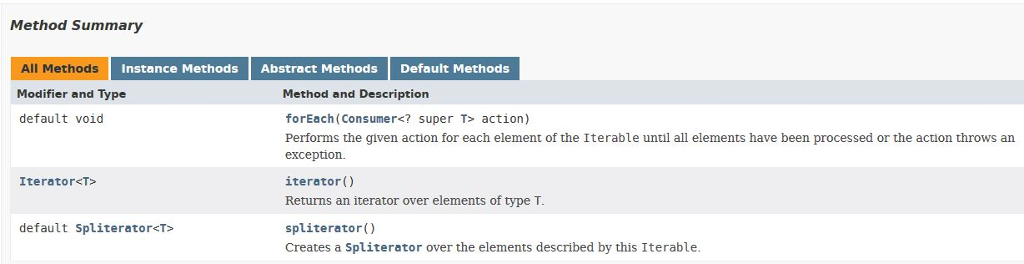
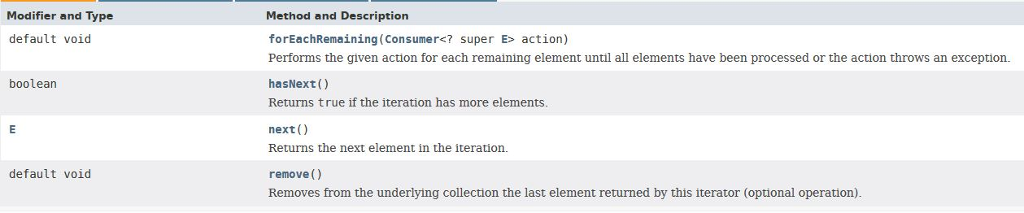
Information On The Iterable Interface - The Iterable Interface requires you to implement one method Iterator iterator().
Element Iterator Class - You will write the ElementIterator.java class which will implement the Iterator Interface. Please note, you only need to implement two methods from the Iterator interface: boolean hasNext() and E next()
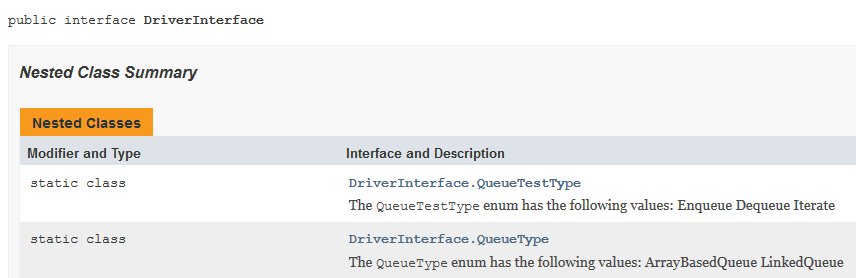
Driver Class - You will write the Driver.java class which will implement the Driver Interface. Please note that you do not inherit from the RunTime class. However, you do have to use the RunTime class to measure run times and memory usages.

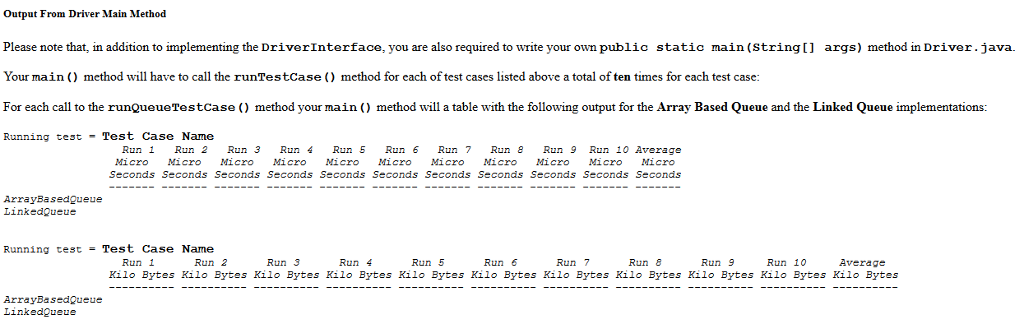
Please note that the run times and the average are in Micro Seconds and the memory usage is in Kilo Bytes.
Runtime Interface Methods

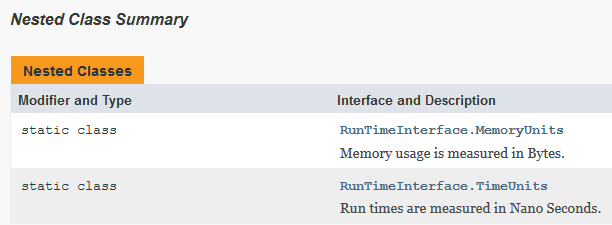
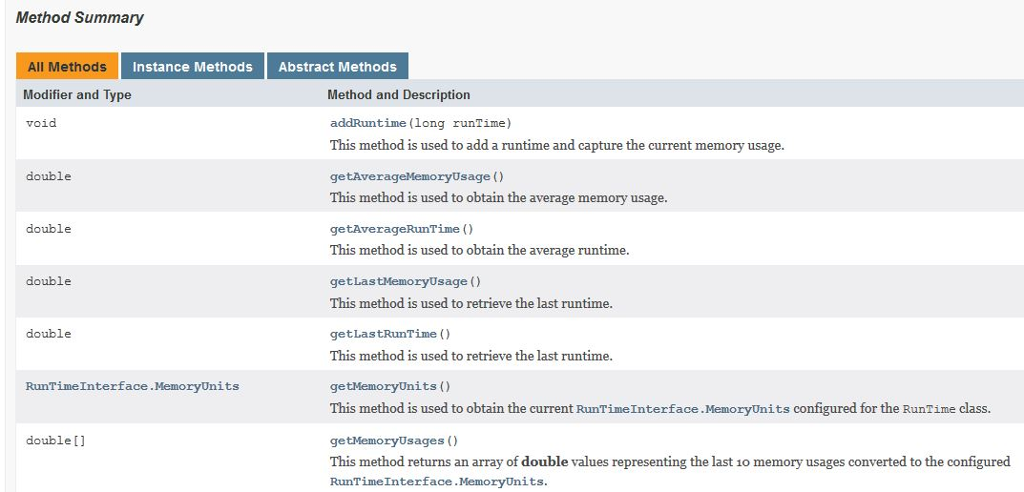
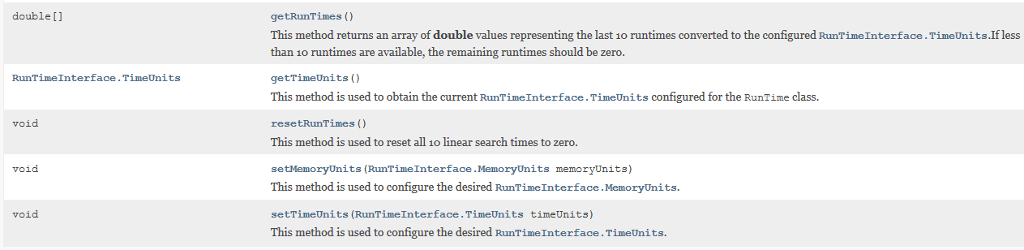
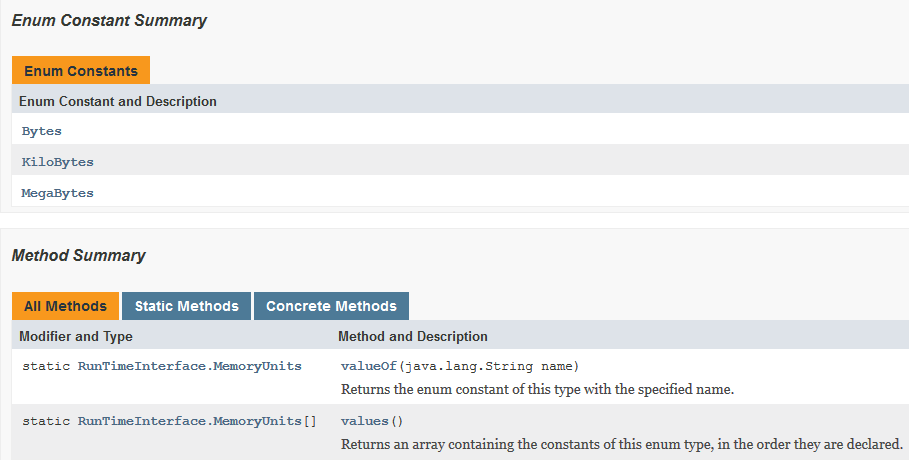
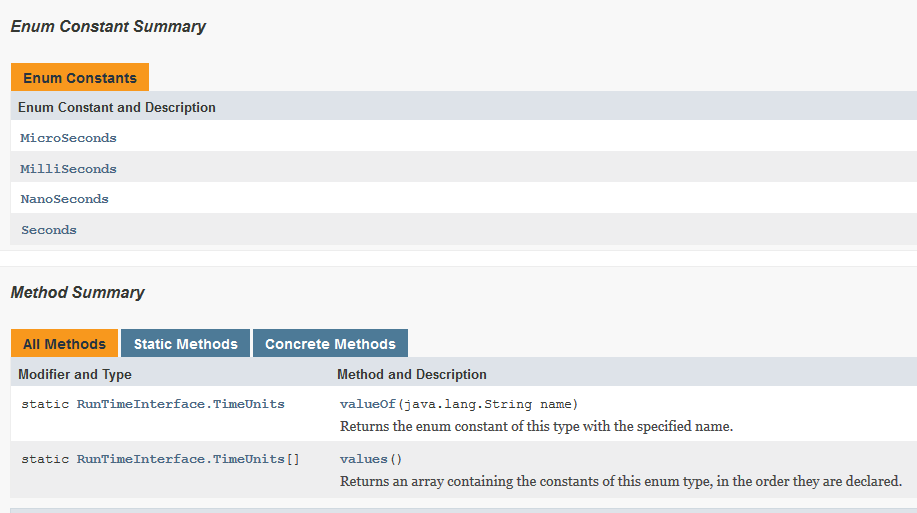
public interface RunTimeInterface { public static enum TimeUnits {Seconds, MilliSeconds, MicroSeconds, NanoSeconds}; public static enum MemoryUnits {Bytes, KiloBytes, MegaBytes}; public TimeUnits getTimeUnits(); public void setTimeUnits(TimeUnits timeUnits); public MemoryUnits getMemoryUnits(); public void setMemoryUnits(MemoryUnits memoryUnits); public double getLastRunTime(); public double getLastMemoryUsage(); public double[] getRunTimes(); public double[] getMemoryUsages(); public void resetRunTimes(); public void addRuntime(long runTime); public double getAverageRunTime(); public double getAverageMemoryUsage(); }
Queue Interface Methods
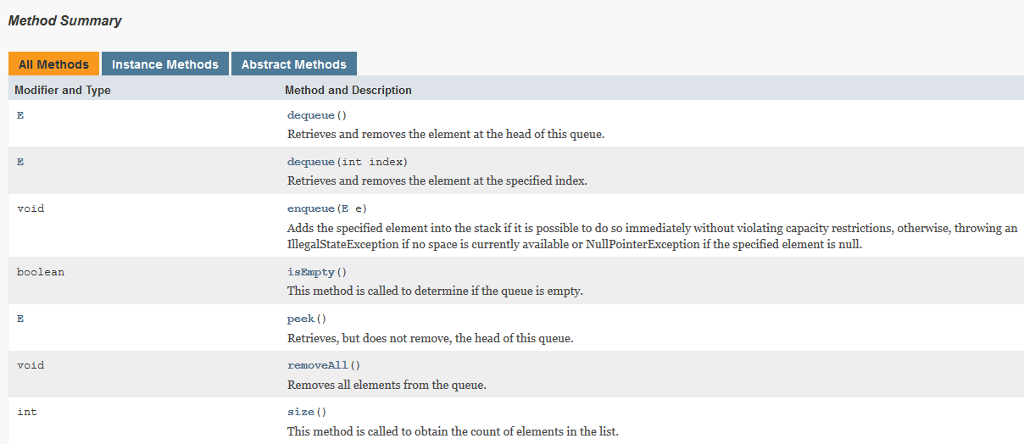
import java.util.NoSuchElementException;
public interface QueueInterface extends Iterable {
public boolean isEmpty(); public int size();
public void enqueue(E e) throws IllegalStateException, NullPointerException; public E peek(); public E dequeue(); public E dequeue(int index) throws NoSuchElementException;
public void removeAll(); }
Iterable Interface Method
Node Class
Iterator Interface Methods
Driver Interface Methods


'
Queue Test cases All the elements being enqueued and dequeued from your queues must be instances of the java. land. String class. 1. Create an instance of your queue that accepts java.lang.String objects. Starting with an empty queue. use the enqueue e) method to add 10.000 java lang String objects (E representing the strings ("String 1 s String 10000") to the Queue. 2. Starting with an instance of your queue that accepts java.lang. Stringobjects that is fully populated with 10,000 java lang. String objects representing the strings ("String 1" K s String 10000 in the Queue. Use the dequeue method to remove all the objects from the queue, one at a time. 0 3. Starting with an instance of your queue that accepts java. lang. String objects that is fully populated with 10,000 java lang. String objects representing the strings ("String 1." s String 10000 in the Queue. Use the Iterator method to obtain an ElementIterator object. Use the ElementIterator object to display the strings from the queue one string per line. Queue Test cases All the elements being enqueued and dequeued from your queues must be instances of the java. land. String class. 1. Create an instance of your queue that accepts java.lang.String objects. Starting with an empty queue. use the enqueue e) method to add 10.000 java lang String objects (E representing the strings ("String 1 s String 10000") to the Queue. 2. Starting with an instance of your queue that accepts java.lang. Stringobjects that is fully populated with 10,000 java lang. String objects representing the strings ("String 1" K s String 10000 in the Queue. Use the dequeue method to remove all the objects from the queue, one at a time. 0 3. Starting with an instance of your queue that accepts java. lang. String objects that is fully populated with 10,000 java lang. String objects representing the strings ("String 1." s String 10000 in the Queue. Use the Iterator method to obtain an ElementIterator object. Use the ElementIterator object to display the strings from the queue one string per line
Step by Step Solution
There are 3 Steps involved in it

Get step-by-step solutions from verified subject matter experts
 Study Help