







Question: i need help writing this program ASAP PLEASE USE VISUAL STUDIO 19 c# windows form app (.net framework) please include buttons and running program Suppose
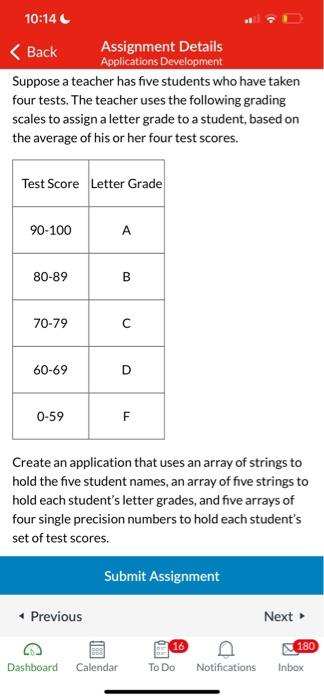
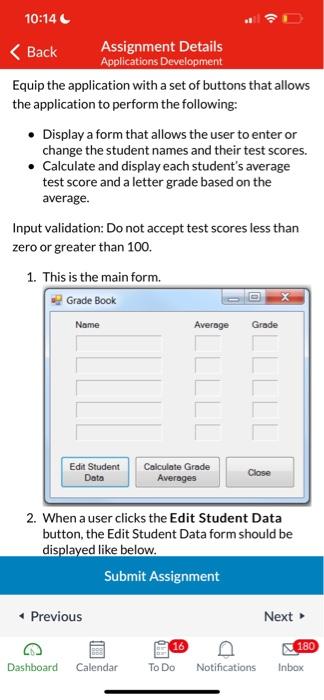
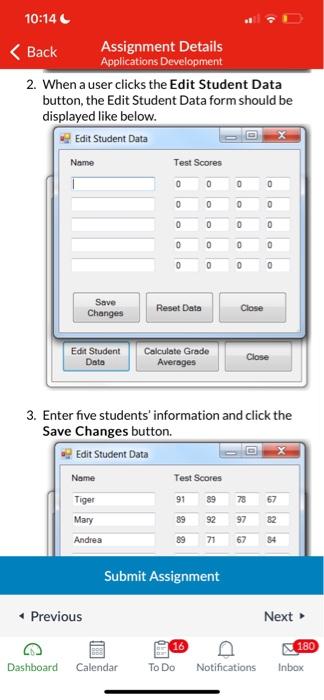
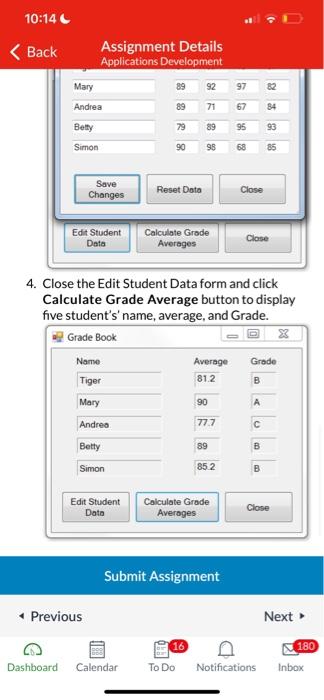
Suppose a teacher has five students who have taken four tests. The teacher uses the following grading scales to assign a letter grade to a student, based on the average of his or her four test scores. Create an application that uses an array of strings to hold the five student names, an array of five strings to hold each student's letter grades, and five arrays of four single precision numbers to hold each student's set of test scores. Equip the application with a set of buttons that allows the application to perform the following: - Display a form that allows the user to enter or change the student names and their test scores. - Calculate and display each student's average test score and a letter grade based on the average. Input validation: Do not accept test scores less than zero or greater than 100. 1. This is the main form. 2. When a user clicks the Edit Student Data button, the Edit Student Data form should be displayed like below. 2. When a user clicks the Edit Student Data button, the Edit Student Data form should be displayed like below. 3. Enter five students' information and click the Save Changes button. 4. Close the Edit Student Data form and click Calculate Grade Average button to display five student's' name, average, and Grade
Step by Step Solution
There are 3 Steps involved in it

Get step-by-step solutions from verified subject matter experts
 Study Help