







Question: I need number 2 in c please. Include comments as well. Objective: Help students understand how to create processes and trace them in Unix. Students
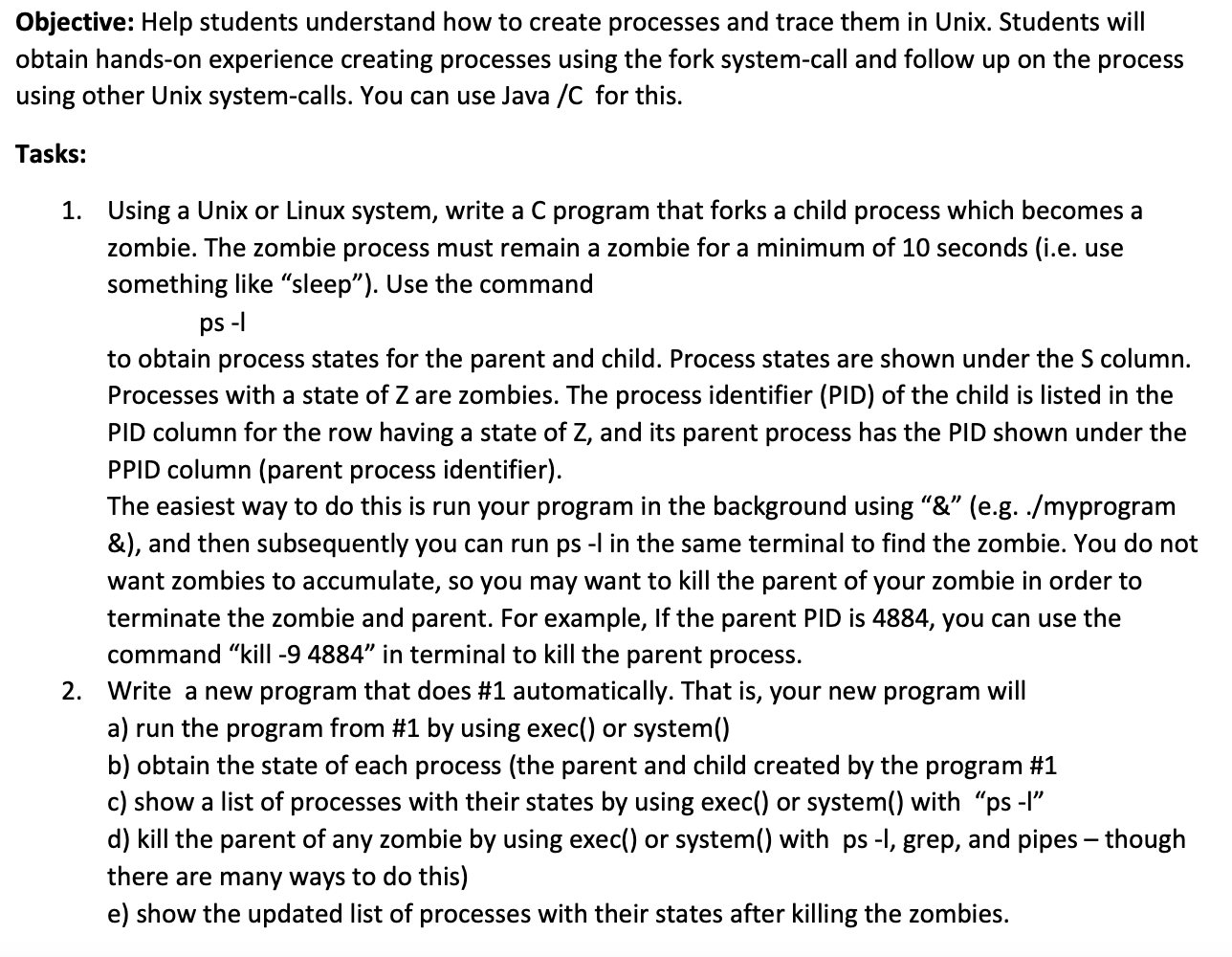 I need number 2 in c please. Include comments as well.
Objective: Help students understand how to create processes and trace them in Unix. Students will obtain hands-on experience creating processes using the fork system-call and follow up on the process using other Unix system-calls. You can use Java /C for this. Tasks: 1. Using a Unix or Linux system, write a C program that forks a child process which becomes a zombie. The zombie process must remain a zombie for a minimum of 10 seconds (i.e. use something like "sleep). Use the command ps - 1 to obtain process states for the parent and child. Process states are shown under the S column. Processes with a state of Z are zombies. The process identifier (PID) of the child is listed in the PID column for the row having a state of Z, and its parent process has the PID shown under the PPID column (parent process identifier). The easiest way to do this is run your program in the background using "&" (e.g../myprogram &), and then subsequently you can run ps -I in the same terminal to find the zombie. You do not want zombies to accumulate, so you may want to kill the parent of your zombie in order to terminate the zombie and parent. For example, If the parent PID is 4884, you can use the command kill -9 4884" in terminal to kill the parent process. 2. Write a new program that does #1 automatically. That is, your new program will a) run the program from #1 by using exec() or system() b) obtain the state of each process (the parent and child created by the program #1 c) show a list of processes with their states by using exec() or system() with ps -l d) kill the parent of any zombie by using exec() or system() with ps -1, grep, and pipes though there are many ways to do this) e) show the updated list of processes with their states after killing the zombies
Step by Step Solution
There are 3 Steps involved in it

Get step-by-step solutions from verified subject matter experts
 Study Help