







Question: I need some help Instructor note: Skills Reinforced: - String formatting - float and int multiplication and division - use of ceil() Program Specifications Write
I need some help
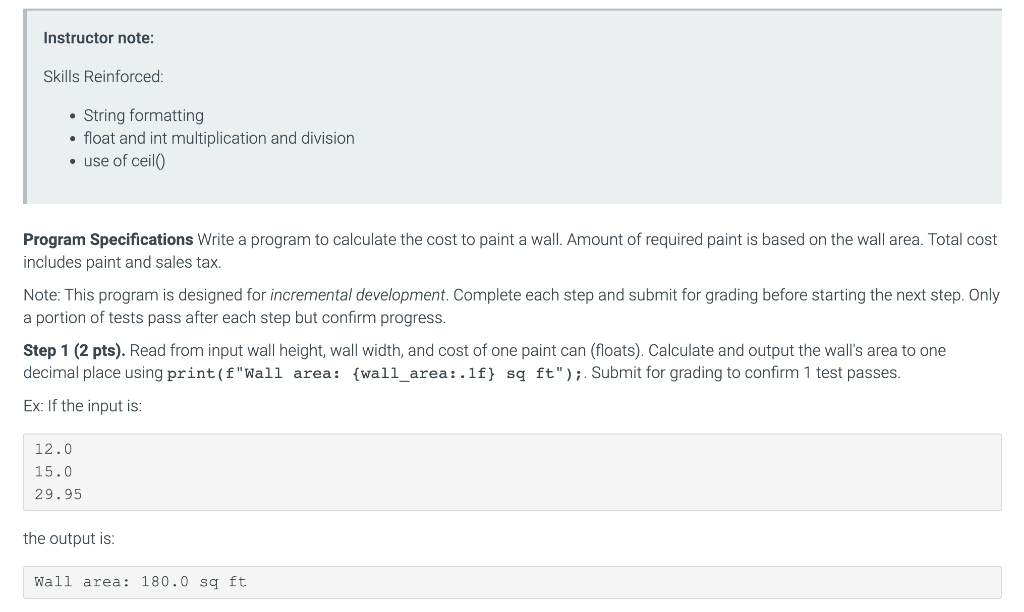
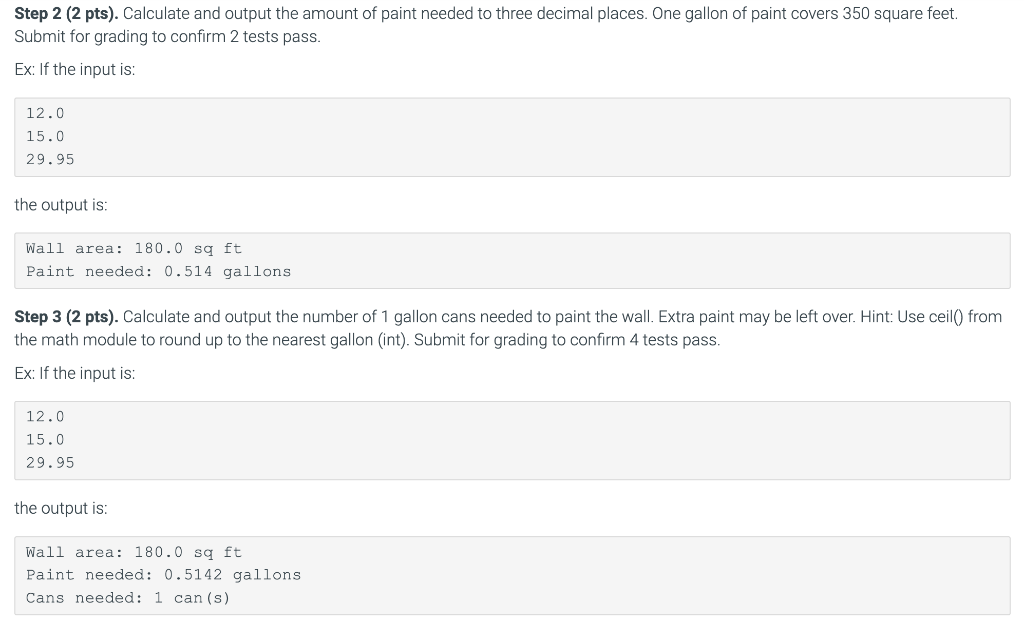
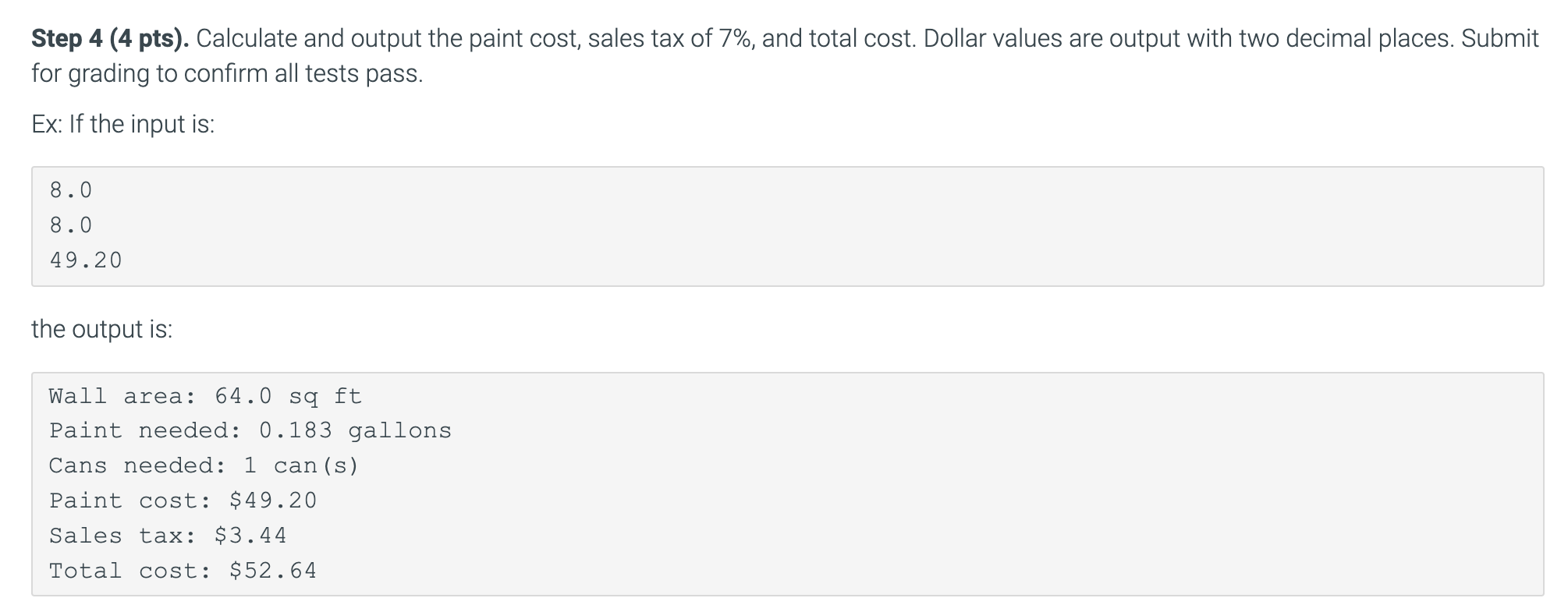
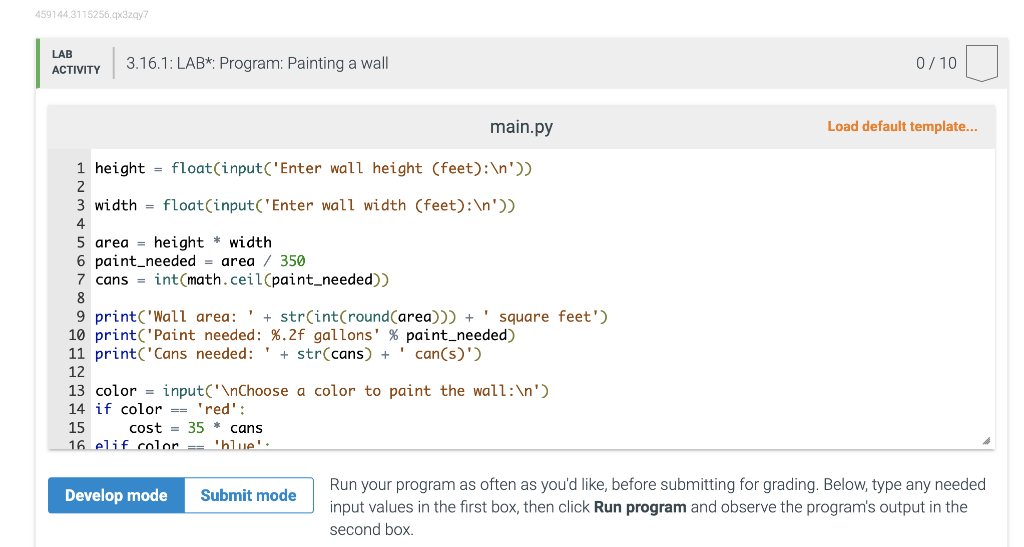
Instructor note: Skills Reinforced: - String formatting - float and int multiplication and division - use of ceil() Program Specifications Write a program to calculate the cost to paint a wall. Amount of required paint is based on the wall area. Total cost includes paint and sales tax. Note: This program is designed for incremental development. Complete each step and submit for grading before starting the next step. Only a portion of tests pass after each step but confirm progress. Step 1 (2 pts). Read from input wall height, wall width, and cost of one paint can (floats). Calculate and output the wall's area to one decimal place using print(f"Wall area: \{wall_area: .1f } sq ft");. Submit for grading to confirm 1 test passes. Ex: If the input is: 12.015.029.95 the output is: Wallarea:180.0sqft Step 2 (2 pts). Calculate and output the amount of paint needed to three decimal places. One gallon of paint covers 350 square feet. Submit for grading to confirm 2 tests pass. Ex: If the input is: 12.015.029.95 the output is: Wallarea:180.0sqftPaintneeded:0.514gallons Step 3 (2 pts). Calculate and output the number of 1 gallon cans needed to paint the wall. Extra paint may be left over. Hint: Use ceil() from the math module to round up to the nearest gallon (int). Submit for grading to confirm 4 tests pass. Ex: If the input is: 12.015.029.95 the output is: Step 4 (4 pts). Calculate and output the paint cost, sales tax of 7\%, and total cost. Dollar values are output with two decimal places. Submit for grading to confirm all tests pass. Ex: If the input is: 8.0 8.0 49.20 the output is: Wall area: 64.0 sq ft Paint needed: 0.183 gallons Cans needed: 1 can (s) Paint cost: $49.20 Sales tax: $3.44 Total cost: $52.64 144.3115256.q3zqy7 \begin{tabular}{l|l} LAB & 3.16.1: LAB*: Program: Painting a wall \end{tabular} 0/10 main.py Load default template... Run your program as often as you'd like, before submitting for grading. Below, type any needed input values in the first box, then click Run program and observe the program's output in the second box
Step by Step Solution
There are 3 Steps involved in it

Get step-by-step solutions from verified subject matter experts
 Study Help