







Question: i need to make a html using bootstrap & css the website has to be about the video game super mario the steps are in
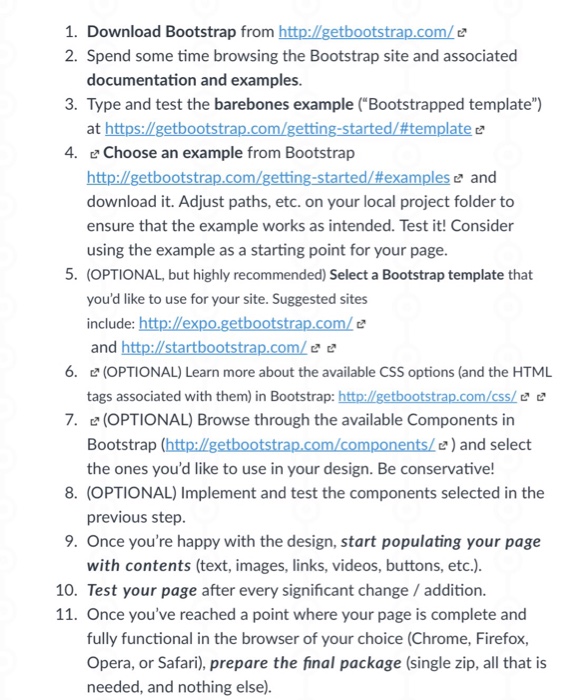
1. Download Bootstrap from http://getbootstrap.com/e 2. Spend some time browsing the Bootstrap site and associated documentation and examples. 3. Type and test the barebones example ("Bootstrapped template") 4. Choose an example from Bootstrap e and download it. Adjust paths, etc. on your local project folder to ensure that the example works as intended. Test it! Consider using the example as a starting point for your page. 5. (OPTIONAL, but highly recommended) Select a Bootstrap template that you'd like to use for your site. Suggested sites include: and h ? 6 (OPTIONAL) Learn more about the available CSS options (and the HTML tags associated with them) in Bootstrap: http://getbootstrap.com/css/e e 7, (OPTIONAL) Browse through the available Components in Bootstrap (http://getbootstrap.com/components)and select the ones you'd like to use in your design. Be conservative! 8. (OPTIONAL) Implement and test the components selected in the previous step 9. Once you're happy with the design, start populating your page with contents (text, images, links, videos, buttons, etc.) 10. Test your page after every significant change /addition. 11. Once you've reached a point where your page is complete and fully functional in the browser of your choice (Chrome, Firefox, Opera, or Safari), prepare the final package (single zip, all that is needed, and nothing else)
Step by Step Solution
There are 3 Steps involved in it

Get step-by-step solutions from verified subject matter experts
 Study Help