







Question: I need to the answer as soon as possible Assignment 2 1 Design Network and IP topology for four different LAN. Choose IP Network, Classes,
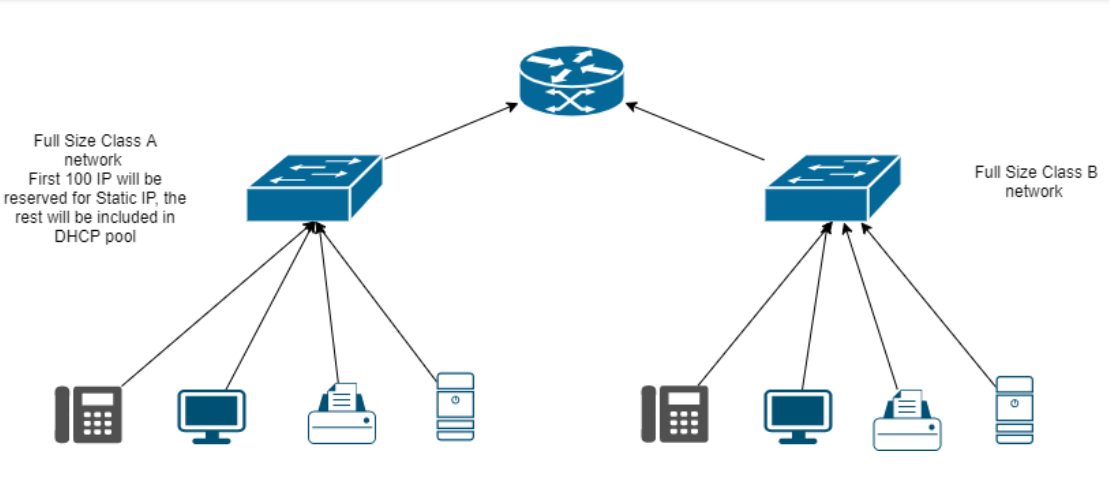
I need to the answer as soon as possible
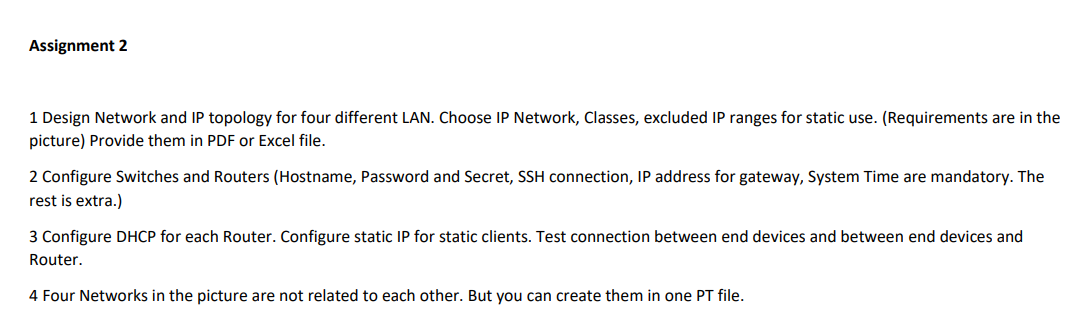
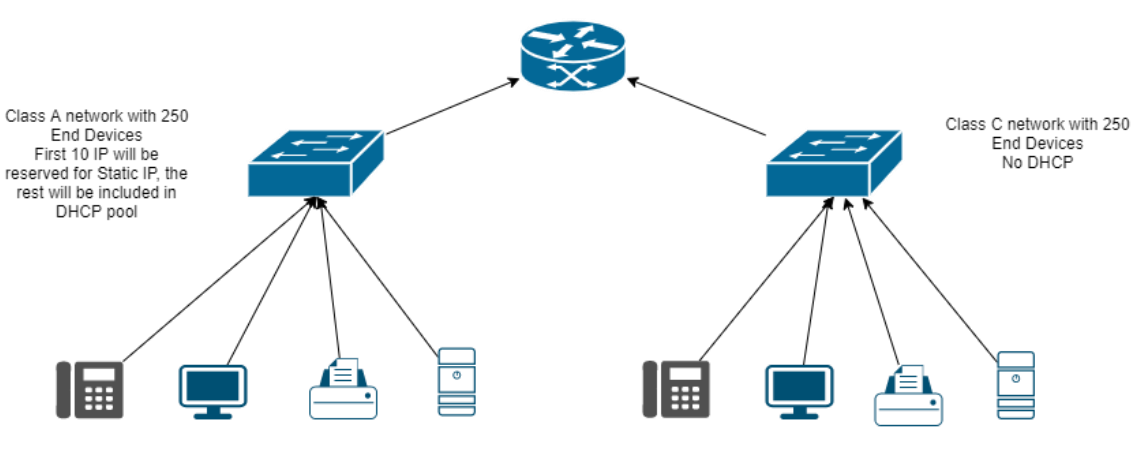
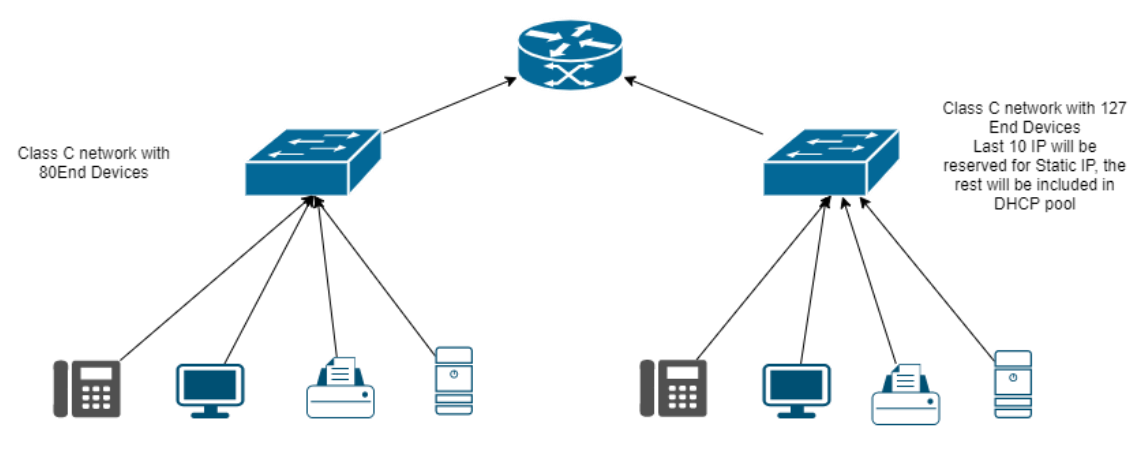
Assignment 2 1 Design Network and IP topology for four different LAN. Choose IP Network, Classes, excluded IP ranges for static use. (Requirements are in the picture) Provide them in PDF or Excel file. 2 Configure Switches and Routers (Hostname, Password and Secret, SSH connection, IP address for gateway, System Time are mandatory. The rest is extra.) 3 Configure DHCP for each Router. Configure static IP for static clients. Test connection between end devices and between end devices and Router. 4 Four Networks in the picture are not related to each other. But you can create them in one PT file. Class A network with 250 End Devices First 10 IP will be reserved for Static IP, the rest will be included in DHCP pool Class C network with 250 End Devices No DHCP Class C network with 80End Devices Class C network with 127 End Devices Last 10 IP will be reserved for Static IP, the rest will be included in DHCP pool 0 Class B network with 2500 End Devices Class A network with 10000 End Devices Last 255 IP will be reserved for Static IP, the rest will be included in DHCP pool Full Size Class A network First 100 IP will be reserved for Static IP, the rest will be included in DHCP pool Full Size Class B network Assignment 2 1 Design Network and IP topology for four different LAN. Choose IP Network, Classes, excluded IP ranges for static use. (Requirements are in the picture) Provide them in PDF or Excel file. 2 Configure Switches and Routers (Hostname, Password and Secret, SSH connection, IP address for gateway, System Time are mandatory. The rest is extra.) 3 Configure DHCP for each Router. Configure static IP for static clients. Test connection between end devices and between end devices and Router. 4 Four Networks in the picture are not related to each other. But you can create them in one PT file. Class A network with 250 End Devices First 10 IP will be reserved for Static IP, the rest will be included in DHCP pool Class C network with 250 End Devices No DHCP Class C network with 80End Devices Class C network with 127 End Devices Last 10 IP will be reserved for Static IP, the rest will be included in DHCP pool 0 Class B network with 2500 End Devices Class A network with 10000 End Devices Last 255 IP will be reserved for Static IP, the rest will be included in DHCP pool Full Size Class A network First 100 IP will be reserved for Static IP, the rest will be included in DHCP pool Full Size Class B network
Step by Step Solution
There are 3 Steps involved in it

Get step-by-step solutions from verified subject matter experts
 Study Help