







Question: I need to write a program in python using pycharm that will open the file smbd.txt that was sent to me from my teacher and
I need to write a program in python using pycharm that will open the file smbd.txt that was sent to me from my teacher and then search for a given string and replace it with another string as shown in this example:
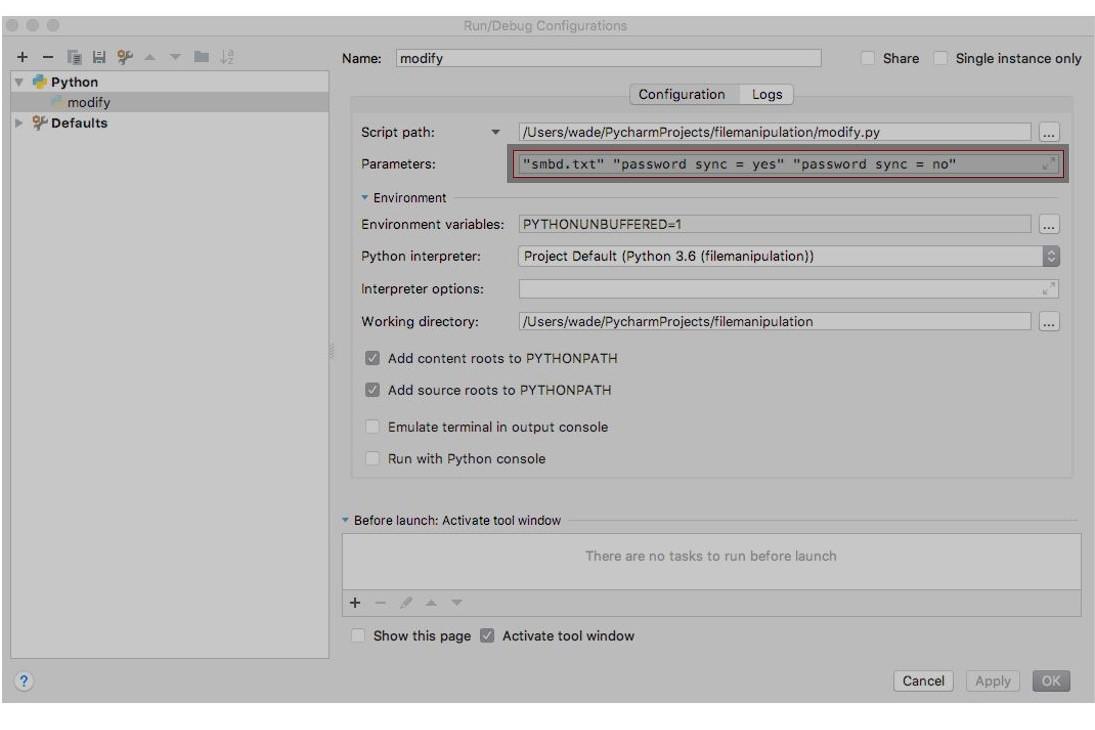
Below is my code that I was attempting but I cannot get it to run. I keep getting error codes. Can someone please help revise it so the program will run and replace the words "from' to "to" please?
import sys import os from idlelib.idle_test.test_browser import f2 fileSpec = sys.argv[1] # read file name first argument searchText = sys.argv[2] # text to search for replaceText = sys.argv[3] # text to replace with outFile = fileSpec + '.new' # write file = read file with .new appended outPointer = open(outFile, 'w') # open write file inPointer = open(fileSpec, 'r') # open read file if len(sys.argv) != 4: print("usage: modify.py fileSpec from to") exit(1) input_file = sys.argV[1] from_string = sys.argv[2] to_string = sys.argv[3] f1 = open('input_file_temp', 'w') for line in f1: f2.write(line.replace(from_string, to_string)) f1.close() f2.close() if os.path.exists(input_file): os.remove(input_file) os.rename('input_file_temp', input_file)
Run/Debug Configurations + Name: modify Share Single instance only Python modify Defaults Configuration Logs Script path: /Users/wade/PycharmProjects/filemanipulation/modify.py Parameters: "smbd.txt" "password sync = yes" "password sync = no" Environment Environment variables: PYTHONUNBUFFERED=1 Python interpreter: Project Default (Python 3.6 (filemanipulation)) Interpreter options: Working directory: /Users/wade/Pycharm Projects/filemanipulation Add content roots to PYTHONPATH Add source roots to PYTHONPATH Emulate terminal in output console Run with Python console Before launch: Activate tool window There are no tasks to run before launch + Show this page Activate tool window Cancel Apply OK
Step by Step Solution
There are 3 Steps involved in it

Get step-by-step solutions from verified subject matter experts
 Study Help