







Question: I only need help with Question 6. Thank you, thumbs up will be given! 6. With the ACL configured on the router, now attempt to
I only need help with Question 6. Thank you, thumbs up will be given!
6. With the ACL configured on the router, now attempt to ping PC0 from PC1 and PC2. What are the results and are the results you expected? 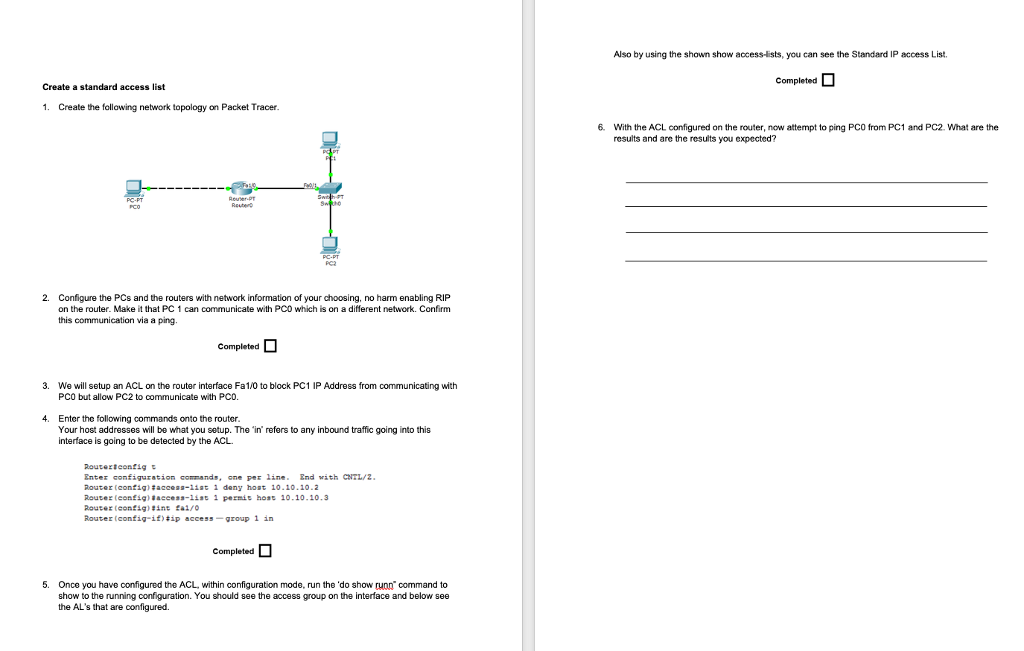
lso by using the shown show access-lists, you can see the Standard IP access List Create a standard access list 1. Create the following network topology on Packet Tracer 6. With the ACL configured on the router, now attempt to ping PCO from PC1 and PC2. What are the results and are the results you expected? Reuter-PT 2. Configure the PCs and the routers with network information of your choosing, no harm enabling RIP on the router. Make it that PC 1 can communicate with PCD which is on a different network. Confirm this communication via a ping. 3. We will setup an ACL on the router interface Fa1/0 to block PC1 IP Address from communicating with PCO but allow PC2 to communicate with PCO 4. Enter the following commands onto the router Your host addresses will be what you setup. The 'in refers to any inbound traffic going into this interface is going to be detected by the ACL gnt. configuration commands, crne per line. gnd with CNTL/Z Router (config ) #acce.s-list 1 deny ho t 10. 10 . 10-2 Router (contig. 1f)#1p access-group 1 in 5. Once you have configured the ACL, within configuration mode, run the 'do show runn command to show to the running configuration. You should see the access group on the interface and below see the AL's that are configured. lso by using the shown show access-lists, you can see the Standard IP access List Create a standard access list 1. Create the following network topology on Packet Tracer 6. With the ACL configured on the router, now attempt to ping PCO from PC1 and PC2. What are the results and are the results you expected? Reuter-PT 2. Configure the PCs and the routers with network information of your choosing, no harm enabling RIP on the router. Make it that PC 1 can communicate with PCD which is on a different network. Confirm this communication via a ping. 3. We will setup an ACL on the router interface Fa1/0 to block PC1 IP Address from communicating with PCO but allow PC2 to communicate with PCO 4. Enter the following commands onto the router Your host addresses will be what you setup. The 'in refers to any inbound traffic going into this interface is going to be detected by the ACL gnt. configuration commands, crne per line. gnd with CNTL/Z Router (config ) #acce.s-list 1 deny ho t 10. 10 . 10-2 Router (contig. 1f)#1p access-group 1 in 5. Once you have configured the ACL, within configuration mode, run the 'do show runn command to show to the running configuration. You should see the access group on the interface and below see the AL's that are configured
Step by Step Solution
There are 3 Steps involved in it

Get step-by-step solutions from verified subject matter experts
 Study Help