







Question: I only need the answer of exercise 5 . Note: in this lab we use mainly skimage.exposure modules. Exercise 1 Read the image pout.tif display
I only need the answer of exercise 5 .
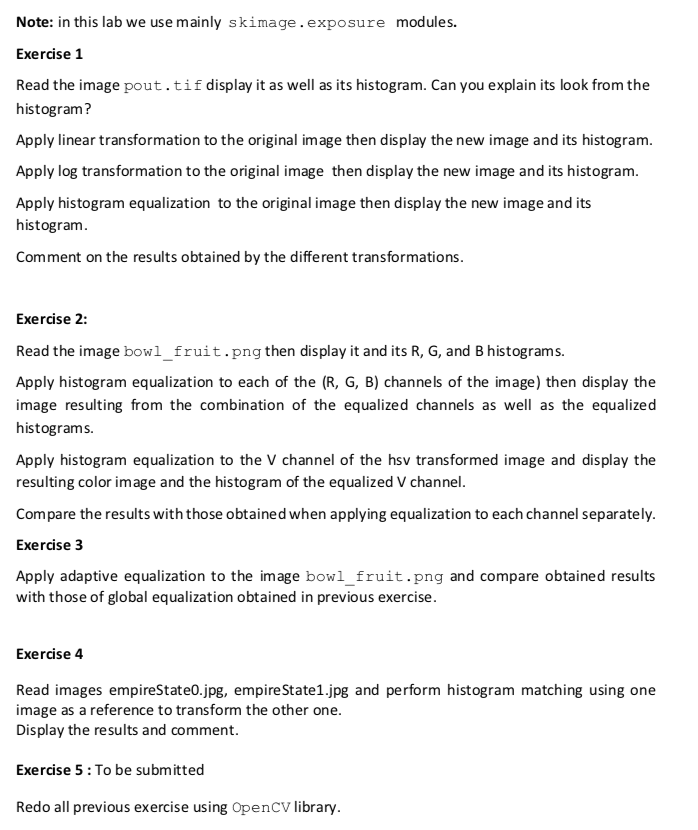
Note: in this lab we use mainly skimage.exposure modules. Exercise 1 Read the image pout.tif display it as well as its histogram. Can you explain its look from the histogram? Apply linear transformation to the original image then display the new image and its histogram. Apply log transformation to the original image then display the new image and its histogram. Apply histogram equalization to the original image then display the new image and its histogram. Comment on the results obtained by the different transformations. Exercise 2: Read the image bowl_fruit.png then display it and its R, G, and B histograms. Apply histogram equalization to each of the (R, G, B) channels of the image) then display the image resulting from the combination of the equalized channels as well as the equalized histograms. Apply histogram equalization to the V channel of the hsv transformed image and display the resulting color image and the histogram of the equalized V channel. Compare the results with those obtained when applying equalization to each channel separately. Exercise 3 Apply adaptive equalization to the image bowl_fruit.png and compare obtained results with those of global equalization obtained in previous exercise. Exercise 4 Read images empire State0.jpg, empire State1.jpg and perform histogram matching using one image as a reference to transform the other one. Display the results and comment. Exercise 5 : To be submitted Redo all previous exercise using OpenCV library. Note: in this lab we use mainly skimage.exposure modules. Exercise 1 Read the image pout.tif display it as well as its histogram. Can you explain its look from the histogram? Apply linear transformation to the original image then display the new image and its histogram. Apply log transformation to the original image then display the new image and its histogram. Apply histogram equalization to the original image then display the new image and its histogram. Comment on the results obtained by the different transformations. Exercise 2: Read the image bowl_fruit.png then display it and its R, G, and B histograms. Apply histogram equalization to each of the (R, G, B) channels of the image) then display the image resulting from the combination of the equalized channels as well as the equalized histograms. Apply histogram equalization to the V channel of the hsv transformed image and display the resulting color image and the histogram of the equalized V channel. Compare the results with those obtained when applying equalization to each channel separately. Exercise 3 Apply adaptive equalization to the image bowl_fruit.png and compare obtained results with those of global equalization obtained in previous exercise. Exercise 4 Read images empire State0.jpg, empire State1.jpg and perform histogram matching using one image as a reference to transform the other one. Display the results and comment. Exercise 5 : To be submitted Redo all previous exercise using OpenCV library
Step by Step Solution
There are 3 Steps involved in it

Get step-by-step solutions from verified subject matter experts
 Study Help