







Question: I started first in my Linux terminal by placing myself in the raspberry pi card of my robot with the ssh command ubuntu@ 1 9
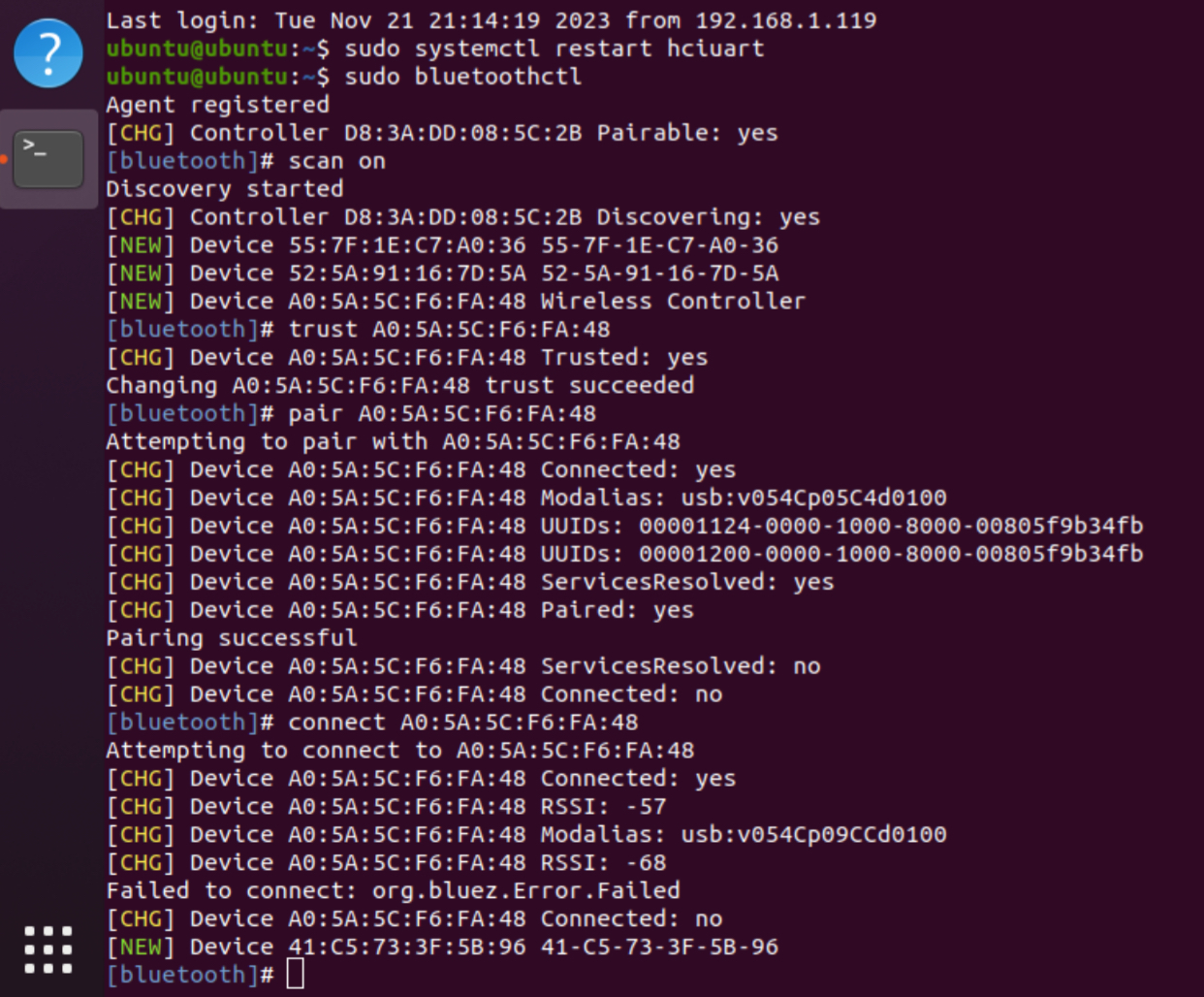
I started first in my Linux terminal by placing myself in the raspberry pi card of my robot with the ssh command ubuntu@ Then I tried to connect my controller to the robot with the different commands in the capture of screen that I sent you. But when I use the final: connect command to establish the connection, it does not work with its errors connected: yes and after no This makes the controller flash and turns it off without the connection is established. I am on ubuntu Can you please help me to resolve this error so that the connection is established?
Step by Step Solution
There are 3 Steps involved in it
1 Expert Approved Answer
Step: 1 Unlock

Question Has Been Solved by an Expert!
Get step-by-step solutions from verified subject matter experts
Step: 2 Unlock
Step: 3 Unlock
 Study Help