



Question: I tried to use imagemagick in Linux. I installed it by using sudo apt-get install libmagick++-dev But I do not know what I should add
I tried to use imagemagick in Linux. I installed it by using
sudo apt-get install libmagick++-dev
But I do not know what I should add to the makefile.
The makefile I currrently use:
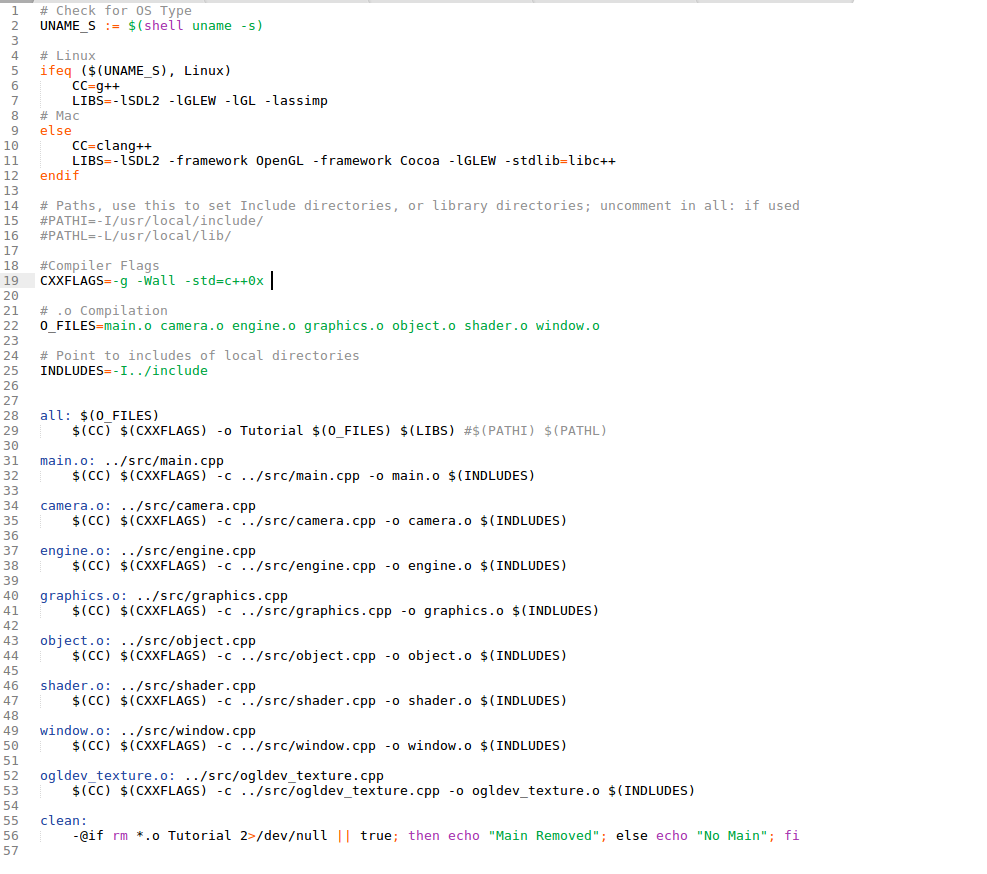
# check for OS Type UNAME-S := $(shell uname -s) # Linux ifeq ($(UNAME_S), Linux) CC=g++ LIBSSDL2-LGLEW-IGLlassimp LMagickcore-6.Q16 # Mac else CC=clang++ LIBS1SDL2 framework OpenGL -framework Cocoa -1GLEW -stdlib-libc++ endif directories, library directories; in all: if used # Paths, use this to set Include #PATH1=-1/usr/local/include/ #PATHL=-L/usr/local/lib/ or uncomment #compiler Flags CXXFLAGSg -Wall -std-c++0x-I/usr/include/ImageMagick-6 # .0 compilation 0-FILES=nain.o ca era. o engine.o graphics . o object .o shader.o window. # Point to includes of local directories INDLUDES=-1 . . /include all: $(O FILES) $(CC) $(CXXFLAGS) -o Tutorial $(0-FILES) $(LIBS) #$(PATH!) $(PATHL) main.o: ../src/main.cpp (CC) $(CXXFLAGS) -c ../src/main.cpp -o main.o $(INDLUDES) camera.: ../src/camera.cpp $(CC) $(CXXFLAGS) -c ../src/camera.cpp -o camera.o $(INDLUDES) $(CC) $(CXXFLAGS) -c/src/engine.cpp-o engine.o $(INDLUDES) (CC) $(CXXFLAGS) -c ../src/graphics.cpp o graphics.o $(INDLUDES) (CC) $(CXXFLAGS) -c ../src/object.cpp o object.o $(INDLUDES) $(CC) $(CXXFLAGS) -c ../src/shader.cpp -o shader.o $(INDLUDES) $(CC) $(CXXFLAGS) -c/src/window.cppo window.o $(INDLUDES) $(CC) $(CXXFLAGS) -c ../src/ogldev_texture.cpp -o ogldev_texture.o $(INDLUDES) engine.o: ../src/engine.cpp graphics.o: ../src/graphics.cpp object.o: ../src/object.cpp shader.o: ../src/shader.cpp window.o: ../src/window.cpp ogldev_texture.o: ../src/ogldev texture.cpp clean: @if rm .o Tutorial 2>/devull II true; then echo "Main Removed" else echo "No Main" fi
Step by Step Solution
There are 3 Steps involved in it

Get step-by-step solutions from verified subject matter experts