







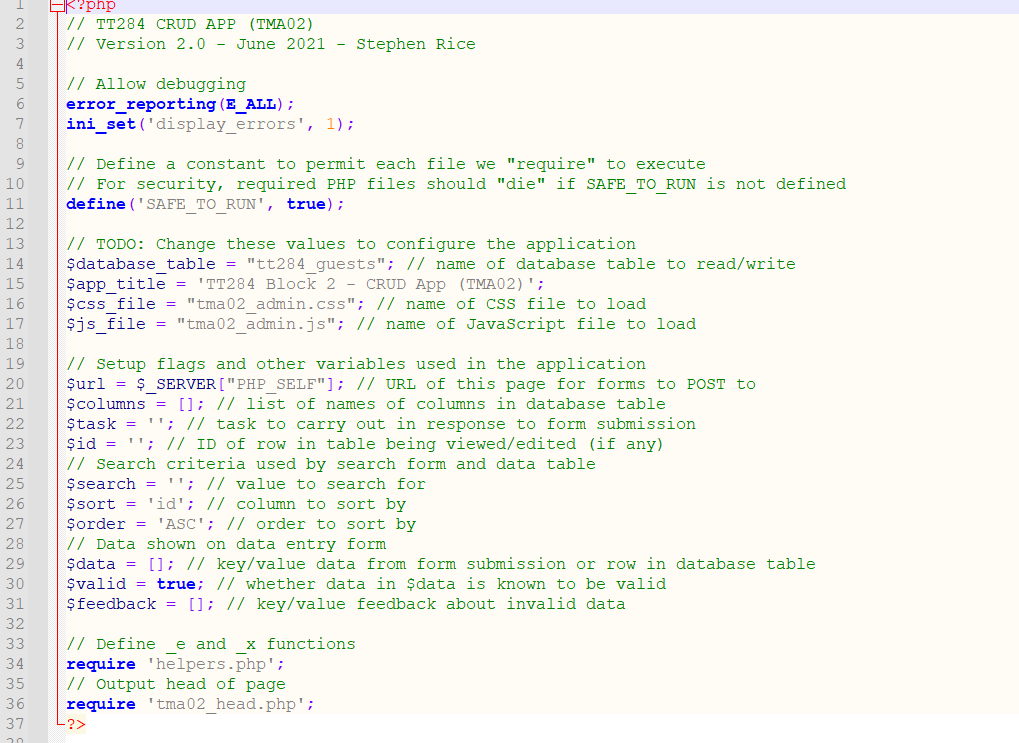
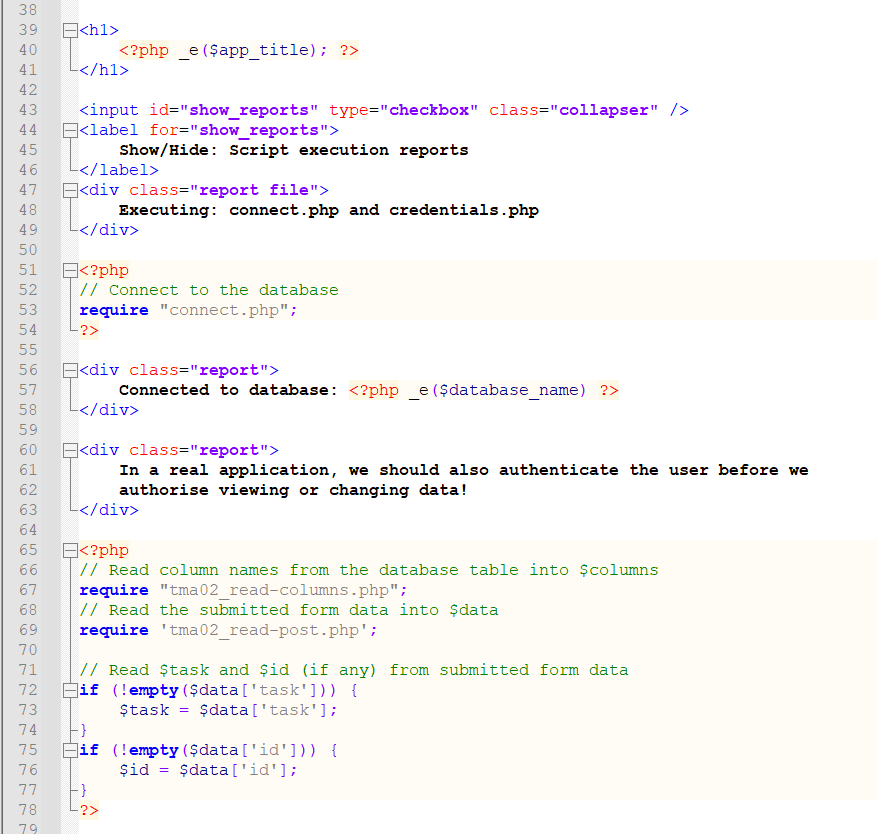
Question: i. Update the page title and heading Modify tma02_admin.php to update the main page title and heading. Mike wants this development version to be clearly
i.Update the page title and heading
Modify tma02_admin.php to update the main page title and heading.
Mike wants this development version to be clearly identified so he knows who is working on it. To clearly identify the page, change the existing text so that it shows your OUCU, followed by a dash and the text Erehwon Guest House.
For example, the student Zennata Quillington has an OUCU zxy999 so the heading will read:
zxy999 - Erehwon Guest House
and the title (shown in your web browser title or tab bar) will read:
zxy999 - Erehwon Guest House
Examine the code carefully and make the minimum number of changes necessary.
Step by Step Solution
There are 3 Steps involved in it
1 Expert Approved Answer
Step: 1 Unlock

Question Has Been Solved by an Expert!
Get step-by-step solutions from verified subject matter experts
Step: 2 Unlock
Step: 3 Unlock
 Study Help