Question: I want to answer question c ) which compare the ..... , and create flowchart as in last picture I mentioned [ 2)implementation ] code
I want to answer question c ) which compare the ..... , and create flowchart as in last picture I mentioned [ 2)implementation ]
code part A and P  I want to answer question c ) which compare the .....
, and create flowchart as in last picture I mentioned [ 2)implementation
] code part A and P output: Problem Description: As an IT
programmer, you has been assigned by your university to create a web-based
system for Student Representative Council. The system consists of several modules to
enable the student to select and register one or more clubs and
pay a yearly fee. The following are modules and its requirements: Club
Modules: Display a total of 10 possible clubs in a university for
output:
student selection. Enable selection of one or more clubs to be registered.
Display information of for each of the clubs (Club name, objective, activity,

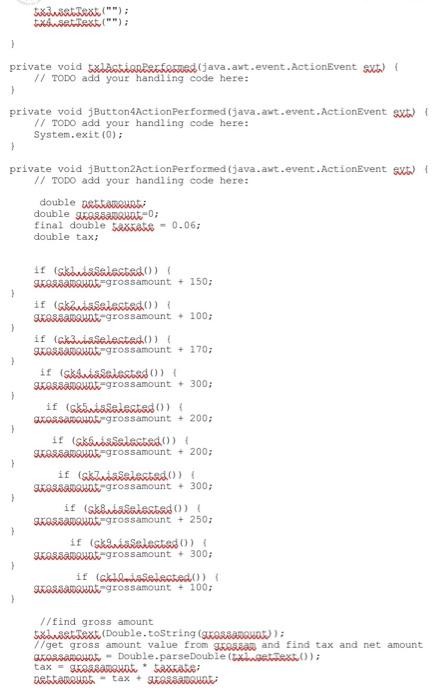
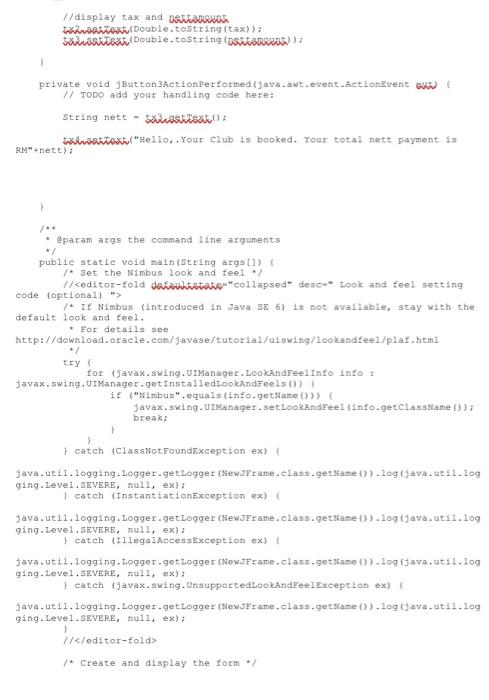
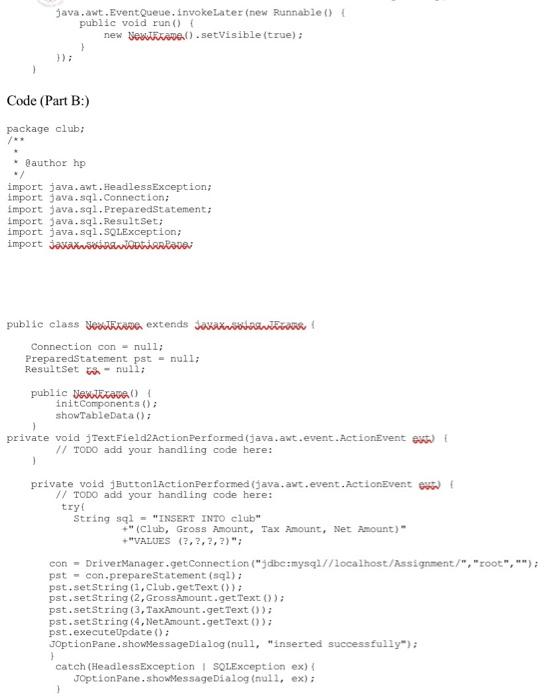
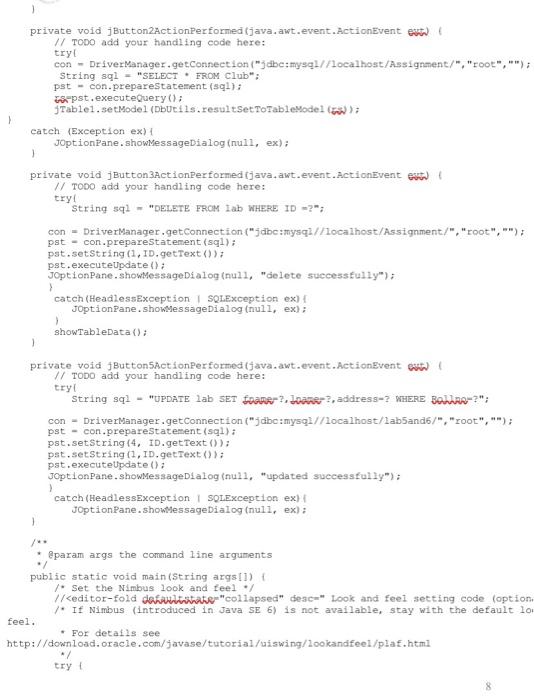
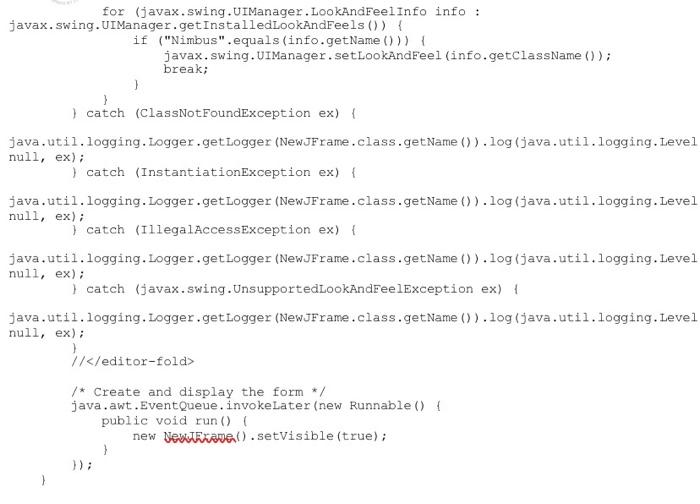
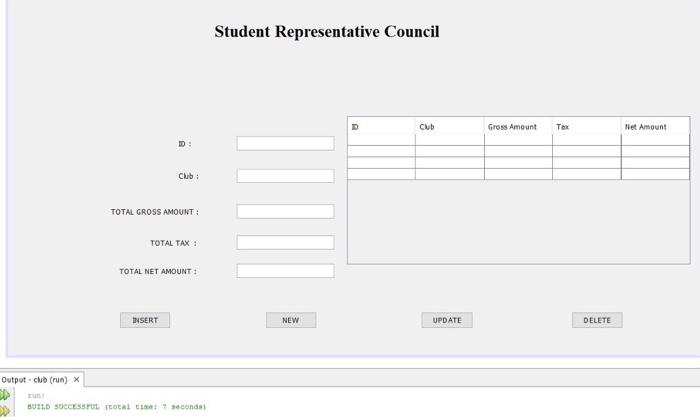
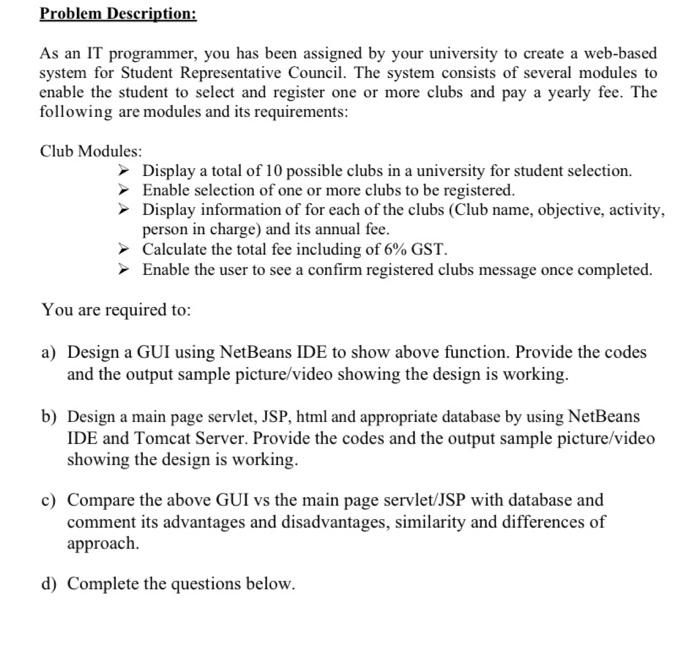
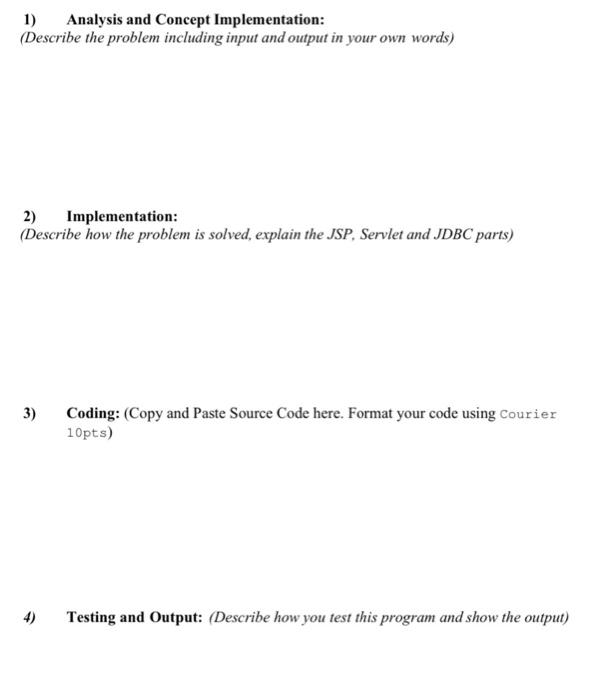
Problem Description: As an IT programmer, you has been assigned by your university to create a web-based system for Student Representative Council. The system consists of several modules to enable the student to select and register one or more clubs and pay a yearly fee. The following are modules and its requirements: Club Modules: Display a total of 10 possible clubs in a university for student selection. Enable selection of one or more clubs to be registered. Display information of for each of the clubs (Club name, objective, activity, person in charge) and its annual fee. Calculate the total fee including of 6% GST. Enable the user to see a confirm registered clubs message once completed. You are required to: a) Design a GUI using NetBeans IDE to show above function. Provide the codes and the output sample picture/video showing the design is working. b) Design a main page servlet, JSP, html and appropriate database by using NetBeans IDE and Tomcat Server. Provide the codes and the output sample picture/video showing the design is working. c) Compare the above GUI vs the main page servlet/JSP with database and comment its advantages and disadvantages, similarity and differences of approach. d) Complete the questions below. 1) Analysis and Concept Implementation: (Describe the problem including input and output in your own words) 2) Implementation: (Describe how the problem is solved, explain the JSP, Servlet and JDBC parts) 3) Coding: (Copy and Paste Source Code here. Format your code using Courier 10pts) 4) Testing and Output: (Describe how you test this program and show the output) 3) Coding: (Copy and paste Source Code here. Format your code using Courier 10pts) Part A: public class ManWAna extends jamani internet bath /** * Creates new form NENEKANA public NewJEBANE () initComponents(); } * This method is called from within the constructor to initialize the form. * WARNING: DO NOT modify this code. The content of this method is always regenerated by the Form Editor. */ SuppressWarnings ("unchecked") private void jButtonlActionPerformed (java.awt.event.ActionEvent ext) ! // TODO add your handling code here: Ghivaatsetestad(false); Skaiset selected(false); Ghinsatsedestad(false); sklaatsetected(false); char Jected(false); skhuse tested(false); Skhisatsstected(false); Gkin Jected(false); Skirsstselected(false); Gktheitsrentech(false); Extrast text(""); trsat text(""); Sekivist Teat(""); wstres(""); private void blastian Performed java.awt.event. ActionEvent ext) // TODO add your handling code here: private void JButton4ActionPerformed (java.awt.event.ActionEvent ext) // TODO add your handling code here: System.exit(0); > private void JButton2ActionPerformed (java.awt.event.ActionEvent sx ! // TODO add your handling code here: double sota runt double sucessamento final double beskens - 0.063 double tax > 1 1 1 if (skwasabastado) SUCount-grossamount + 150; 1f (shana elecam), SKOR avant-grossamount 100; if (cklasselected SIKORRA ant grossamount + 170; if (skamba arestado) SLARARount-grossamount +300: If (starrested on BORSA D grossamount + 200; if (skvosetestado) SUOSSAnt-grossamount + 200; if (skwasetestado) Skrabant grossamount +300; if (skebasatestado! SKOR Anant grossamount + 250; if (skunsthistado) Sorabant-grossamount . 300; if (ckinnaselected() SKORIANDE-grossamount = 100; //find gross amount Statext (Double.toString (grossanoat): //get gross amount value from Shibauran and find tax and net amount arossaroint - Double.parseDouble (excet); tax - Sossanone mate: Debtanut tax + SASS //display tax and OSLARRUDA artextDouble.toString tax)); Ssttext.Double.tostring (OSTRANA private void jButton3ActionPerformed (Java.awt.event.ActionEvent ex // TODO add your handling code here: string nett - bisteator tinitost"Hello, Your Club is booked. Your total sett payment is RM"nett) @param args the command line arguments / public static void main(String args[]) /* Set the Nimbus look and feel / />) javax.swing.UIManager.setLookAndreei (info.getclassName(); break; } catch (ClassNotFoundException ex) java.util.logging.Logger.getLogger (New JFrame.class.getName().log(java.util.log ging. Level. SEVERE, null, ex); catch (InstantiationException ex) Java.util.logging.Logger.getLogger (NewJFrame.class.getName()).logijava.util.log ging. Level.SEVERE, null, ex): catch (IllegalAccessException ex Java.util.logging.logger.getLogger (New JFrame.class.getame().logava.util.log ging. Level. SEVERE, null, ex); catch javax.swing.UnsupportedLookAndFeelException ex) java.util.logging. Logger.getLogger (New JFrame.class.getName()).log Gava.util.log ging. Level. SEVERE, null, ex); 1/ /Create and display the form java.awt.EventQueue, invokeLater (new Runnable() { public void run() { new Destinate().setVisible(true); } ) Code (Part B:) package club; author hp import java.awt.HeadlessException; import java.sql.Connection; import java.sql. PreparedStatement; import java.sql.ResultSet; import java.sql.SOLException; import JanuaryRatnai public class veiksne extends Jamani! Connection con = null; PreparedStatement pst = null; ResultSet - null; public DenViVO! initComponents(); showTableData(); private void JTextField2ActionPerformed (java.awt.event.ActionEvent em // TODO add your handling code here: 1 private void jButtoniActionPerformed (java.awt.event.ActionEvent en // TODO add your handling code here: try String sql - "INSERT INTO club" +" (Club, Gross Amount, Tax Amount, Net Amount) "VALUES (?, ?, ?, ?)"; con - DriverManager.getConnection ("jdbezmysql//localhost/Assignment/", "root",""); pst - con.prepareStatement(sql); pst.setString(1, Club.getText()); pst.setString (2, GrossAmount.getText()); pst.setString (3, TaxAmount.getText()); pst.setString(4, NetAmount.getText()); pst.executeupdate(); JOptionPane.showMessageDialog(null, "inserted successfully); catch(HeadlessException SQLException ex) JOption Pane.showMessageDialog(null, ex); 1 .); private void JButton2ActionPerformed (java.awt.event.ActionEvent et // TODO add your handling code here: try! con - Driver Manager.getConnection (3 dbe:mysel//localhost/Assignment/ "root". String sql = "SELECT * FROM Club": pst - con.prepareStatement(sql); s pst.executeQuery(); Tablel.setModel (bucils.resultSet ToTable Model (o); catch (Exception ex) { JoptionPane.showMessageDialog(null, ex); 1 private void JButton3ActionPerformed ijava.awt.event.ActionEvent en // TODO add your handling code here: try! String 592 - "DELETE FROM IND WHERE ID -?"; con - DriverManager.getConnection ("5dbe:mysqz/ Focalhost/Assignment/", "root",""); pst - con.prepareStatement(sql): pat.setString(1,ID.getText()); pst.executeUpdate(); JoptionPane.showmessageDialog(null, "delete successfully"); > catch (HeadlessException SQLException ex) JoptionPane.showessageDialog(null, ex}; showTableData(); private void JButtonsactionPerformed (java.awt.event.ActionEvent som // TODO add your handling code here: try string sql - "UPDATE lab SET frane? Juane, address? WHERE BOR?"; con - DriverManager.getConnection ("jdbc:mysql//localhost/labband6/", "root",""); pst - con.prepareStatement (sal): pst.setString(4. ID.getText()); pst.setString(1,ID.getText()); pst.executeUpdate(); JoptionPane.showMessageDialog(null, "updated successfully"); > catch (HeadlessException | SolException ex) JOptionPane.showessageDialog(null, ex): * @param args the command line arguments public static void main(String args[]) { /* Set the Nimbus look and feel / // /* Create and display the form */ java.awt.EventQueue.invoke Later (new Runnable() public void run() new Newtrave().setVisible(true); }); > Student Representative Council D Cub Gross Amount Tex Net Amount D: Club: TOTAL GROSS AMOUNT : TOTAL TAX : TOTAL NET AMOUNT: INSERT NEW UPDATE DELETE Output - club (run) X BUILD SUCCESSFUL total conda 2) Implementation: (Describe how the problem is solved, explain the JSP, Servlet and JDBC parts) The proposed solution for our NetBeans GUI design to support the club registration is as described in the flowchart

Step by Step Solution

There are 3 Steps involved in it

1 Expert Approved Answer
Step: 1 Unlock blur-text-image
Question Has Been Solved by an Expert!

Get step-by-step solutions from verified subject matter experts

Step: 2 Unlock
Step: 3 Unlock

Students Have Also Explored These Related Databases Questions!