







Question: i want to know how will the code look like. I use visual studio, c# Writing to Windows Event Log Besides writing event logs to
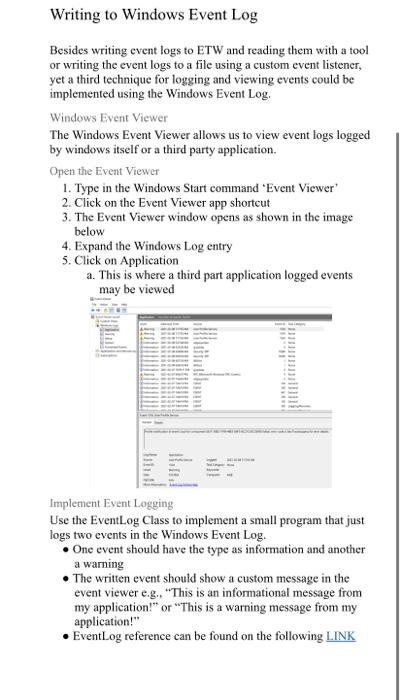
Writing to Windows Event Log Besides writing event logs to ETW and reading them with a tool or writing the event logs to a file using a custom event listener, yet a third technique for logging and viewing events could be implemented using the Windows Event Log. Windows Event Viewer The Windows Event Viewer allows us to view event logs logged by windows itself or a third party application. Open the Event Viewer 1. Type in the Windows Start command Event Viewer 2. Click on the Event Viewer app shortcut 3. The Event Viewer window opens as shown in the image below 4. Expand the Windows Log entry 5. Click on Application a. This is where a third part application logged events may be viewed Implement Event Logging Use the EventLog Class to implement a small program that just logs two events in the Windows Event Log. One event should have the type as information and another a warning The written event should show a custom message in the event viewer e.g. "This is an informational message from my application!" or "This is a warning message from my application!" EventLog reference can be found on the following LINK Writing to Windows Event Log Besides writing event logs to ETW and reading them with a tool or writing the event logs to a file using a custom event listener, yet a third technique for logging and viewing events could be implemented using the Windows Event Log. Windows Event Viewer The Windows Event Viewer allows us to view event logs logged by windows itself or a third party application. Open the Event Viewer 1. Type in the Windows Start command Event Viewer 2. Click on the Event Viewer app shortcut 3. The Event Viewer window opens as shown in the image below 4. Expand the Windows Log entry 5. Click on Application a. This is where a third part application logged events may be viewed Implement Event Logging Use the EventLog Class to implement a small program that just logs two events in the Windows Event Log. One event should have the type as information and another a warning The written event should show a custom message in the event viewer e.g. "This is an informational message from my application!" or "This is a warning message from my application!" EventLog reference can be found on the following LINK
Step by Step Solution
There are 3 Steps involved in it

Get step-by-step solutions from verified subject matter experts
 Study Help