







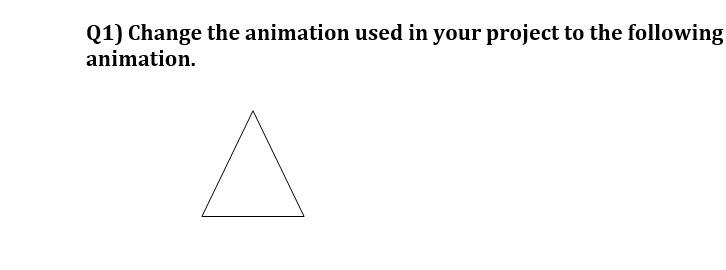
Question: I want to modify this code and add this triangle in a suitable place and when I click on this triangle I want it to
I want to modify this code and add this triangle in a suitable place and when I click on this triangle I want it to move
html...

I'm XYZ
A Programmer.


Hello.
I am a Web Developer.Currently Pursuing My B.tech.
My Skills.

Design & Development
I started to code when I was 17 years old because I wanted to develop things which I've been practising and dreaming for.Over time,I have gained a wealth of experience,in designing and developing IOT and web applications.

Painting and Sketching
But my best skill is actually sketching and drawing what's going in my mind.
Get In Touch
If you love designing as much as I do.
Love designing as much as I do?Let's sit together and design something out of the box! We can design while having tea!
CONTACT ME
Website
2020 XYZ.
css ...
body{
color: #40514E;
margin: 0;
text-align: center;
font-family: 'Merriweather', serif;
}
h1{
color: #66BFBF;
font-size: 5.625em;
margin-top: 50px auto 0 auto;
font-family: 'Sacramento', cursive;
}
h2{
padding-bottom: 10px;
color: #66BFBF;
font-size: 2.5rem;
font-family: 'Montserrat', sans-serif;
font-weight: normal;
}
h3{
color: #11999E;
font-family: 'Montserrat', sans-serif;
}
p{
line-height: 2;
}
hr{
border: dotted #EAF6F6 6px;
border-bottom: none;
width: 4%;
margin: 100px auto;
}
a{
color: #11999E;
font-family: 'Montserrat', sans-serif;
margin: 10px 20px;
text-decoration: none;
}
a:hover{
color: #EAF6F6;
}
.profile-picture{
width: 15%;
}
.blog-image{
width: 40%;
float: left;
margin-right: 30px;
}
.painting-image{
width: 25%;
float: right;
margin-left: 30px;
}
.skill-row{
margin: 100px auto 100px auto;
width: 50%;
text-align: left;
}
.pro{
text-decoration: underline;
}
.intro{
width: 30%;
margin: auto;
}
.top-container{
background-color: #E4F9F5;
position: relative;
padding-top: 100px;
}
.middle-container{
margin: 100px 0;
}
.bottom-container{
background-color: #66BFBF;
padding: 50px 0 20px;
}
.top-cloud{
position: absolute;
right: 300px;
top: 40px;
}
.bottom-cloud{
left: 250px;
bottom: 300px;
position: absolute;
}
.footer-link{
color: #11999E;
}
.contact-message{
width: 40%;
margin: 40px auto 60px;
}
.btn {
background-color:#11cdd4;
border-radius:8px;
border:1px solid #11999E;
display:inline-block;
cursor:pointer;
color:#ffffff;
font-family:Arial;
font-size:17px;
padding:14px 24px;\ text-decoration:none;
}
.btn:hover {
background-color:#30e3cb;
}
.btn:active {
position:relative;
top:1px;
}
.copyright{
color: #EAF6F6;
font-size: 0.75rem;
padding: 20px 0;
}
(1) Change the animation used in your project to the following animation
Step by Step Solution
There are 3 Steps involved in it

Get step-by-step solutions from verified subject matter experts
 Study Help