



Question: i want VI file attached with answer VI VI Package Manager App Open Run as administrator Open file location Pin to Start Pin to taskbar
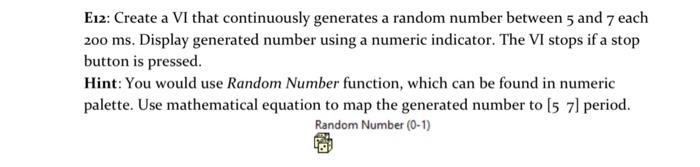
VI VI Package Manager App Open Run as administrator Open file location Pin to Start Pin to taskbar Uninstall E12: Create a VI that continuously generates a random number between 5 and 7 each 200 ms. Display generated number using a numeric indicator. The VI stops if a stop button is pressed. Hint: You would use Random Number function, which can be found in numeric palette. Use mathematical equation to map the generated number to [5 71 period. Random Number (0-1) VI VI Package Manager App Open Run as administrator Open file location Pin to Start Pin to taskbar Uninstall E12: Create a VI that continuously generates a random number between 5 and 7 each 200 ms. Display generated number using a numeric indicator. The VI stops if a stop button is pressed. Hint: You would use Random Number function, which can be found in numeric palette. Use mathematical equation to map the generated number to [5 71 period. Random Number (0-1)
Step by Step Solution
There are 3 Steps involved in it

Get step-by-step solutions from verified subject matter experts