







Question: I will thumbs up. Use JAVA Socket Programming using TCP Assignment Client/Server Application using TCP Implement a client/server application, where the client asks the user
I will thumbs up.
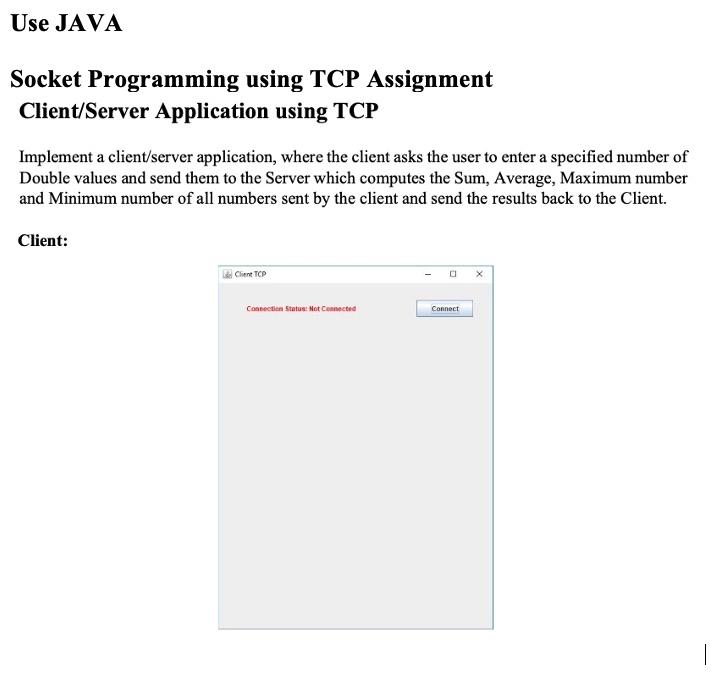
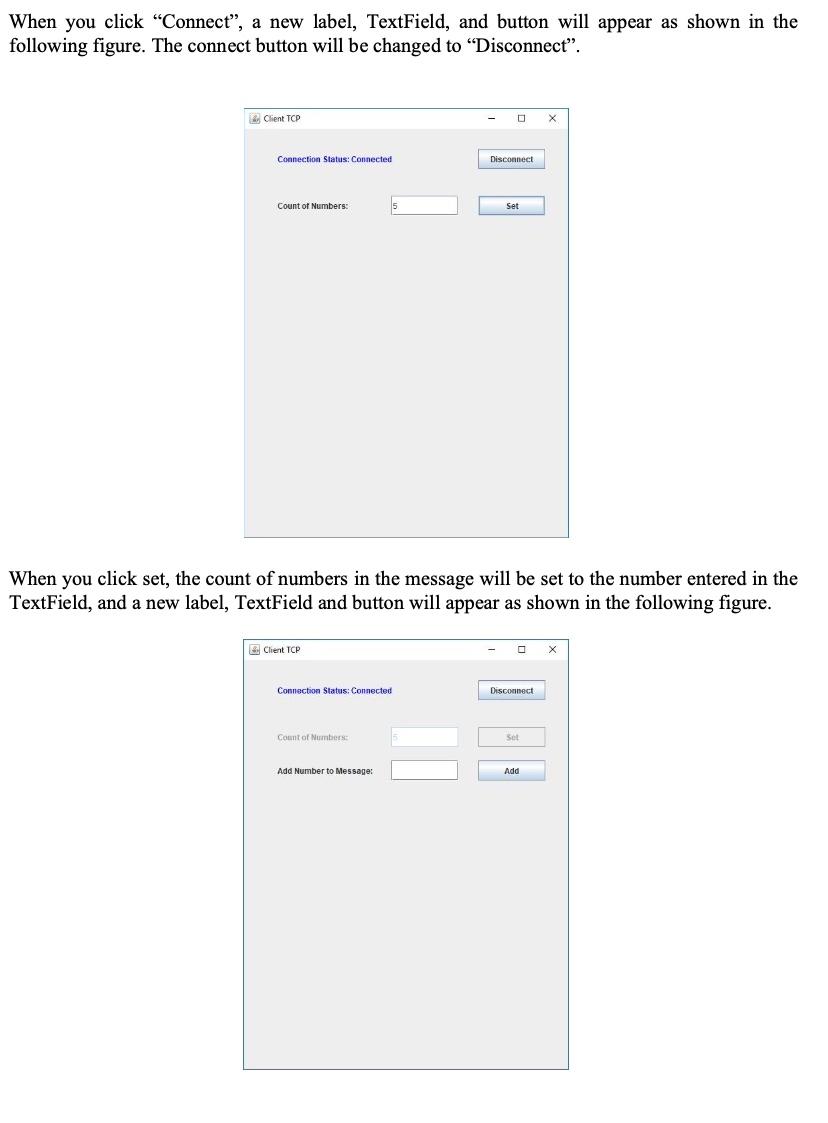
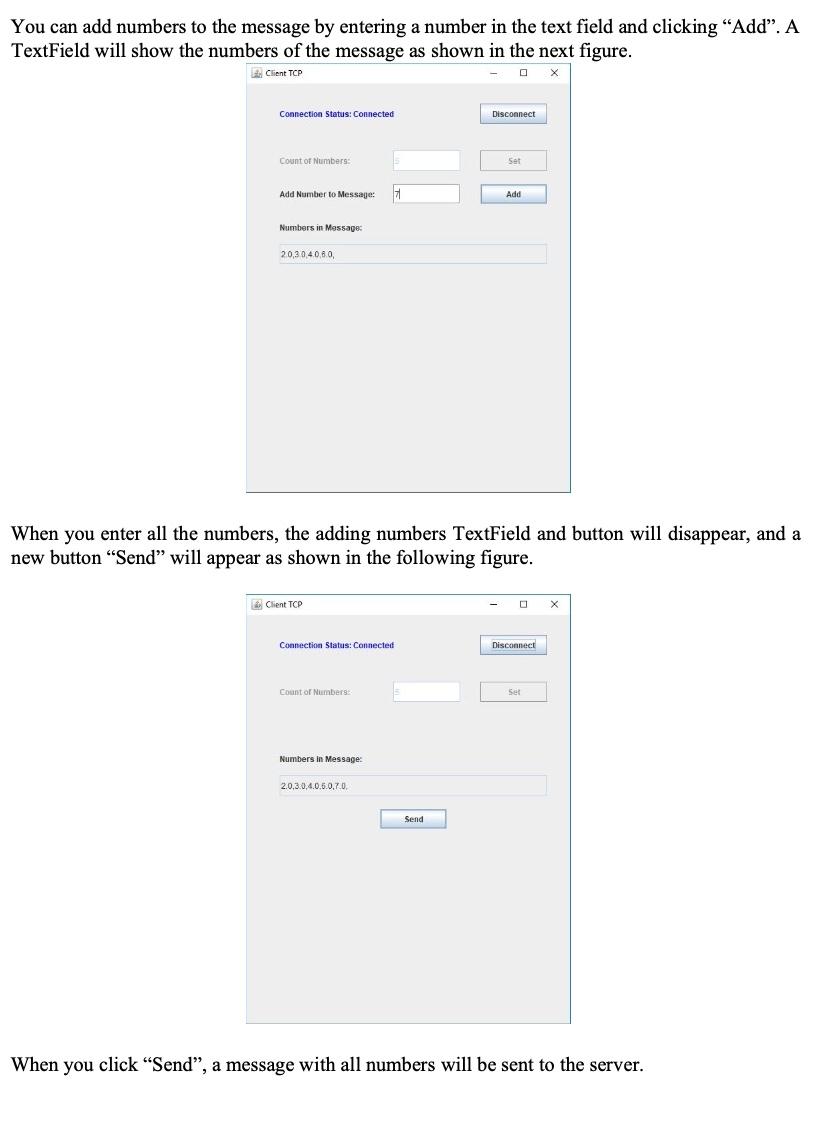
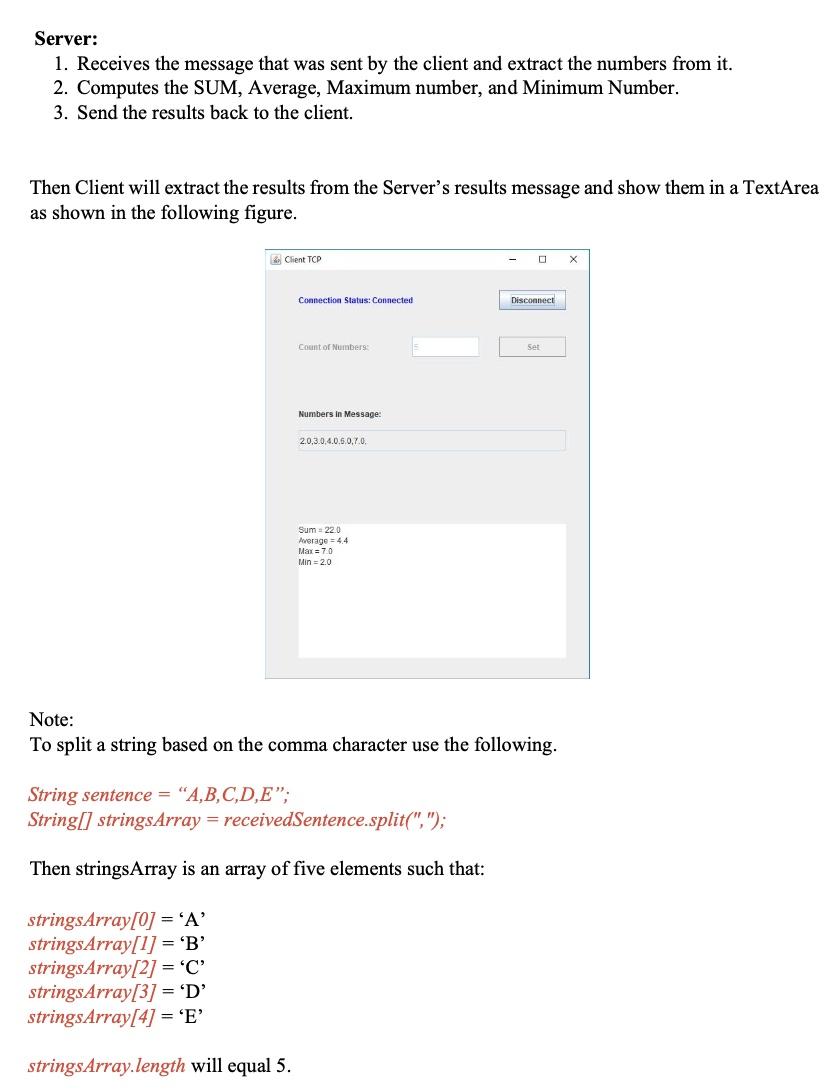
Use JAVA Socket Programming using TCP Assignment Client/Server Application using TCP Implement a client/server application, where the client asks the user to enter a specified number of Double values and send them to the Server which computes the Sum, Average, Maximum number and Minimum number of all numbers sent by the client and send the results back to the Client. Client: Chet TCP Connection Status: Not Connected Connect When you click Connect, a new label, TextField, and button will appear as shown in the following figure. The connect button will be changed to "Disconnect. Client TOP - X Connection Status: Connected Disconnect Count of Numbers: Set When you click set, the count of numbers in the message will be set to the number entered in the TextField, and a new label, TextField and button will appear as shown in the following figure. Client TCP X Connection Status: Connected Disconnect Count of Numbers Sel Add Number to Message: Add You can add numbers to the message by entering a number in the text field and clicking Add. A TextField will show the numbers of the message as shown in the next figure. Client TCP x Connection Status: Connected Disconnect Count of Numbers: Set Add Number to Message: H Add Numbers in Massage 20,30 40,60 When you enter all the numbers, the adding numbers TextField and button will disappear, and a new button "Send" will appear as shown in the following figure. Client TCP X Connection Status: Connected Disconnect Count of Numbers: Set Numbers in Message: 2.0.3.0.4.0.5.0.70 Send When you click "Send", a message with all numbers will be sent to the server. Server: 1. Receives the message that was sent by the client and extract the numbers from it. 2. Computes the SUM, Average, Maximum number, and Minimum Number. 3. Send the results back to the client. Then Client will extract the results from the Server's results message and show them in a TextArea as shown in the following figure. Client TCP X Connection Status: Connected Disconnec Count of Numbers Set Numbers in Message: 2.0,3.0.4.0.5.0.7.0 Sum 220 Average = 44 Max = 70 Min = 2.0 Note: To split a string based on the comma character use the following. String sentence = "A,B,C,D,E, String[] strings Array = receivedSentence.split("/"); Then stringsArray is an array of five elements such that: stringsArray[0] = 'A' stringsArray[1] = 'B' stringsArray[2] = 'C' stringsArray[3] = 'D' stringsArray[4] = 'E' stringsArray.length will equal 5. Use JAVA Socket Programming using TCP Assignment Client/Server Application using TCP Implement a client/server application, where the client asks the user to enter a specified number of Double values and send them to the Server which computes the Sum, Average, Maximum number and Minimum number of all numbers sent by the client and send the results back to the Client. Client: Chet TCP Connection Status: Not Connected Connect When you click Connect, a new label, TextField, and button will appear as shown in the following figure. The connect button will be changed to "Disconnect. Client TOP - X Connection Status: Connected Disconnect Count of Numbers: Set When you click set, the count of numbers in the message will be set to the number entered in the TextField, and a new label, TextField and button will appear as shown in the following figure. Client TCP X Connection Status: Connected Disconnect Count of Numbers Sel Add Number to Message: Add You can add numbers to the message by entering a number in the text field and clicking Add. A TextField will show the numbers of the message as shown in the next figure. Client TCP x Connection Status: Connected Disconnect Count of Numbers: Set Add Number to Message: H Add Numbers in Massage 20,30 40,60 When you enter all the numbers, the adding numbers TextField and button will disappear, and a new button "Send" will appear as shown in the following figure. Client TCP X Connection Status: Connected Disconnect Count of Numbers: Set Numbers in Message: 2.0.3.0.4.0.5.0.70 Send When you click "Send", a message with all numbers will be sent to the server. Server: 1. Receives the message that was sent by the client and extract the numbers from it. 2. Computes the SUM, Average, Maximum number, and Minimum Number. 3. Send the results back to the client. Then Client will extract the results from the Server's results message and show them in a TextArea as shown in the following figure. Client TCP X Connection Status: Connected Disconnec Count of Numbers Set Numbers in Message: 2.0,3.0.4.0.5.0.7.0 Sum 220 Average = 44 Max = 70 Min = 2.0 Note: To split a string based on the comma character use the following. String sentence = "A,B,C,D,E, String[] strings Array = receivedSentence.split("/"); Then stringsArray is an array of five elements such that: stringsArray[0] = 'A' stringsArray[1] = 'B' stringsArray[2] = 'C' stringsArray[3] = 'D' stringsArray[4] = 'E' stringsArray.length will equal 5
Step by Step Solution
There are 3 Steps involved in it

Get step-by-step solutions from verified subject matter experts
 Study Help