







Question: i wrote a code that prints the blue rectangle in the following image below in pygame using python. I need the blue square to loop
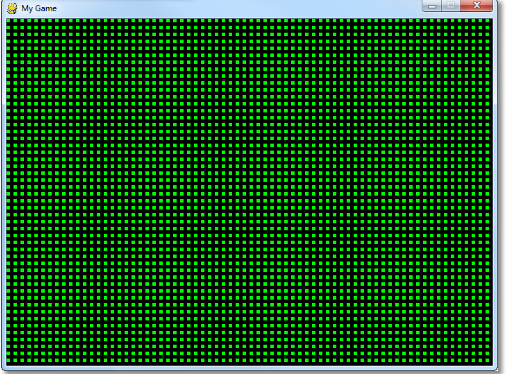
i wrote a code that prints the blue rectangle in the following image below in pygame using python. I need the blue square to loop throughout the whole screen like the second image. Im stuck and cant seem to figure it out.
 -----
-----
MY CODE SO FAR.
import pygame,sys
#initializes video pygame.init()
#sets the screen size screen=pygame.display.set_mode((400,400))
while(1): for event in pygame.event.get(): if event.type == pygame.QUIT: sys.exit()
#draws a rectangle on screen with color (r,g,b) at loc(x,y) of width w, height h
#this statement draws a blue rectangle at (10,10) width=30, height=20 pygame.draw.rect(screen,(0,0,255),pygame.Rect(10,10,10,6))
pygame.display.flip()
pygame window
Step by Step Solution
There are 3 Steps involved in it

Get step-by-step solutions from verified subject matter experts
 Study Help