







Question: I wrote some code and it builds but everytime I run it, It shows the error message in the else statement ASU CSE 100 Lab
I wrote some code and it builds but everytime I run it, It shows the error message in the else statement
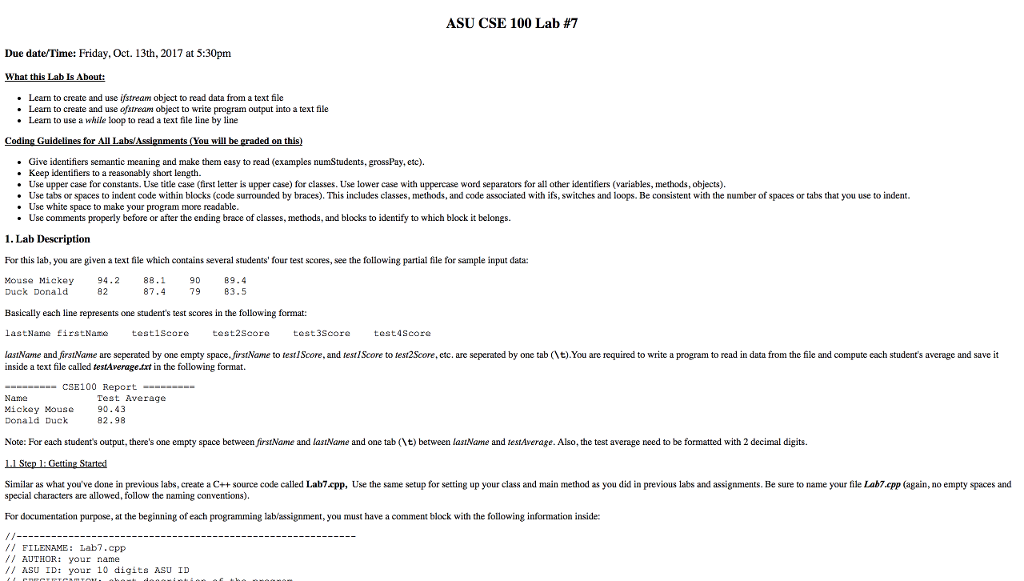
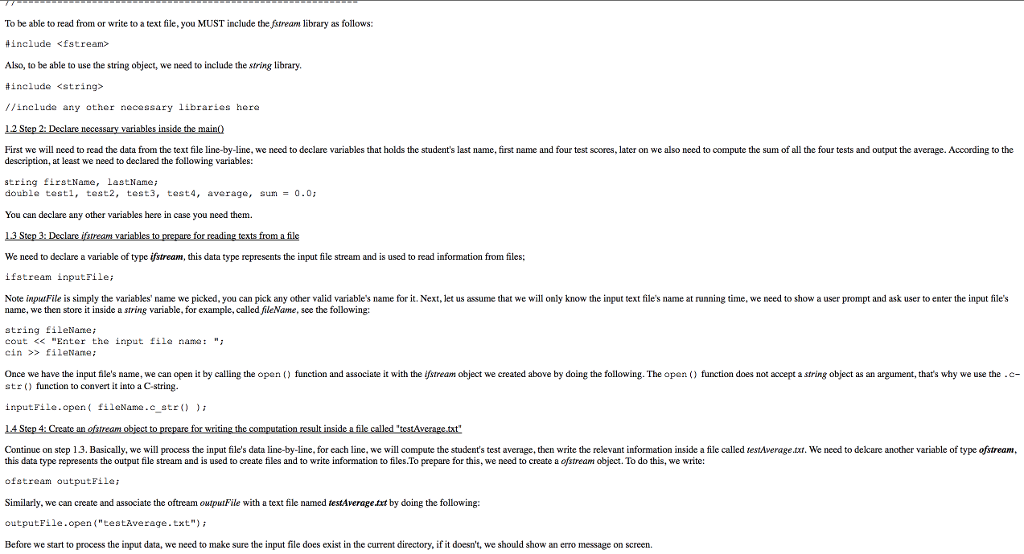
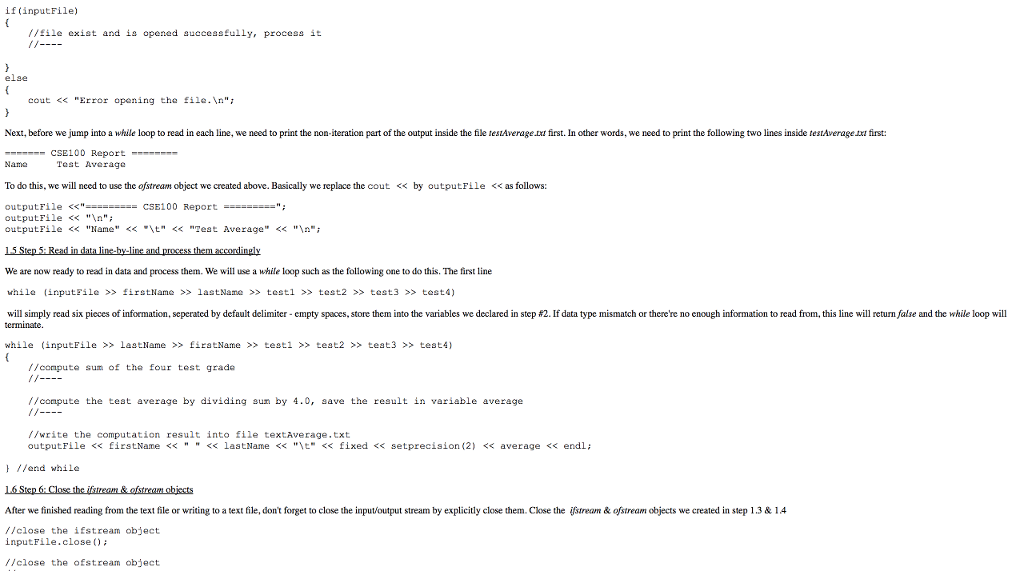
ASU CSE 100 Lab #7 Due date/Time: Friday, Oct. 13th, 2017 at 5:30pm What this Lab Is A Learn to create and use istream object to read data from a text file Learn to create and use ofstream object to write program output into a text file Learn to use a while loop to read a text file line by line Guidelines for All Labs/ ou will be graded on this .Give identifiers semantic meaning and make them casy to read (examples numStudents, grossPay, etc). . Keep identifiers to a reasonably short length. Use upper case for constants. Use title case (first letter is upper case) for classes. Use lower case with uppercase word separators for all other identifiers (variables, methods, objects) Use tabs or spaces to indent code within blocks (code surrounded by braces). This includes classes, methods, and code associated with ifs, switches and loops. Be consistent with the number of spaces or tabs that you use to indent. . Use white space to make your program more . Use comments properly before or after the ending brace of classes, methods, and blocks to identify to which block it belongs. . Lab Description For this lab, you are given a text file which contains several students' four test scores, see the following partial file for sample input data: Mouse Mickey 94.2 88.1 90 .4 82 87.479 83.5 Duck Donald Basically each line represents one student's test scores in the following format: lastName EirstNane lastName and firsName are seperated by one empty space firstName to testIScore, and testIScore to test2Score, etc. are seperated by one tab t)You are required to write a program to read in data from the file and compute each student's average and save it testiscor test 2Score testascore inside a text file called testAverage txt in the following format. CSE100 Report Name Mickey Nouse Donald Duck Test Average 90.43 82.98 Note: For each student's output, there's one empty space between firstName and lasName and one tab t) between lasName and lestAverage. Also, the test average need to be formatted with 2 decimal digits. Similar as what you've done in previous labs, ereate a C++source codclled Lab7cpp, Use the same setup for setting up your class and main method as you did in previous labs and assignments. Be sure to name your file Lab7.cpp (again, no empty spaces and special characters are allowed, folow the naming conventions). For documentation purpose, at the beginning of each programming lablassignment, you must have a comment block with the following information inside FILENAME: Lab7.cpp AUTHOR: your name ASU IDt your 10 digits ASU ID
Step by Step Solution
There are 3 Steps involved in it

Get step-by-step solutions from verified subject matter experts
 Study Help