







Question: ICW Login Functionality Starting with today's examples or the Getting started with your Login Functionality help posted on Canvas, complet following exercises . Grab the
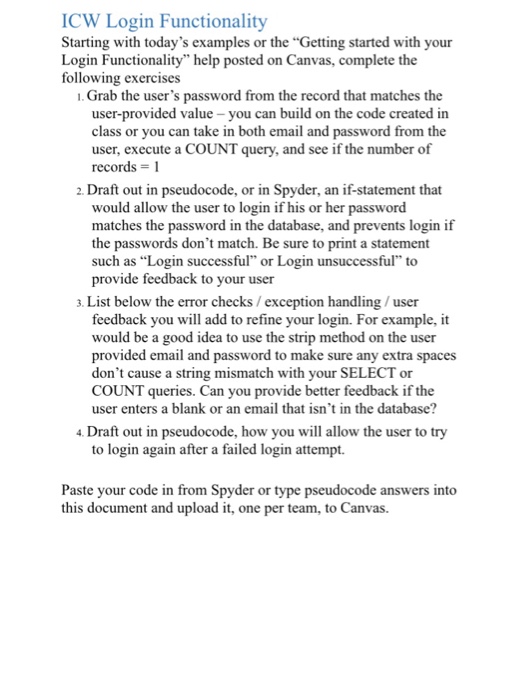
ICW Login Functionality Starting with today's examples or the "Getting started with your Login Functionality" help posted on Canvas, complet following exercises . Grab the user's password from the record that matches the user-provided value-you can build on the code created in class or you can take in both email and password from the user, execute a COUNT query, and see if the number of records= 1 2. Draft out in pseudocode, or in Spyder, an if-statement that would allow the user to login if his or her password matches the password in the database, and prevents login if the passwords don't match. Be sure to print a statement such as Login successful" or Login unsuccessful" to provide feedback to your user . List below the error checks/exception handling/user feedback you will add to refine your login. For example, it would be a good idea to use the strip method on the user provided email and password to make sure any extra spaces don't cause a string mismatch with your SELECT or COUNT user enters a blank or an email that isn't in the database? queries. Can you provide better feedback if the 4. Draft out in pseudocode, how you will allow the user to try to login again after a failed login attempt. Paste your code in from Spyder or type pseudocode answers into this document and upload it, one per team, to Canvas. ICW Login Functionality Starting with today's examples or the "Getting started with your Login Functionality" help posted on Canvas, complet following exercises . Grab the user's password from the record that matches the user-provided value-you can build on the code created in class or you can take in both email and password from the user, execute a COUNT query, and see if the number of records= 1 2. Draft out in pseudocode, or in Spyder, an if-statement that would allow the user to login if his or her password matches the password in the database, and prevents login if the passwords don't match. Be sure to print a statement such as Login successful" or Login unsuccessful" to provide feedback to your user . List below the error checks/exception handling/user feedback you will add to refine your login. For example, it would be a good idea to use the strip method on the user provided email and password to make sure any extra spaces don't cause a string mismatch with your SELECT or COUNT user enters a blank or an email that isn't in the database? queries. Can you provide better feedback if the 4. Draft out in pseudocode, how you will allow the user to try to login again after a failed login attempt. Paste your code in from Spyder or type pseudocode answers into this document and upload it, one per team, to Canvas
Step by Step Solution
There are 3 Steps involved in it

Get step-by-step solutions from verified subject matter experts
 Study Help