







Question: IE 09-02 (Static) Using Excel to Calculate and Prepare the Adjusting Journal Entries related to the Issuance of Bonds [LO 9-5] On January 1, 2024,
IE 09-02 (Static) Using Excel to Calculate and Prepare the Adjusting Journal Entries related to the Issuance of Bonds [LO 9-5]
On January 1, 2024, a company issues bonds. Details of the bond issue are provided below.
Face amount $2,000,000.00
Stated rate (annual) 7%
Number of years until maturity 10
Market rate (annual) 8%
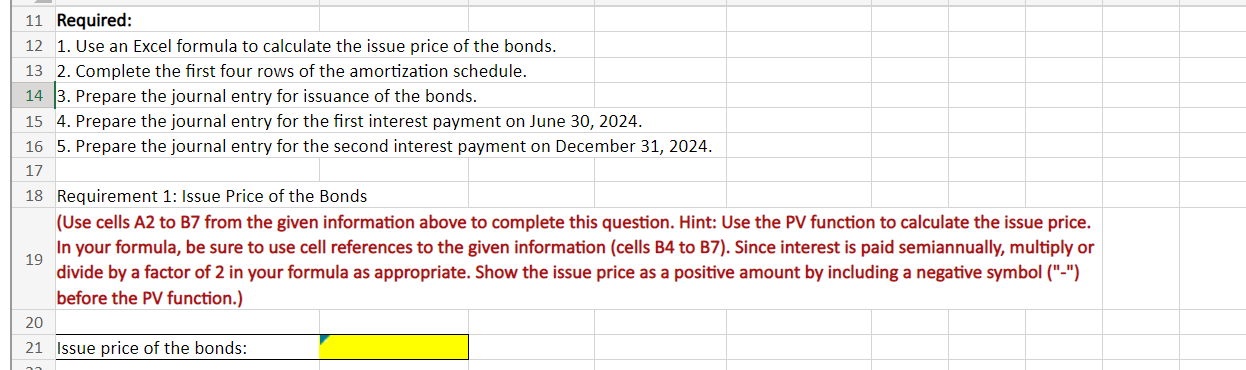
Interest is paid semiannually on June 30 and December 31 of each year. Required: Use an Excel formula to calculate the issue price of the bonds. Complete the first four rows of the amortization schedule. Prepare the journal entry for issuance of the bonds. Prepare the journal entry for the first interest payment on June 30, 2024. Prepare the journal entry for the second interest payment on December 31, 2024.
![Entries related to the Issuance of Bonds [LO 9-5] On January 1,](https://s3.amazonaws.com/si.experts.images/answers/2024/09/66e00d3a758ce_48266e00d3a14a65.jpg)
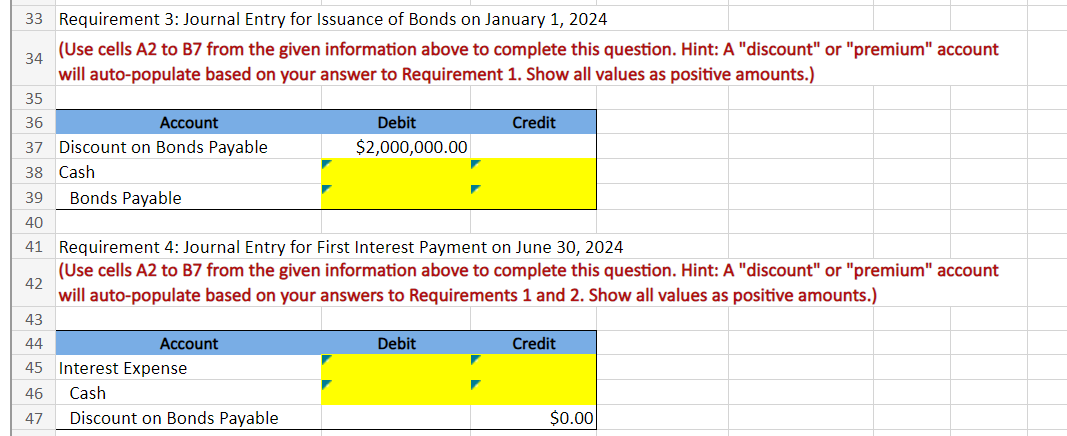
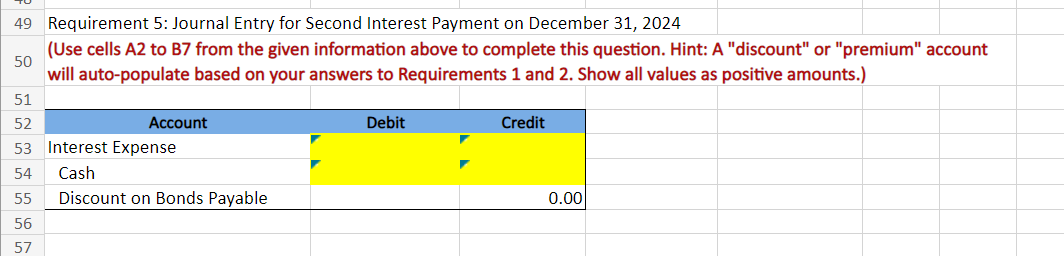
33 Requirement 3: Journal Entry for Issuance of Bonds on January 1, 2024 34 (Use cells A2 to B7 from the given information above to complete this question. Hint: A "discount" or "premium" account will auto-populate based on your answer to Requirement 1 . Show all values as positive amounts.) 3.5 41 Requirement 4: Journal Entry for First Interest Payment on June 30, 2024 (Use cells A2 to B7 from the given information above to complete this question. Hint: A "discount" or "premium" account 42 will auto-populate based on your answers to Requirements 1 and 2 . Show all values as positive amounts.) Requirement 5: Journal Entry for Second Interest Payment on December 31, 2024 (Use cells A2 to B7 from the given information above to complete this question. Hint: A "discount" or "premium" account will auto-populate based on your answers to Requirements 1 and 2 . Show all values as positive amounts.) 11 Required: 12 1. Use an Excel formula to calculate the issue price of the bonds. 13 2. Complete the first four rows of the amortization schedule. 14 3. Prepare the journal entry for issuance of the bonds. 15 4. Prepare the journal entry for the first interest payment on June 30, 2024. 16 5. Prepare the journal entry for the second interest payment on December 31, 2024. 17 18 Requirement 1: Issue Price of the Bonds (Use cells A2 to B7 from the given information above to complete this question. Hint: Use the PV function to calculate the issue price. In your formula, be sure to use cell references to the given information (cells B4 to B7). Since interest is paid semiannually, multiply or divide by a factor of 2 in your formula as appropriate. Show the issue price as a positive amount by including a negative symbol ("-") before the PV function.) 20 21 Issue price of the bonds
Step by Step Solution
There are 3 Steps involved in it

Get step-by-step solutions from verified subject matter experts
 Study Help