







Question: If - Then Conditionals Part 2 My Solutions > On Wednesday, we talked about the it' conditional. Remember, there are three main parts to this.
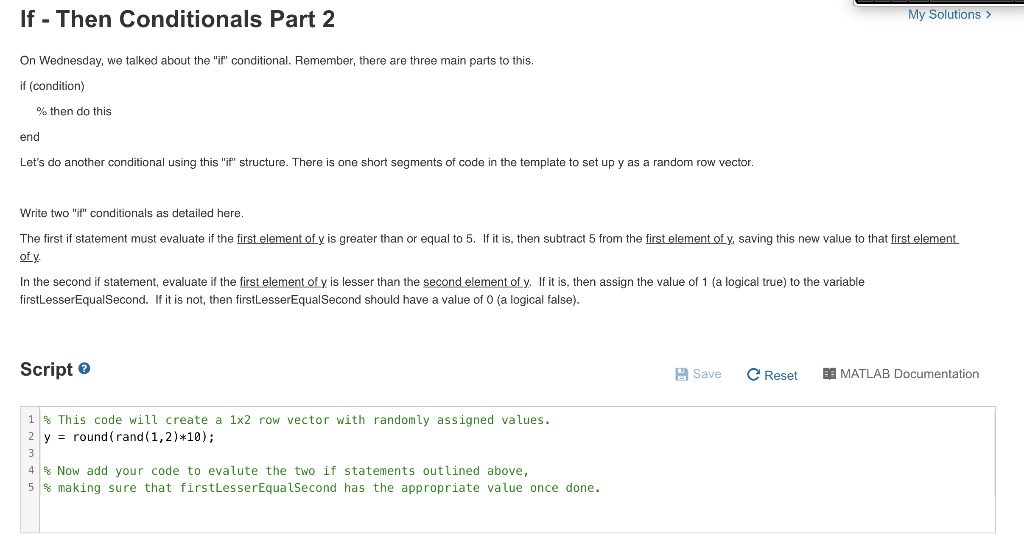
If - Then Conditionals Part 2 My Solutions > On Wednesday, we talked about the "it' conditional. Remember, there are three main parts to this. if (condition) % then do this end Let's do another conditional using this "if" structure. There is one short segments of code in the template to set up y as a random row vector Write two "ith conditionals as detailed here. The first if statement must evaluate if the first element of y is greater than or equal to 5. If it is, then subtract 5 from the first element of y. saving this new value to that first element of y In the second if statement, evaluate if the first element of y. is lesser than the second element of y. If it is, then assign the value of 1 (a logical true) to the variable firstLesserEqualSecond. If it is not, then firstLesserEqualSecond should have a value of 0 (a logical false). Script Save e Reset BO MATLAB Documentation 1 This code will create a 1x2 row vector with randomly assigned values. 2 y = round(rand(1,2)*10); 3 4 % Now add your code to evalute the two if statements outlined above, 5 % making sure that firstLesserEqualSecond has the appropriate value once done
Step by Step Solution
There are 3 Steps involved in it

Get step-by-step solutions from verified subject matter experts
 Study Help