Question: If your implementation is exactly the same as another code, You are going to design a supermarket system in JAVA. In this application you need
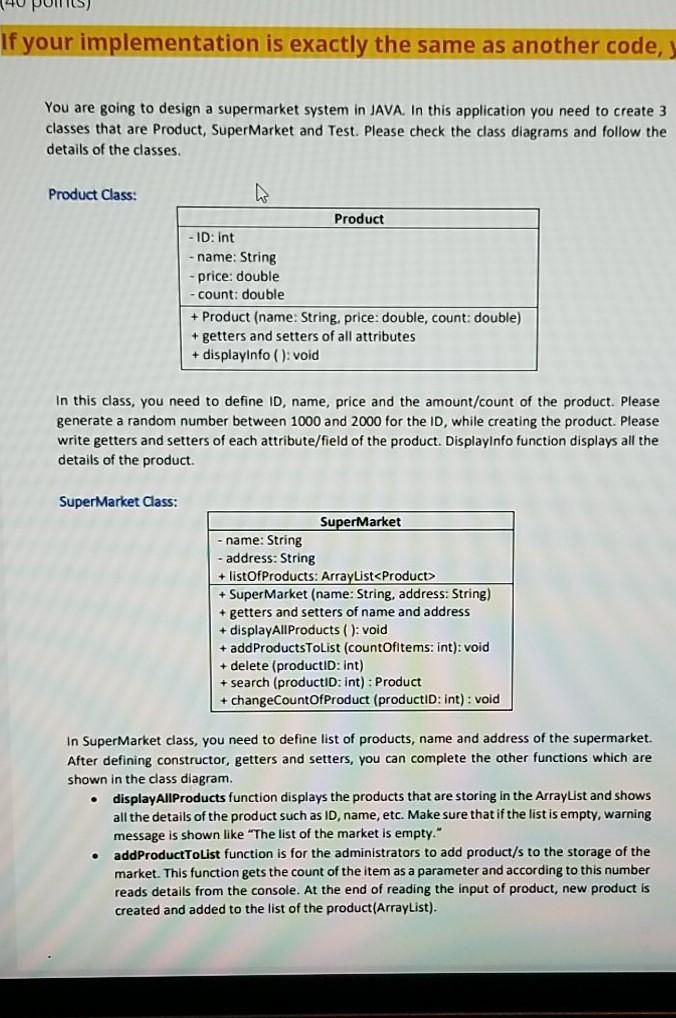
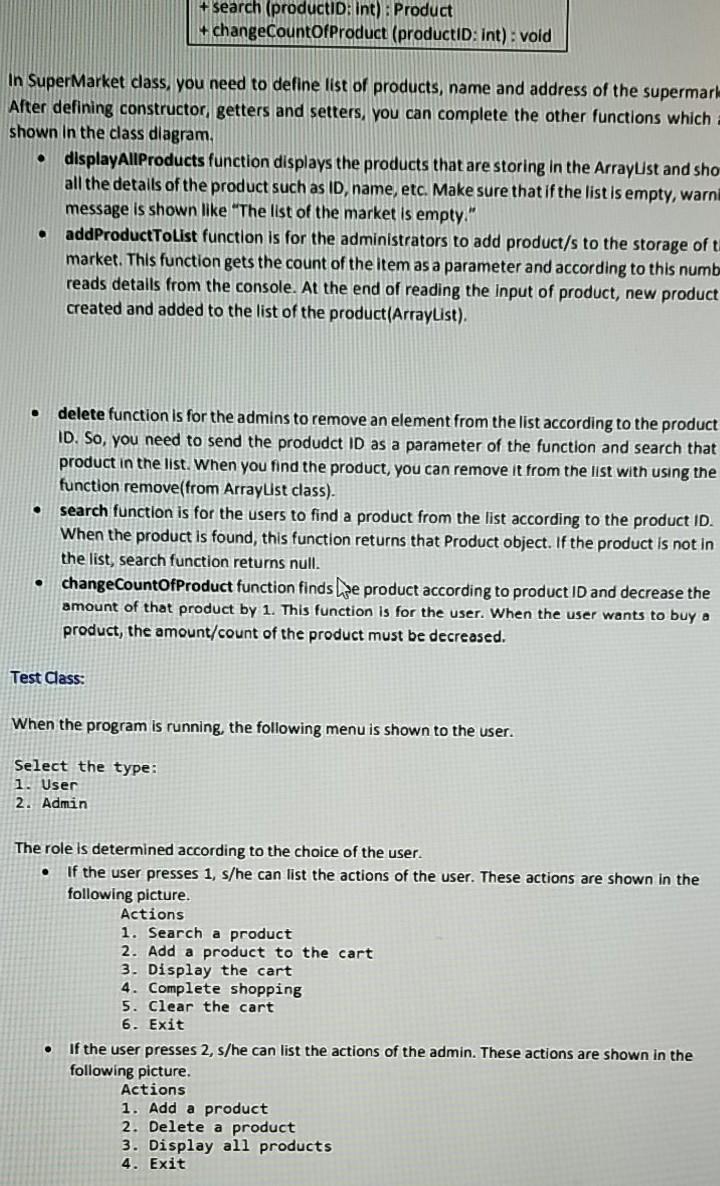
If your implementation is exactly the same as another code, You are going to design a supermarket system in JAVA. In this application you need to create 3 classes that are Product, Super Market and Test. Please check the class diagrams and follow the details of the classes. Product Class: Product - ID: Int name: String price: double count: double + Product (name: String. price: double, count: double) + getters and setters of all attributes + displayinfo(): void In this class, you need to define ID, name, price and the amount/count of the product. Please generate a random number between 1000 and 2000 for the ID, while creating the product. Please write getters and setters of each attribute/field of the product. DisplayInfo function displays all the details of the product. Super Market Class: SuperMarket name: String - address: String + listOfProducts: ArrayList + Super Market (name: String, address: String) + getters and setters of name and address + displayAll Products ( ): void + addProductsToList (countOfitems: int): void + delete (productID: Int) + search (productID: int) : Product + changeCountOfProduct (productID:int) : void . In Supermarket class, you need to define list of products, name and address of the supermarket. After defining constructor, getters and setters, you can complete the other functions which are shown in the class diagram. displayAllProducts function displays the products that are storing in the ArrayList and shows all the details of the product such as ID, name, etc. Make sure that if the list is empty, warning message is shown like "The list of the market is empty." addProductToList function is for the administrators to add product/s to the storage of the market. This function gets the count of the item as a parameter and according to this number reads details from the console. At the end of reading the input of product, new product is created and added to the list of the product(ArrayList). search (productID: Int): Product 4 changeCountOfProduct (productid:int) : vold In Super Market class, you need to define list of products, name and address of the supermarl- Alter defining constructor, getters and setters, you can complete the other functions which shown in the class diagram. displayAllProducts function displays the products that are storing in the ArrayList and sho all the details of the product such as ID name, etc. Make sure that if the list is empty, warni message is shown like "The list of the market is empty." addProductToList function is for the administrators to add product/s to the storage of ti market. This function gets the count of the item as a parameter and according to this numb reads details from the console. At the end of reading the input of product, new product created and added to the list of the product(ArrayList). . delete function is for the admins to remove an element from the list according to the product ID. So, you need to send the produdct ID as a parameter of the function and search that product in the list. When you find the product, you can remove it from the list with using the function remove(from ArrayList class). search function is for the users to find a product from the list according to the product ID. When the product is found, this function returns that Product object. If the product is not in the list, search function returns null. changeCountOfProduct function finds he product according to product ID and decrease the amount of that product by 1. This function is for the user. When the user wants to buy a product, the amount/count of the product must be decreased. O Test Class: When the program is running, the following menu is shown to the user. Select the type: 1. User 2. Admin . The role is determined according to the choice of the user. If the user presses 1, s/he can list the actions of the user. These actions are shown in the following picture. Actions 1. Search a product 2. Add a product to the cart 3. Display the cart 4. Complete shopping 5. Clear the cart 6. Exit If the user presses 2, s/he can list the actions of the admin. These actions are shown in the following picture. Actions 1. Add a product 2. Delete a product 3. Display all products 4. Exit









 Study Help