



Question: IFT 1 6 6 Introduction to Internet Networking Lab 4 The Hub After you complete each step, put a ' ? 2 ' or '
IFT Introduction to Internet Networking
Lab
The "Hub"
After you complete each step, put a or in the completed box
Using Packet Tracer, we can use a hub to show how Ethernet operates in a shared environment where every device is connected to a hub. When the frames hits the hub, the hub will broadcast the frame out every port that is active.
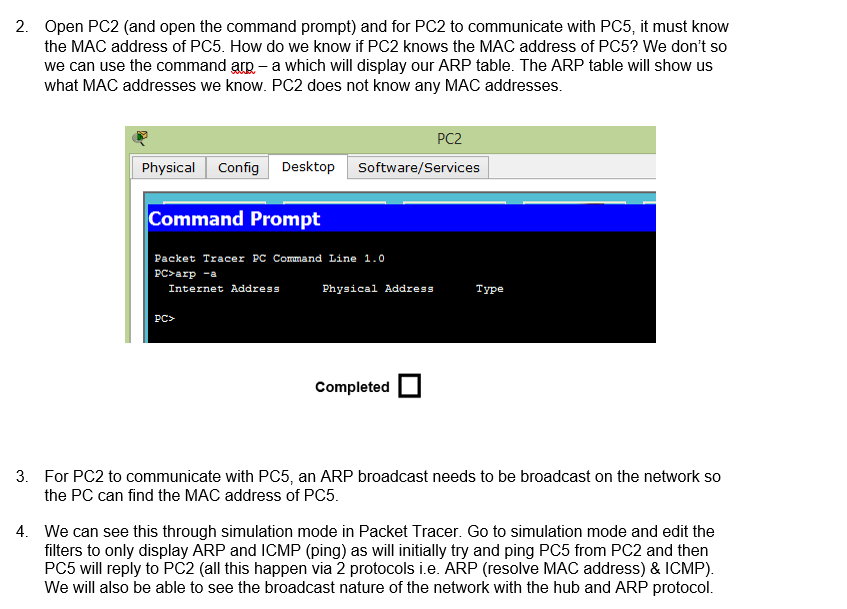
Create the following topology in Packet TracerOpen PCand open the command prompt and for PC to communicate with PC it must know
the MAC address of PC How do we know if PC knows the MAC address of PC We don't so
we can use the command arp a which will display our ARP table. The ARP table will show us
what MAC addresses we know. PC does not know any MAC addresses.
For to communicate with an ARP broadcast needs to be broadcast on the network so
the PC can find the MAC address of PC
We can see this through simulation mode in Packet Tracer. Go to simulation mode and edit the
filters to only display ARP and ICMP ping as will initially try and ping PC from PC and then
PC will reply to PCall this happen via protocols ie ARP resolve MAC address & ICMP
We will also be able to see the broadcast nature of the network with the hub and ARP protocol.
Step by Step Solution
There are 3 Steps involved in it
1 Expert Approved Answer
Step: 1 Unlock

Question Has Been Solved by an Expert!
Get step-by-step solutions from verified subject matter experts
Step: 2 Unlock
Step: 3 Unlock