







Question: II. Big Numbers 1. Implement this program in a file named bigNums.py. 2. Create a numerical (integer) list, named numbers. Populate the list with 1,000,000
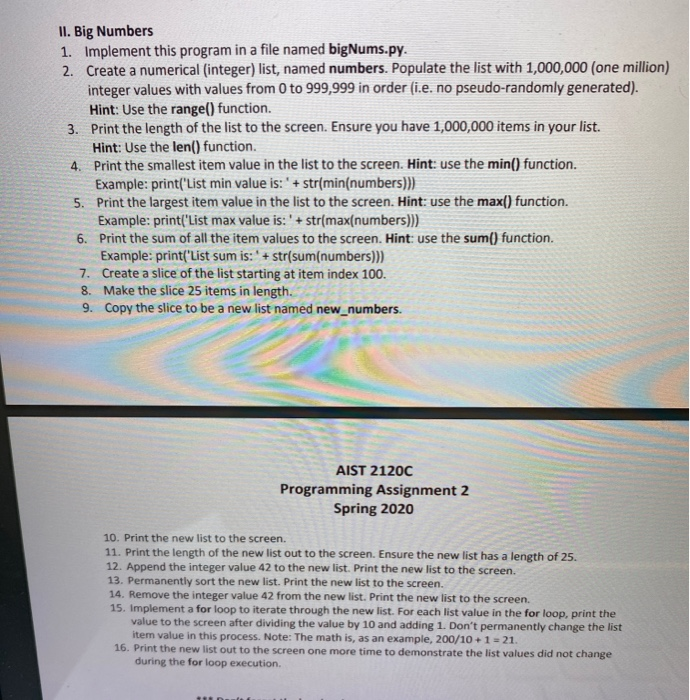
II. Big Numbers 1. Implement this program in a file named bigNums.py. 2. Create a numerical (integer) list, named numbers. Populate the list with 1,000,000 (one million) integer values with values from 0 to 999,999 in order (i.e. no pseudo-randomly generated). Hint: Use the range() function. 3. Print the length of the list to the screen. Ensure you have 1,000,000 items in your list. Hint: Use the len() function. 4. Print the smallest item value in the list to the screen. Hint: use the min() function. Example: print('List min value is: ' + str(min(numbers))) 5. Print the largest item value in the list to the screen. Hint: use the max() function. Example: print('List max value is: '+ str(max{numbers))) 6. Print the sum of all the item values to the screen. Hint: use the sum() function. Example: print('List sum is: ' + str(sum(numbers))) 7. Create a slice of the list starting at item index 100. 8. Make the slice 25 items in length. 9. Copy the slice to be a new list named new_numbers. AIST 2120C Programming Assignment 2 Spring 2020 10. Print the new list to the screen. 11. Print the length of the new list out to the screen. Ensure the new list has a length of 25. 12. Append the integer value 42 to the new list. Print the new list to the screen. 13. Permanently sort the new list. Print the new list to the screen. 14. Remove the integer value 42 from the new list. Print the new list to the screen. 15. Implement a for loop to iterate through the new list. For each list value in the for loop, print the value to the screen after dividing the value by 10 and adding 1. Don't permanently change the list item value in this process. Note: The math is, as an example, 200/10 +1 = 21. 16. Print the new list out to the screen one more time to demonstrate the list values did not change during the for loop execution
Step by Step Solution
There are 3 Steps involved in it

Get step-by-step solutions from verified subject matter experts
 Study Help