







Question: I'm having a problem with my code, can someone help me please. Here's my code: #include #include using namespace std; class Table { public: void
I'm having a problem with my code, can someone help me please.
Here's my code:
#include
class Table { public: void SetSeatA( int personA ); void SetSeatB( int personB ); int GetSeatA(); int GetSeatB(); void SwapSeats(); void Print(); Table(); Table(int personA, int personB); Table operator-(int person); // Removes person from table (sets seat to 0) private: int seatA; int seatB; };
Table::Table(){ seatA=-1; seatB=-1; return; }
Table::Table(int personA, int personB){ seatA = personA; seatB = personB; return; }
void Table::Print(){ cout
void Table::SetSeatA( int personA ){ seatA = personA; return ; }
void Table::SetSeatB( int personB ){ seatB = personB; return ; }
int Table::GetSeatA(){ return seatA; }
int Table::GetSeatB(){ return seatB; }
void Table::SwapSeats(){ int temp; temp = seatA; seatA = seatB; seatB = temp; return; }
int main(){ Table t(100, 200); t.Print(); t = t - 200; t.Print(); return 0; }
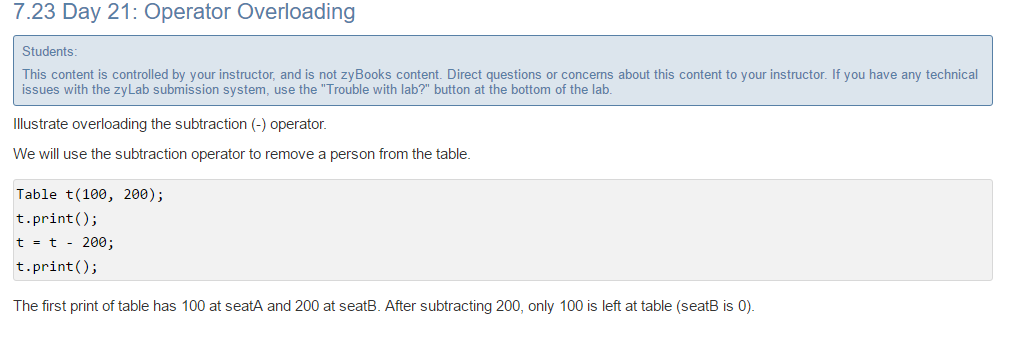
7.23 Day 21: Operator Overloading Students This content is controlled by your instructor, and is not zyBooks content. Direct questions or concerns about this content to your instructor. If you have any technical issues with the zyLab submission system, use the "Trouble with lab?" button at the bottom of the lab. Illustrate overloading the subtraction operator. We will use the subtraction operator to remove a person from the table Tablet (100 200) t prin t t 200; t prin The first print of table has 100 at seatA and 200 at seatB. After subtracting 200, only 100 is left at table (seatB is 0)
Step by Step Solution
There are 3 Steps involved in it

Get step-by-step solutions from verified subject matter experts
 Study Help